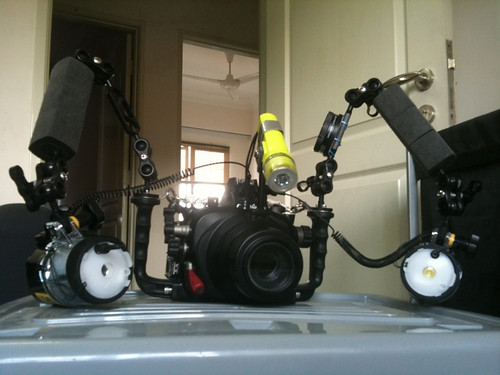
I currently have an Inon s-2000 and need to get one more strobe. I'm considering the Sea & Sea ys-110a as it has a focus light and has a higher guide number. I use home made loc line arms and the specs say it weights -.04 ounces u/w.
I plan on using a Stix float on the arm. Not that I doubt manufacturers claims but is the strobe really that light?
Thanks for any help on this.
I have pair of 110a and yes, it does float underwater.
Yes, it does float underwater but you still need the Stix float to balance your camera. i have pair of 110a and still need the Stix Float not even at Marco set up...for my WA too... may be i add weight on my Dome
Thanks for confirming the weight. I have a new Sony NEX-5 and Nauticam housing that I'll be using with it.
Test it at pool, i using 105VR and it heavy...60mm may be lighter try it....
Thanks for confirming the weight. I have a new Sony NEX-5 and Nauticam housing that I'll be using with it.
Yes, it does float underwater but you still need the Stix float to balance your camera. i have pair of 110a and still need the Stix Float not even at Marco set up...for my WA too... may be i add weight on my Dome