Skip to content

Photo / Video Showcase / Archived topic

Olympus XZ1 in green water

Started by Alex_Tattersall ·

  • 5Posts
  • 5Replies

Read-only discussion

Olympus XZ1 in green water

5 posts
  1. Hi all,


    First compact I have used for a long time. I am very impressed with this little camera and its housing. The recycle and write times are very quick as you can dial down the flash output to 1/64. I haven't seen this on any other compacts, not sure if other can do this.


    Have a look at the results:


    Taken with a Nauticam housing and the Nauticam wet dome port, F2.8 1/60 ISO100
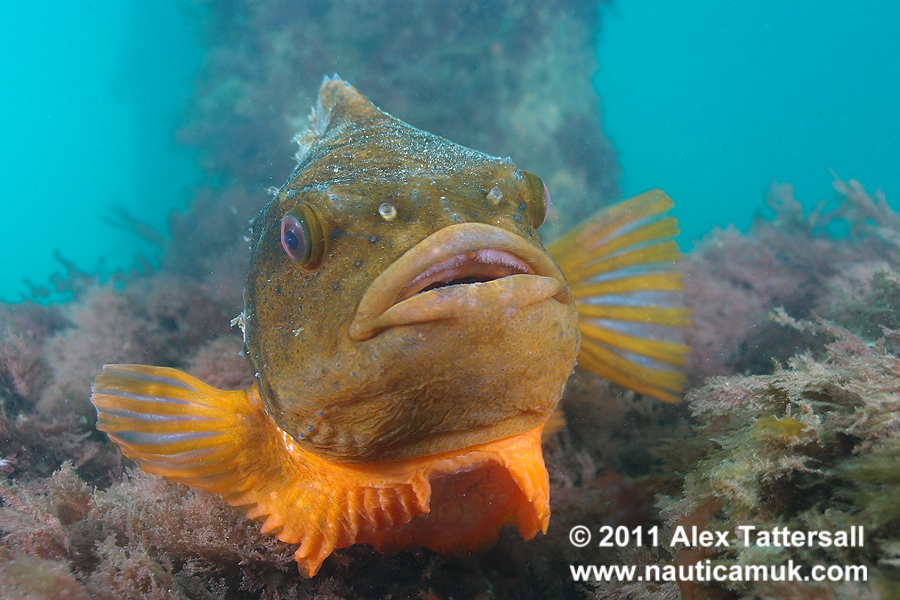
     

    5714131476_49b5eff095_o.jpg


    this is lifesize from the camera


    5714173688_8b08f27578_o.jpg


    Lumpsucker and eggs, F8 1/200, with FIT Pro +5 diopter
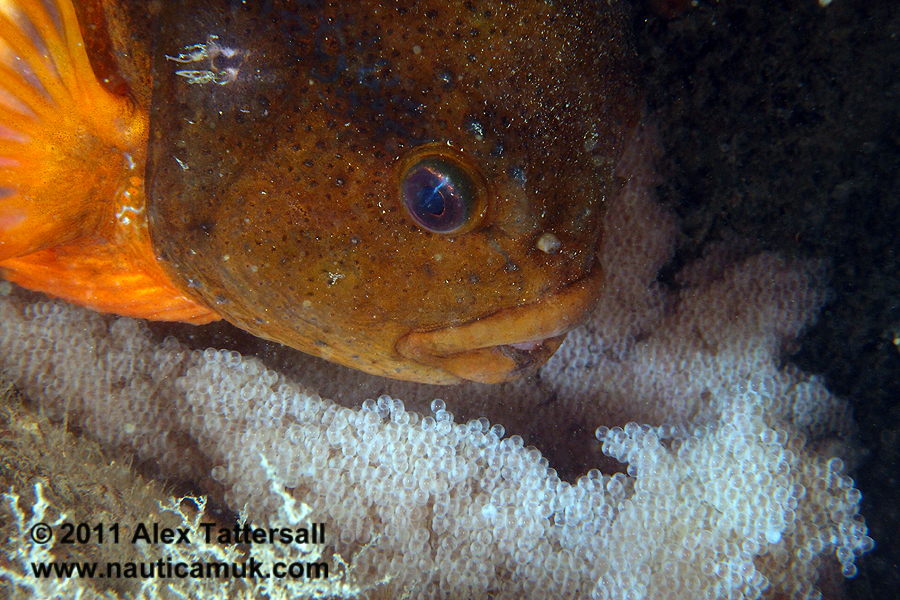
    5714132006_56ef3dff64_o.jpg


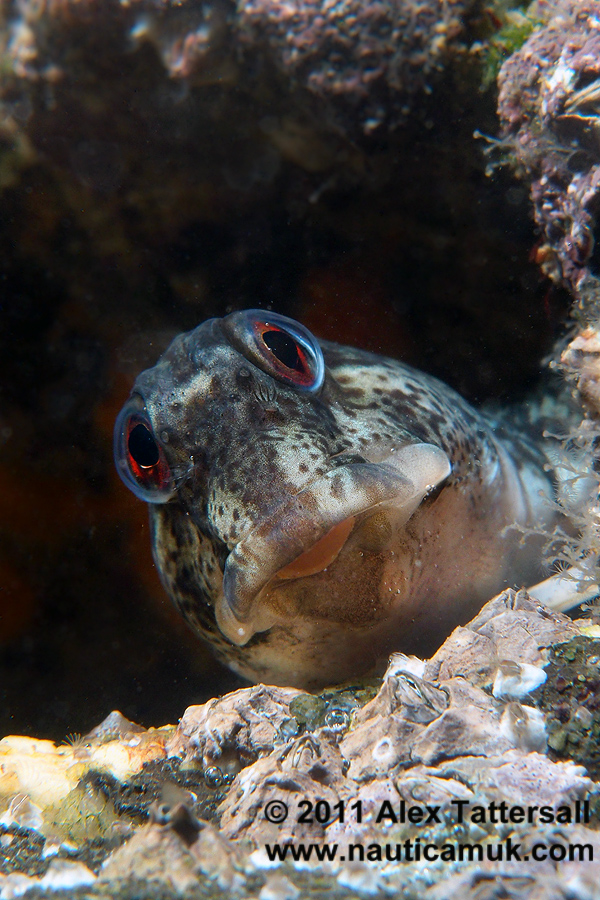
    and a Shanny, with FIT Pro +5 dioper

    5713570265_da58294fe0_o.jpg


    and a spider crab, with Nauticam wet dome
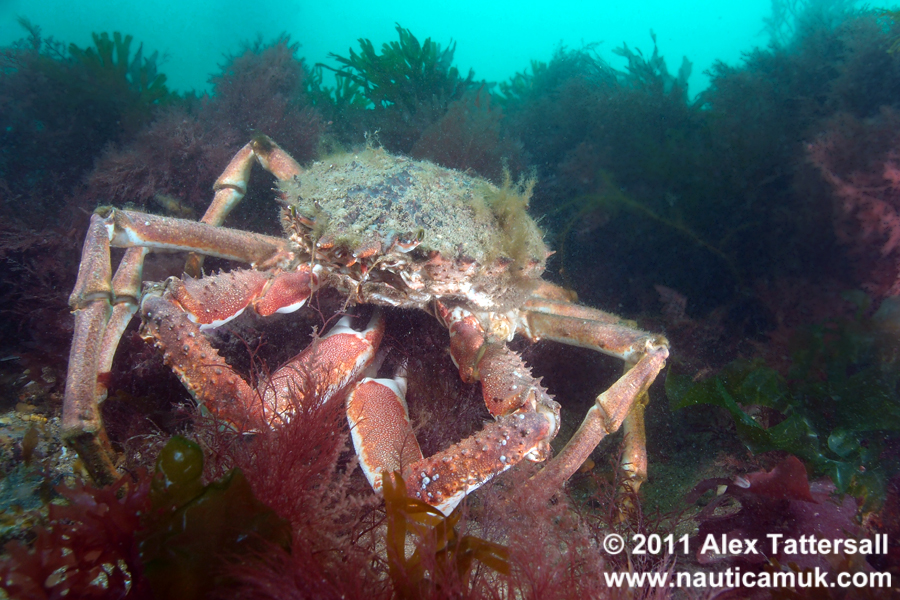
    5714131160_22357d251d_o.jpg


    All were taken with 2x Z240.

  2. Pictures look v. nice Alex - although IQ is pretty ropey at 100%. But given the number of pixels I suspect most of that would not show up in prints.


    Viz looks excellent - or maybe it is just your photography making it look so! What is the water temp. I'd definitely like to get some dives in there in the next few days.


    Alex

  3. It is a nice 13 degrees right now, vis is good, life is abundant!


    Let me know when you are back, I'm thinking of going tomorrow afternoon again.

  4. I am back in the UK. But I need to work tomorrow. Free weekend or early next week and need to see you to return various borrowed items.


    13 degrees is going to feel like a bath! That is a 10 degree jump from my last dive and almost half way between Iceland and my Red Sea trip in a week's time.


    Alex

  5. Here's the setup I used for the above shots

    5713949753_1e5b2eb017_b.jpg

Ultralight Control Systems

Account

Navigation

Search

Search

Configure browser push notifications

Chrome (Android)
  1. Tap the lock icon next to the address bar.
  2. Tap Permissions → Notifications.
  3. Adjust your preference.
Chrome (Desktop)
  1. Click the padlock icon in the address bar.
  2. Select Site settings.
  3. Find Notifications and adjust your preference.