Hi, I am new to this forum and hope someone can help. Till now I have had a compact camera underwater but have recently housed my Canon 7D and taken it to the Red Sea. In some of the photos I have what appears to be a cloudy looking hexagon. I assume it has something to do with the aperture as it appears to be the same shape but I am not sure, anyone know? Or know what is causing it? It was in a Hugyfot housing and I had 2 X INON Z240 strobes, not sure whether they were on when I took the photos though.
Thanks,
Caroline
You are correct. Generally this will happen if you have your camera aimed at a bright light source (i.e. the sun) or your strobes are aimed inwards too much.
Cheers,
Marli
Hi, I am new to this forum and hope someone can help. Till now I have had a compact camera underwater but have recently housed my Canon 7D and taken it to the Red Sea. In some of the photos I have what appears to be a cloudy looking hexagon. I assume it has something to do with the aperture as it appears to be the same shape but I am not sure, anyone know? Or know what is causing it? It was in a Hugyfot housing and I had 2 X INON Z240 strobes, not sure whether they were on when I took the photos though.
Thanks,
Caroline
Do to have an example?
It's almost certainly a specular (point) highlight that is close to the lens, so out of focus. The most common cause is backscatter, and having a strobe aligned too close to the axis of the lens, so that the "hot spot" appears in the image. It is reduced by good strobe positioning.
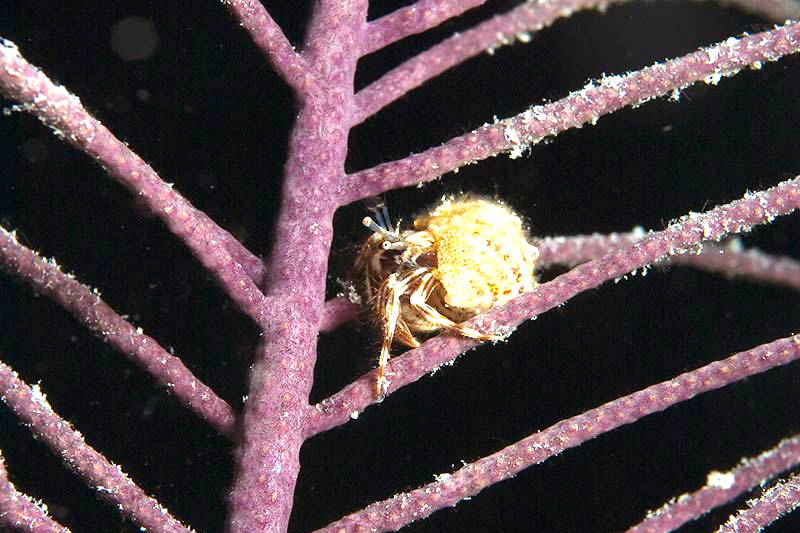
I've pushed the exposure on this image from a night dive in Belize to show what happens; distant particles appear as white spots, nearby ones as spots in the shape of the camera's iris.
Tim
'Flare' (ie unwanted light affecting the final image) like this can have the same shape as the aperture formed by the diaphragm blades inside the lens. It is a result of backscatter - and this large shaped 'flare' is as a result of light reflected into the port and lens from a very out of focus and brightly flash-lit particle in the water which is close to the lens/port. Exactly what happens to this bright, out of focus, light is probably quite complex and it may actually be shaped as a result of the light bouncing backwards and forwards through the aperture inside the lens itself - this is what shapes it. Such shaped areas tend to show up most on black or dark parts of a picture and are minimised by careful lighting which is moved away from the lens axis. An additional way to reduce it is to try to ensure that the water between the port and the subject is not lit (or at least the light from the flash only minimally lights it) so that particles in it are going to be less distinct as they are less brightly lit. Of course this isn't always possible and in murky water it can be difficult to completely eliminate.
Sorry for the delay in getting back to you all but my computer crashed and burned Got a nice new one now though.
I am not sure how to upload a photo yet but the problem is the same as the dots shown on the picture with the crab. Thank you for your help.
Just gonna have to do some more diving to practice my technique I think !





 Got a nice new one now though.

