Skip to content

Photo / Video Showcase / Archived topic

Turks and Caicos

Started by edpdiver ·

  • 10Posts
  • 10Replies

Read-only discussion

Turks and Caicos

10 posts
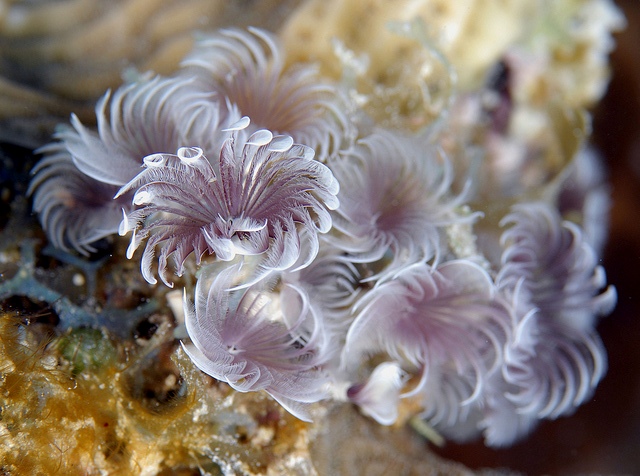
  1. Here are a few shots from a recent trip.


    There were quite a few sharks.

    5742934256_78c7e410f2_z.jpg


    5742381427_0b5097c278_z.jpg


    5746022175_551eb8d6fe_z.jpg


    This little juvenile trunkfish was less than a cm long.

    5746021957_4a8c0583db_z.jpg


    Here is a shot of a jawfish with eggs (the first I have seen). I only got one shot at it (when someone I am married to swam over it, scaring it into its hidey-hole). Not as good as I would like, but I am glad to have seen it.

    5752548695_9163376ac1_z.jpg


    5766729876_e8941b04ce_z.jpg


    5763861048_c447eb836d_z.jpg


    5764762442_dcd146c75c_z.jpg


    5766186271_e34f00c335_z.jpg


    The whole set is here: Turks and Caicos set


    -Erwin

    Edited by edpdiver
  2. excellent pictures! Always enjoy Turks and Caicos for the variety of big and small critters.

  3. Beautiful partner. Glad to see all the reef sharks in your images. Loving the grouper/cleaner shot. You absolutely nailed the exposure on the blue in the first image. Well Done!


    Cheers,

    Steve

  4. love nr 1 and 6

  5. One of our favorite Caribbean destinations and boat, been several times with a future one currently booked for the Grand Turk route...

  6. Amazing pics,i love pic number 1.That water looks so inviting.Well done

  7. Great pictures Ed , especially the first one !!

  8. Looks like You had a great time down there Ed!!

    Thanks for sharing Your pic's!


    Cheers

    Karel

  9. Number six is my favorite, but for some reason a like it more rotated like this:


    post-24761-1306782761.jpg


    :)

  10. Thanks for the nice comments, everyone. Much appreciated.


    Andres, thanks for the suggestion. I keep oscillating between the two orientations.

     

    -Erwin

WaterPixels Store

Account

Navigation

Search

Search

Configure browser push notifications

Chrome (Android)
  1. Tap the lock icon next to the address bar.
  2. Tap Permissions → Notifications.
  3. Adjust your preference.
Chrome (Desktop)
  1. Click the padlock icon in the address bar.
  2. Select Site settings.
  3. Find Notifications and adjust your preference.