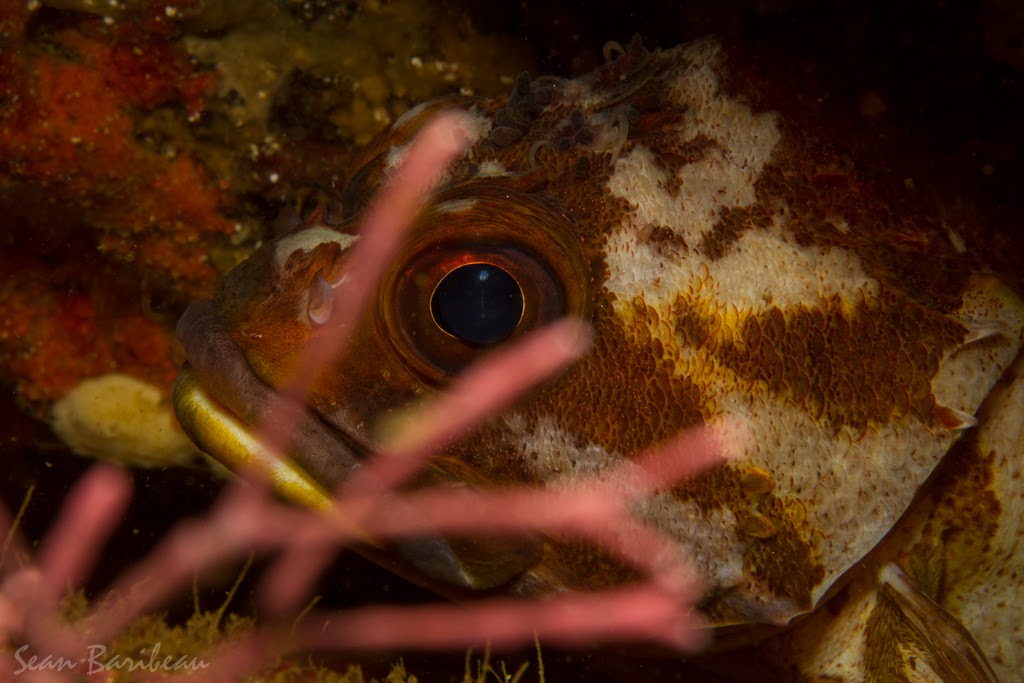
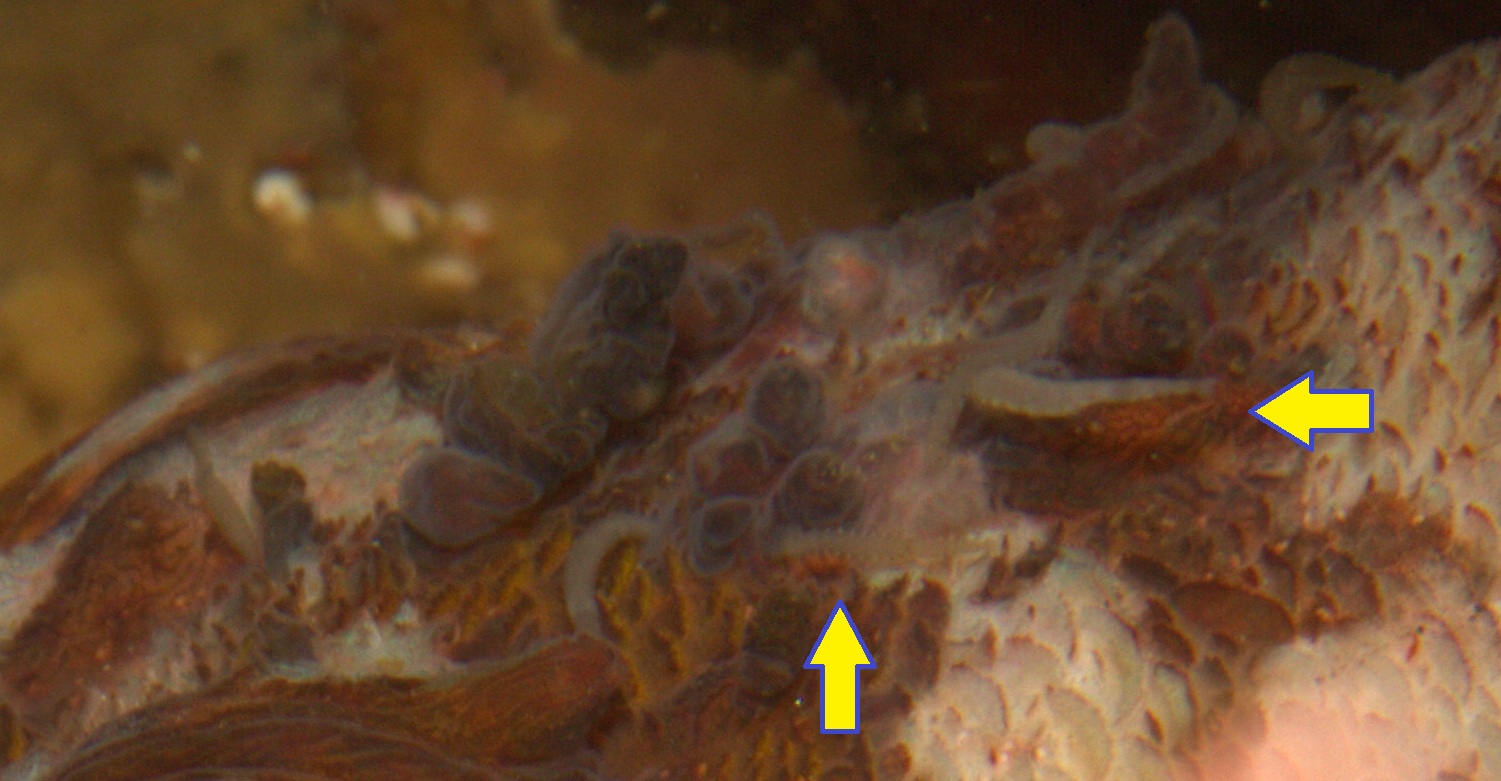
Took this shot on Sunday 8/28/2011 at Point Lobos State Reserve, CA (near Coal Chute Cove), but at the time didn't notice the serious infestation going on around this rockfish's head, above the eye:
Any idea what they are, they appear to be segmented, possibly polychaetes?
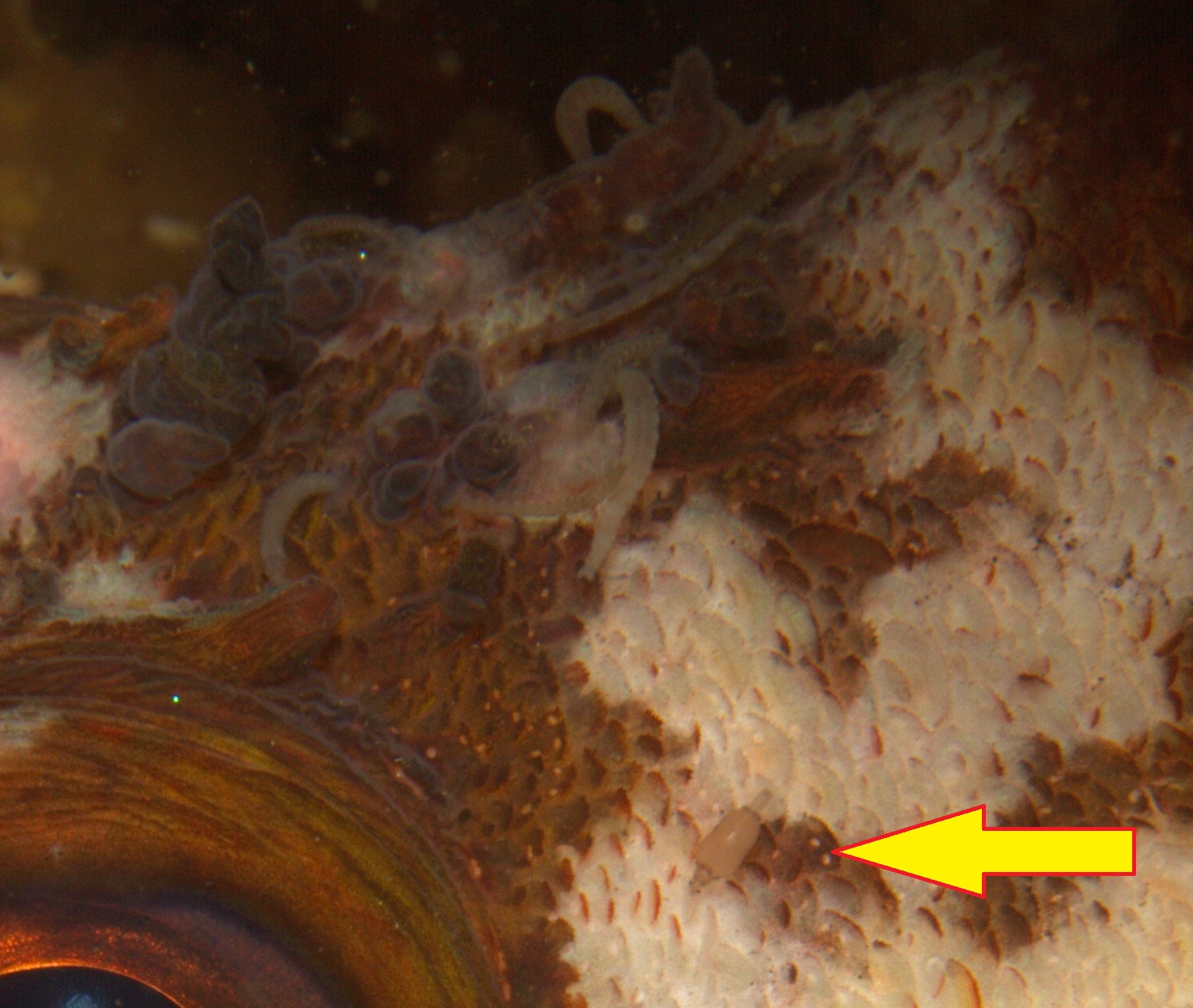
And this 2nd critter, I thought at first that it might be an isopod but one end almost looks like a siphon??
thanks in advance,
Sean
The wormy things are leeches, many of which have pseudo-annulations so they can look like polychaetes. That inch-worm posture is very characteristic. The other thing is a juvenile stage of a gnathid isopod. The head is down below on the left & the siphon-looking structure is the tail. They're blood suckers like leeches. More info on them here http://dailyparasite.blogspot.com/2010/08/...rimaculata.html
The wormy things are leeches, many of which have pseudo-annulations so they can look like polychaetes. That inch-worm posture is very characteristic. The other thing is a juvenile stage of a gnathid isopod. The head is down below on the left & the siphon-looking structure is the tail. They're blood suckers like leeches. More info on them here http://dailyparasite.blogspot.com/2010/08/...rimaculata.html
Thanks for the id! I assume the leeches are opportunistic and taking advantage of physical trauma caused by a larger organism and are not entirely responsible for the mess going on up there, is that reasonable? Otherwise... I may stop diving .




 .
.

