Skip to content

Photography Gear and Technique / Archived topic

Zeiss 21mm

Started by StephenFrink ·

  • 5Posts
  • 5Replies

Read-only discussion

Zeiss 21mm

5 posts
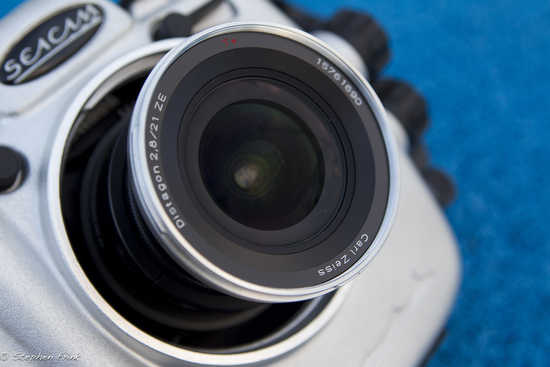
  1. We have a customer who has a Zeiss 21mm that he wanted to use on a full frame Canon 5DMKII in a Seacam housing, and once we received the necessary focus gear (lens is manual focus only) I did a quick pool test to confirm which port extension was optimal with the 9" Superdome.


    post-630-1323707795.jpg

    Here is the lens mounted on a 1DsMKIII (also full frame) in Seacam housing


    post-630-1323707853.jpg

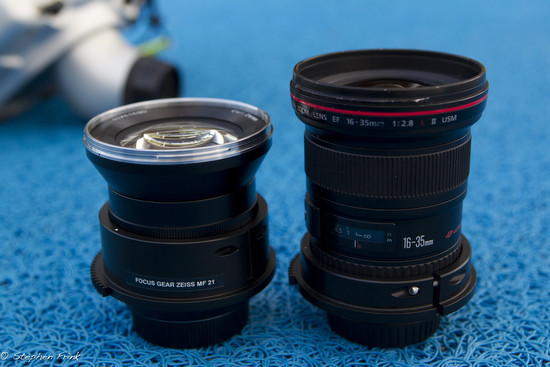
    Here is Zeiss 21mm next to Canon 16-35II for size comparison

    Edited by StephenFrink
  2. I found 40-45mm to be the sweet spot for my own tests with the ZE21, without diopter.

  3. We have a customer who has a Zeiss 21mm that he wanted to use on a full frame Canon 5DMKII in a Seacam housing, and once we received the necessary focus gear (lens is manual focus only) I did a quick pool test to confirm which port extension was optimal with the 9" Superdome.


    post-630-1323708132.jpg

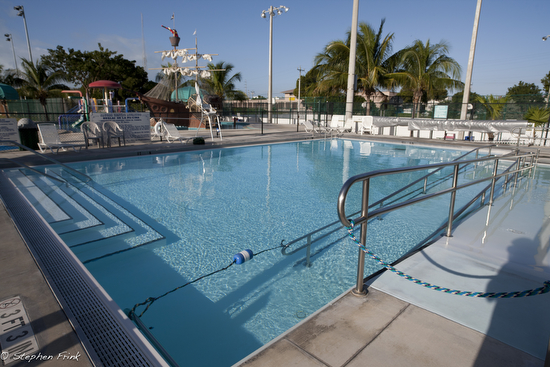
    Here is what the Zeiss sees at 21mm


    post-630-1323708168.jpg

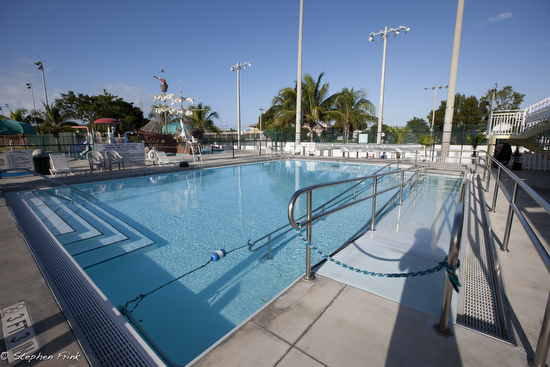
    Here is what the Canon sees at 16mm


    post-630-1323708255.jpg

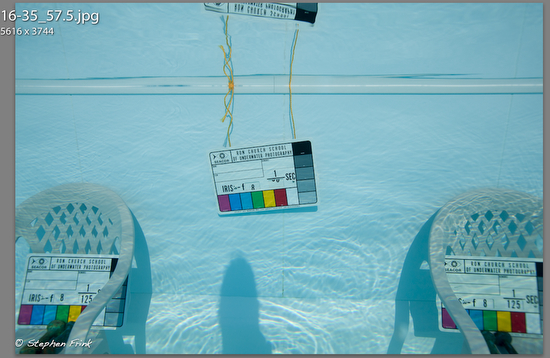
    Here's the general set-up for the underwater test. Focus is on the slate in the middle, aperture priority at F-8. The screengrabs in the next post are 100% enlargements of extreme right corner. Note that in terms of plane of focus, the exposure slate lower right is nearer than the point of actual focus in the center. This is a difficult scenario to show optimal corner sharpness. My intent was to determine which port extension would render the sharpest corners, and I used the Superdome with PVL 20, 25, 30, 35, and 40.

    Edited by StephenFrink
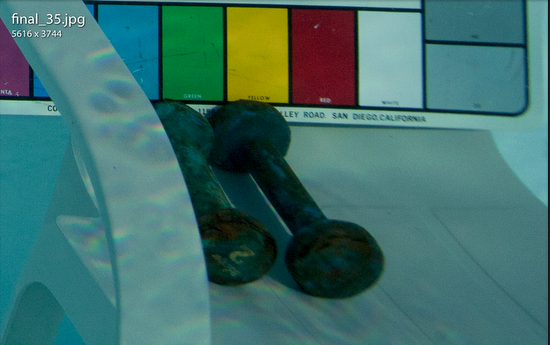
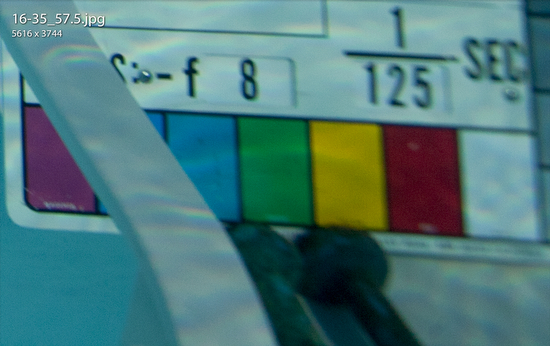
  4. Focus is on the slate in the middle, aperture priority at F-8. The screengrabs in the next post are 100% enlargements of extreme right corner. Note that in terms of plane of focus, the exposure slate lower right is nearer than the point of actual focus in the center. This is a difficult scenario to show optimal corner sharpness. My intent was to determine which port extension would render the sharpest corners, and I used the Superdome with PVL 20, 25, 30, 35, and 40 for the Zeiss, and my standard preference for the Canon, a 57.5mm port extension.
    post-630-1323708689.jpg

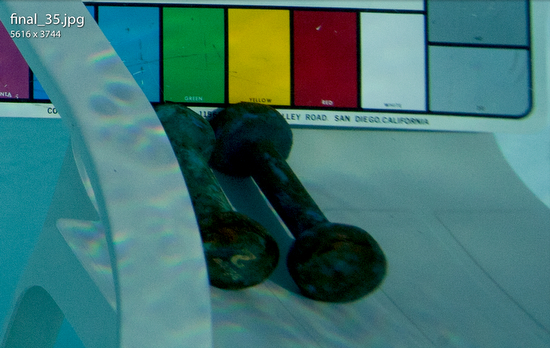
    Here is the corner screengrab on the PVL35 at 100%. Of the 20, 25, 30, 35, and 40mm port extensions, this seemed to be the best, although the 40mm was quite good as well. Seacam suggests a PVL35 as well.
     

    post-630-1323709111.jpg

    For comparison, here is the corner screengrab on the Canon 16-35mm II with a Superdome and PVL 57.5 port extension.


    This is not meant to be a side-by-side comparison of the two lenses, for they are quite different. The Canon offers AF and a very useful zoom range, whereas the Zeiss is manual focus and fixed focal length. But even from a quick pool test this morning I would assume that if the objective is a beautiful wide angle with lovely corner performance, the Zeiss appears to be a very useful option.


    For me, the difference in the performance of the lenses topside is not significant. This is testing only corner performance, and is indicative of dome variables for underwater use. AF + zoom range on the Canon is a significant advantage, for both topside and underwater. Plus, if it were to be side-by-side testing I would have zoomed the Canon to 21mm as well, rather than testing at the 16mm end of zoom range. The resolution in the center, at the point of focus, was essentially the same. Just some quick-and-dirty testing to come up with a port extension recommendation for Zeiss.


    Edited by StephenFrink
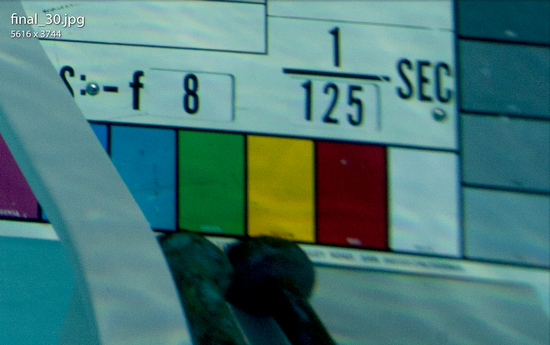
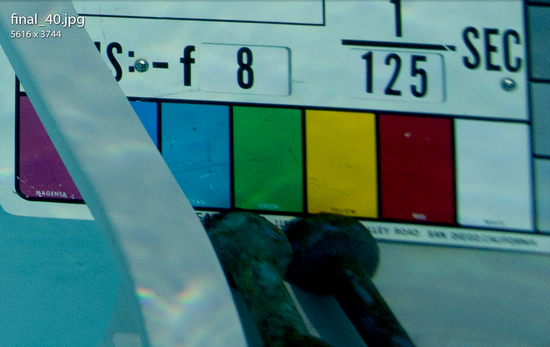
  5. It was interesting to see what a profound difference 5mm in port extension can make in overall performance of the lens, and especially in terms of optimal corner sharpness. These screengrabs at 100% in lower right corner, Zeiss 21mm lens.


    post-630-1323785804.jpg

    Superdome, PVL 30


    post-630-1323785837.jpg

    PVL 35


    post-630-1323785877.jpg

    PVL 40

    Edited by StephenFrink
Marelux

Account

Navigation

Search

Search

Configure browser push notifications

Chrome (Android)
  1. Tap the lock icon next to the address bar.
  2. Tap Permissions → Notifications.
  3. Adjust your preference.
Chrome (Desktop)
  1. Click the padlock icon in the address bar.
  2. Select Site settings.
  3. Find Notifications and adjust your preference.