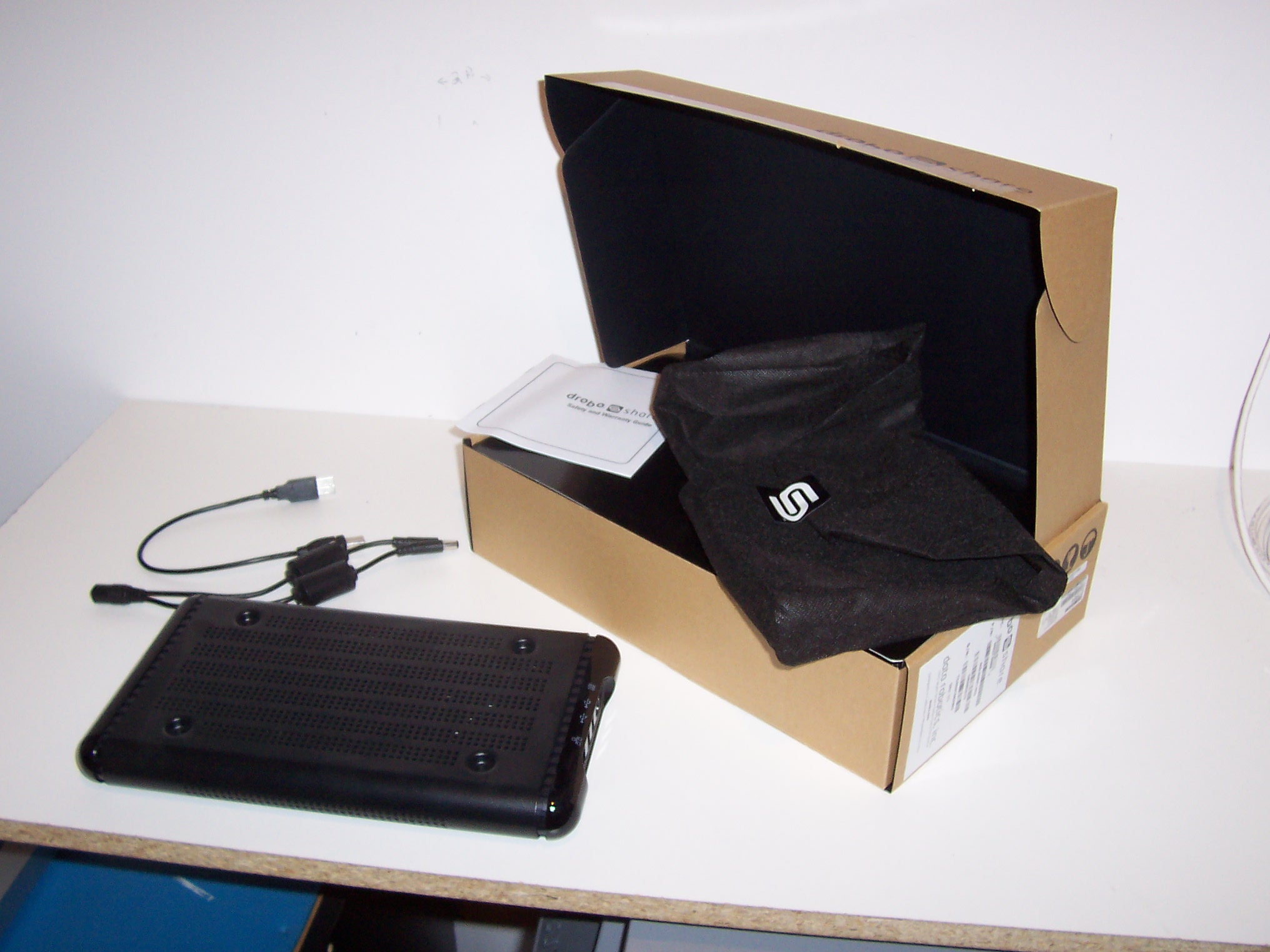
Asking Price: 99.00 (CAD).
I am selling my Data Robotics DroboShare, complete with USB cable, power Y-adapter cable and original packaging. I have my Drobo connected via FireWire and no longer require it. This DroboShare works and is in great cosmetic shape. Connect a Drobo to the DroboShare to enable network-attached storage for all your music, pictures and other files!
Methods of payment accepted: I will only accept $5.00, $10.00 or $20.00 denominations if paying by cash. PayPal is also accepted.
Location of item being sold: Trenton, Ontario, Canada, K8V6P2
Warranty. All items in this sale are non-returnable and are sold without warranty. This is a private sale, the item(s) are owned by me.
Shipping. No deliveries available in local area. I will offer up to $20.00 CAD off the cost of shipping for deliveries within Canada, USA, UK, Australia, New Zealand, France, Germany, Spain, Italy, Mexico, Caribbean and South America. This offer applies to shipping only, buyer to pay customs, brokerage, duties and other fees as applicable. Offer is $20.00 CAD or actual cost of shipping, whichever is less. This offer is good for this sale only. Shipping will be through Canada Post: Regular Parcel Post for Canada, Expedited Parcel for USA, International Parcel - Surface for countries other than Canada/USA.