Skip to content

Photography Gear and Technique / Archived topic

S100 and INON UFL-M150 ZM80

Started by Don Silcock ·

  • 9Posts
  • 9Replies

Read-only discussion

S100 and INON UFL-M150 ZM80

9 posts
  1. I recently bought a Canon S100 and would like to try the INON UFL-M150 ZM80 bug-eye lens with it and the Canon housing, but according to the literature on the Inon site there is no adaptor for it.


    Does anybody know if there is a technical reason that Inon are not supporting the S100 or is it just that the have not got round to it yet?


    Don

  2. Why there is no adapter? wouldn't the 28LD Mount Base DC43 and the M27-LD Mount Converter for UFL-M150 ZM80 do?

  3. Why there is no adapter? wouldn't the 28LD Mount Base DC43 and the M27-LD Mount Converter for UFL-M150 ZM80 do?


    I don't know, which is why I am asking.... According to the Inon data sheet, there is no S100 listed and there are differences between what they recommend for the S90 vs the S95:


    S90: 28AD Mount base - DC35 and M27AD

    S95: 28LD Mount Base DC43 and M27-LD


    So I don't want to buy the one for the S95 on the assumption it will work on the S100...


    Don

  4. I don't know, which is why I am asking.... According to the Inon data sheet, there is no S100 listed and there are differences between what they recommend for the S90 vs the S95:


    S90: 28AD Mount base - DC35 and M27AD

    S95: 28LD Mount Base DC43 and M27-LD


    So I don't want to buy the one for the S95 on the assumption it will work on the S100...


    Don


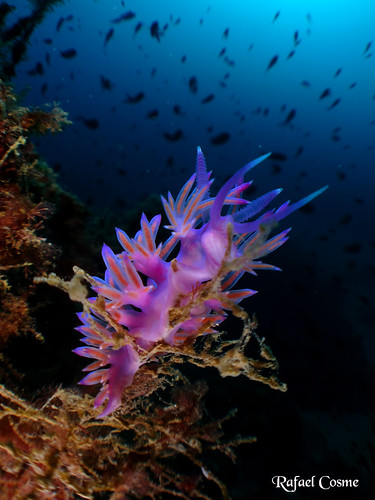
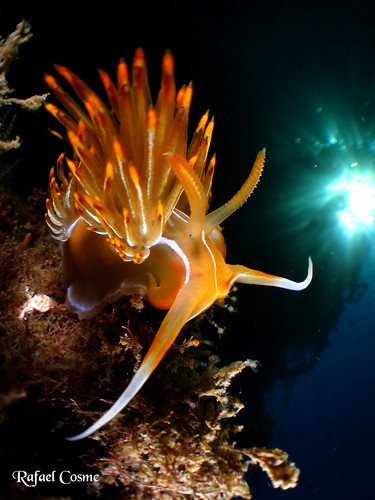
    Hey, I have been try inon micro lens m150 and canon s100 with ikelite housing, its work well, soon I ll upload the picture.


    for Canon housing prefer you buy 67mm adapter for your housing and buy adaptor from lens to 67 adapter.

  5. Hey, I have been try inon micro lens m150 and canon s100 with ikelite housing, its work well, soon I ll upload the picture.


    for Canon housing prefer you buy 67mm adapter for your housing and buy adaptor from lens to 67 adapter.


    Great news - thanks! Looking forward to seeing the images.

     

    Don

  6. Great news - thanks! Looking forward to seeing the images.

     

    Don


    I tried in pool which worst visibility


    425743_3115985893259_1072826473_32966464_380229212_n.jpg


    426310_3115986093264_1072826473_32966465_1583627787_n.jpg

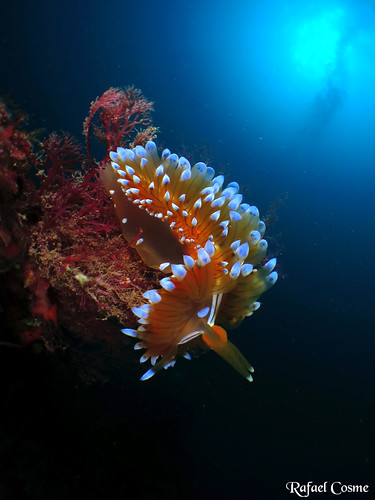
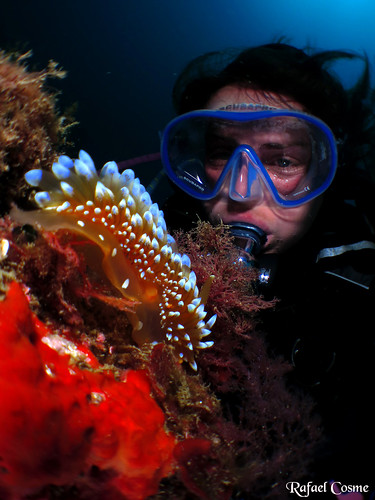
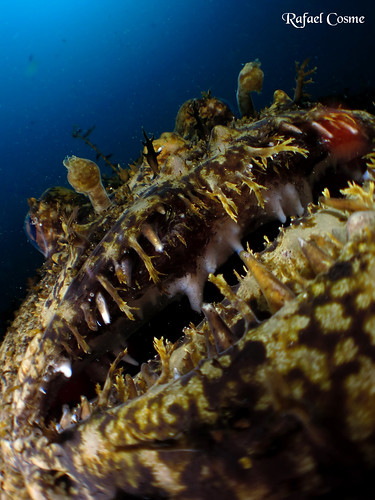
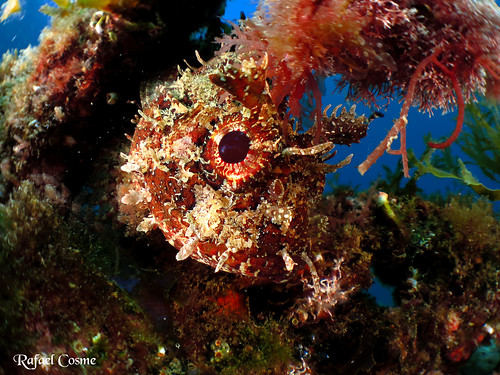
  7. It work ;-)

    Canon s100 whit fix housing


    6495052915_48c6da6be4.jpg

    Va de sombreritos chinos con esa pedazo de modelo.. Susi por Rafael Cosme Daza, en Flickr


    6935942788_63d4601353.jpg

    En el borde del Precipicio por Rafael Cosme Daza, en Flickr


    6935915034_59aeab8684.jpg

    IMG_0071 por Rafael Cosme Daza, en Flickr


    IMG_0063 por Rafael Cosme Daza, en Flickr


    7059149599_b7d36ab214.jpg

    IMG_0527 por Rafael Cosme Daza, en Flickr


    6913025336_b702b9aabc.jpg

    Micro angular + filtro ND. Sol a 4 metros ;-) por Rafael Cosme Daza, en Flickr


    6913003850_66b6a7b461.jpg

    IMG_0457 por Rafael Cosme Daza, en Flickr


    6744823305_0e2ac1c014.jpg

    IMG_0746 por Rafael Cosme Daza, en Flickr


    6669425873_5d9721c9d0.jpg

    IMG_0206 por Rafael Cosme Daza, en Flickr

    Edited by ardijump
  8. These are a great series of shots.

Marelux

Account

Navigation

Search

Search

Configure browser push notifications

Chrome (Android)
  1. Tap the lock icon next to the address bar.
  2. Tap Permissions → Notifications.
  3. Adjust your preference.
Chrome (Desktop)
  1. Click the padlock icon in the address bar.
  2. Select Site settings.
  3. Find Notifications and adjust your preference.