Skip to content

Photo / Video Showcase / Archived topic

Green water, then blue

Started by errbrr ·

  • 7Posts
  • 7Replies

Read-only discussion

Green water, then blue

7 posts
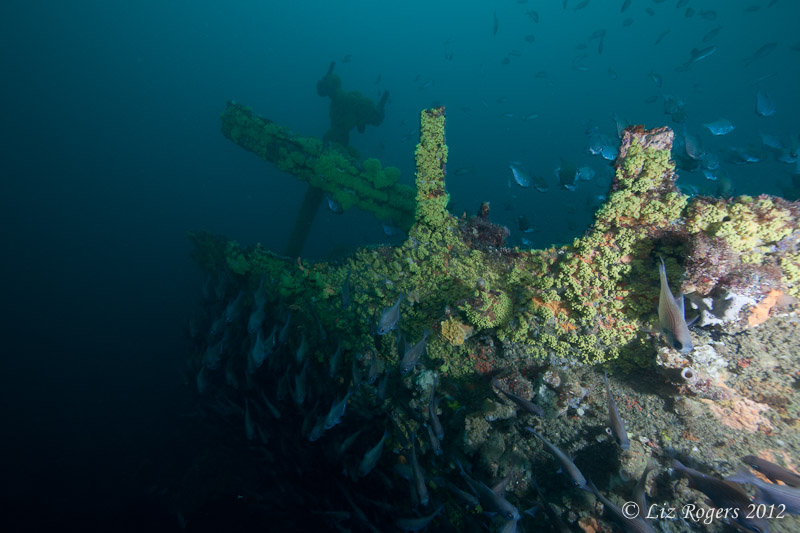
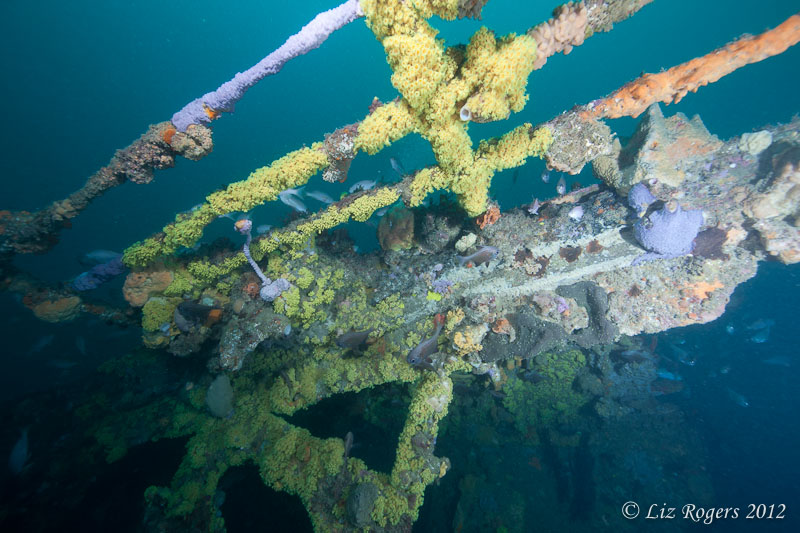
  1. So this is something I've noticed a few times on my wideangle shots in temperate Melbourne waters, and I've pulled these two shots out as an example. They were taken four seconds apart, with the strobes in exactly the same position. The only thing that's changed is that I've moved forward slightly, and the fish have moved away. I can understand why the wreck, lit by the strobes, has changed colour with my movement. What I don't understand is why the water has changed colour too, from green to blue. I haven't changed anything else!


    Camera is a 5DII with a 14mm lens, behind an 8" dome port with two Z240s on 12" + 6" arms each side. The sun was shining up top, no clouds to be seen. Depth of about 30m, and these shots are uncropped and unaltered. The camera is on full manual with settings as follows:


    ISO 400

    f8

    1/30
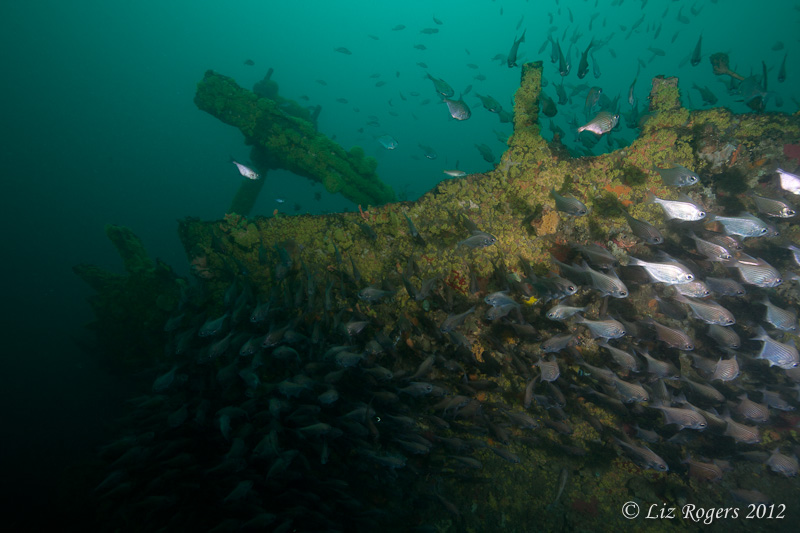
     

    post-26465-1331628699.jpg


    post-26465-1331628741.jpg


    Any thoughts? Is there something that I've missed? Most importantly, if blue is an option, how do I get the water to be blue instead of green??


    Thanks,


    Liz

  2. Hi Liz,


    They were shot with different white balance values applied by the camera. The camera would have been on Auto White Balance and the lighting (being complex mix of colours of light) has confused the camera (in terms of white balance) it has applied very different values in each case.


    The camera has found it difficult to pick a WB for these shots because only a small amount of the frame is lit with strobe.


    You will be able to see this in the RAW converter values. The main difference is probably in the tint. You can either re-set both in the RAW converter. The second picture definitely has more tint applied to it and a slightly lower K value.


    If you want to control this aspect of your camera at the time of shooting you can always use a K value for white balance. Ideally it is best to choose a K value close to the colour temperature output of your strobes. For the Z240 this is 5500K.


    However a number of factors will effect the recorded WB and would require different K values. For example if you shoot through too much blue water you would want a higher value (e.g. 6500K). If you are diving in very green water this can actually warm the strobe light as it passes through and lead to need for cooler values (e.g. 4500K). If you do a macro shot of a strongly coloured sponge, say, where the orange sponge fills the entire frame and there is a white nudibranch on it you might need a lower value still, because of all the reflected orange light (e.g. 3800K).


    That said, Auto white balance will generally take care of most of those situations for you - that is what it is for - and is usually the best way to go if you shoot RAW.


    Alex

  3. Hi Liz,


    They were shot with different white balance values applied by the camera. The camera would have been on Auto White Balance and the lighting (being complex mix of colours of light) has confused the camera (in terms of white balance) it has applied very different values in each case.


    The camera has found it difficult to pick a WB for these shots because only a small amount of the frame is lit with strobe.


    You will be able to see this in the RAW converter values. The main difference is probably in the tint. You can either re-set both in the RAW converter. The second picture definitely has more tint applied to it and a slightly lower K value.


    If you want to control this aspect of your camera at the time of shooting you can always use a K value for white balance. Ideally it is best to choose a K value close to the colour temperature output of your strobes. For the Z240 this is 5500K.


    However a number of factors will effect the recorded WB and would require different K values. For example if you shoot through too much blue water you would want a higher value (e.g. 6500K). If you are diving in very green water this can actually warm the strobe light as it passes through and lead to need for cooler values (e.g. 4500K). If you do a macro shot of a strongly coloured sponge, say, where the orange sponge fills the entire frame and there is a white nudibranch on it you might need a lower value still, because of all the reflected orange light (e.g. 3800K).


    That said, Auto white balance will generally take care of most of those situations for you - that is what it is for - and is usually the best way to go if you shoot RAW.


    Alex


    Thanks for this explanation. :drink:

    I understand about white balancing and how the color temperature of the strobes influence the final color of the background, but I never realize that the color of the water can change the color temperature of the strobes.


    Thanks a lot.

  4. Hi Alex,


    Thanks very much! I figured there must have been an extra auto setting in there somewhere, but didn't consider white balance. Your explanation is very helpful, and I'll have a go with manual white balancing next time. I suspect this will cause difficulties with shooting into the sun and then away from the sun in the ocean, but for caves it should be more consistent.


    I understand that I should be able to replicate the same white balance from the blue shot to the green shot to improve it, but when I try this in Lightroom I rarely get good results. In particular, the yellow zooanthids normally go a horrible lurid green. I've started using the Lightroom hue sliders to change my greens back into yellow or blue. Obviously this is very dependent on what else is in the photo, and how it's been lit. I'll post an example of editing gone horrible when I get home tonight.


    Cheers,


    Liz

  5. My approach is to set the right WB for the strobes (Something like Sunny, Flash or 5250K) and let the background water do what it wants.

    Celebrate green water I say. We're not diving in the tropics.


    Or if you really want to make the green water bluer use Selective Colour in Photoshop to only adjust the green.


    You would only do an underwater manual WB if you're not using strobe, too much fiddling I find.

    Edited by Panda
  6. A lot of the time the water doesn't look particularly green though, except afterwards in the photos. I think my use of the white balance sliders has been a little too heavy handed and that's why I haven't been able to get the colours I'd like. Whereas if I copy the numbers from a shot I like, it comes up well. The blue shot above was at temperature 4200 and tint -25, whereas the green shot was at temperature 6300 and tint -50.


    The other part of the problem is that I think zooanthids should be yellow, like this:

    post-26465-1331724609.jpg


    But if I don't get close enough to get strobe light on them and it's a bit deeper or darker, they basically come up green, like this:


    post-26465-1331724636.jpg


    And adjustments in Lightroom don't work because the green is too close to the aqua of the water. I can either make everything more yellow or everything more blue, but getting half the picture yellow and half blue would require Photoshop. Or going back and getting close enough for a better picture!


    Thanks for your explanation Alex, I've learnt something important today. Onwards and upwards.

Backscatter

Account

Navigation

Search

Search

Configure browser push notifications

Chrome (Android)
  1. Tap the lock icon next to the address bar.
  2. Tap Permissions → Notifications.
  3. Adjust your preference.
Chrome (Desktop)
  1. Click the padlock icon in the address bar.
  2. Select Site settings.
  3. Find Notifications and adjust your preference.