It's Spring Cleaning time!
Before I list these on EBay, I thought that I would list these here. Paypal, US and Canada only. I am open to reasonable offers for these items. Shipping for the camera and housing is approx. $30 via Canada Post or FedEx ground. (why is shipping so darned expensive across a border?) Shipping for the wet lens is approx. $15.
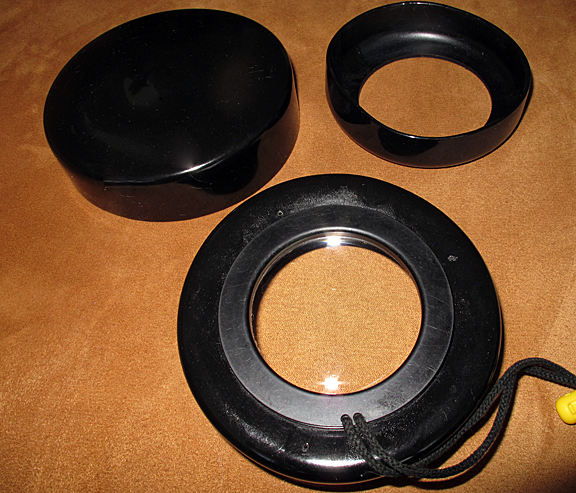
Athena wetlens custom fit for Aquatica MF macro port, but with fitting for Subal ports (110mm) and protective cover (does not come with one usually). There is a minute mark (just being open) that does not affect photo quality. I used this with my 105mm for a little extra magnification. It's an inexpensive way to start super macro. Retails for 85.95 US without the extra flange or cover. $60, anyone?
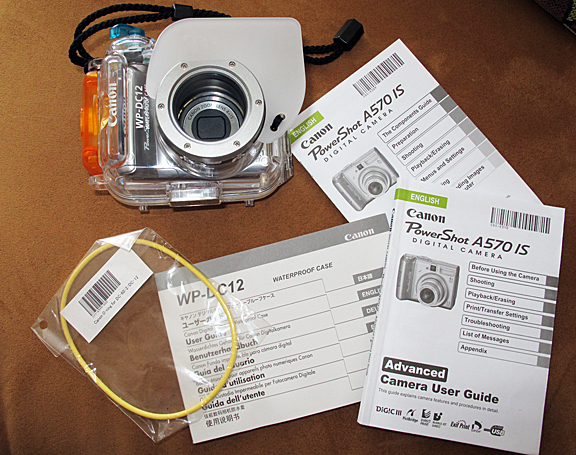
Canon A570IS with WP-DC 12 Housing, with all manuals. This was my back up that sat in the bag every trip. I used it on two dives to test it, and on land more. I set it up with a fiber optic cord and a Sea & Sea strobe, and it worked great. (not included!) I have set it up with CHDK to shoot both jpeg and DNG (Raw) files at the same time. The set up is stored on a 4GB Lexar Platinum SDHC card, and is loaded upon turning on the camera. It is optional to use, but enables you to process your files as Raw. I will include directions on how to set it up. It comes with batteries, card, and sealed new extra O-Ring. A great camera to start out with or as a back up. I have all the specs if you PM me. Offers?
Cheers,
Marli