



Dear Wetpixlers!
We, David Joyce, Matt Reed & I are organizing an informative & fun Photo course in Malapascua, Philippines, September 23-29:
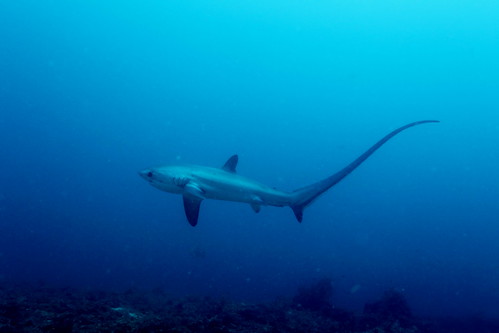
Learn the basics of under-water photography or sharpen your advanced skills in one of the most amazing diving destinations of the Philippines! Come dive, shoot and barbecue with us in Malapascua, a charming little island with mind-boggling things to see below the water line and warm & friendly people above it. Shoot the magnificent thresher sharks, fascinating tiny shrimps and everything in-between. We show you where to find them and how to photograph them.
Led by Dr. Klaus M. Stiefel, biologist and under-water photographer, and David Joyce, Evolution Diving co-owner and under-water photographer.
AUS$ 800 based on fan room twin Share
This includes twin share fan room, all meals, purified drinking water with meals, the advanced buoyancy workshop for photographers, tutorials and lectures, 11 guided photo dives, set transfers to and from Cebu and the traditional babuy lechon feast on the final evening.
Excludes flights, nitrox, equipment rentals, “discover tech”, alcohol and soft drinks, tips, porters etc.
A detailed program is here and some of my shots from last year in Malapascua are here! and we are also on Facebook.
Another good shot from there:
Hope to see you in Malapasuca!
Klaus
http://www.flickr.com/photos/pacificklaus/


