



How to set Subal D200 to TTL mode?

Is my "No.2/No.4 configuration" the right setting?
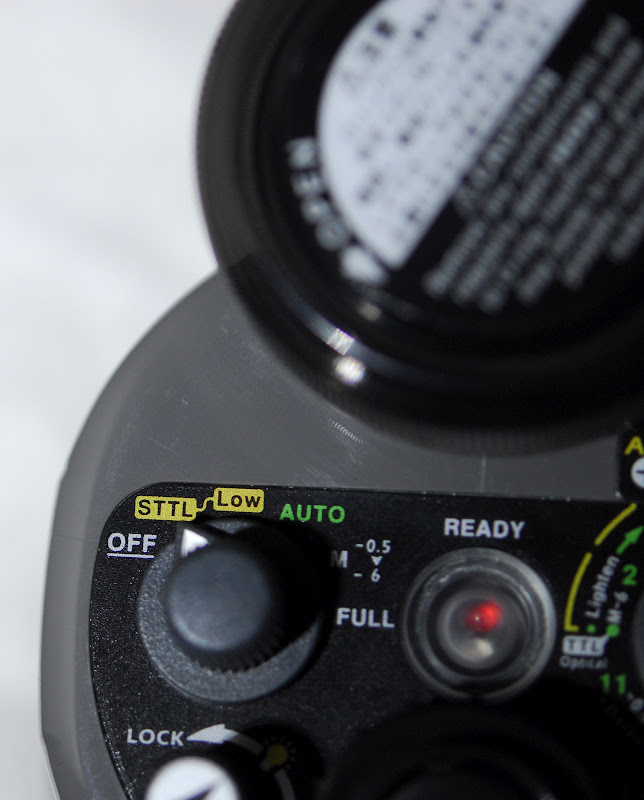
Should I set Inon Z240 to STTL or Auto mode?
What's the difference?
Photography Gear and Technique / Archived topic
Started by magicfx ·
Read-only discussion
How to set Subal D200 to TTL mode?
Is my "No.2/No.4 configuration" the right setting?
Should I set Inon Z240 to STTL or Auto mode?
What's the difference?
I think you are having a misunderstanding because the Inon Z240 does not work in TTL with the D200 whatever the setting. You would need a TTL converter or shooting through optical fiber in order to have TTL.
Does exist a TTL converter for Inon Z240? I mean not using optical fiber but only the sync cord. Anyone has tried the Sea&Sea TTL converter with Inon?
I think you are having a misunderstanding because the Inon Z240 does not work in TTL with the D200 whatever the setting. You would need a TTL converter or shooting through optical fiber in order to have TTL.
Does exist a TTL converter for Inon Z240? I mean not using optical fiber but only the sync cord. Anyone has tried the Sea&Sea TTL converter with Inon?
Yes, I have used a Sea & Sea TTL converter, type N with a D 200 and the same converter with a D2Xs. Please be aware that there are different Sea & Sea converters. The converters needs to match your camera model and strobe. I believe they all work with either a Sea & Sea strobe or a Inon strobe. Contact Ryan at Reef Photo, he will guide you accordingly.
Yes, I have used a Sea & Sea TTL converter, type N with a D 200 and the same converter with a D2Xs. Please be aware that there are different Sea & Sea converters. The converters needs to match your camera model and strobe. I believe they all work with either a Sea & Sea strobe or a Inon strobe. Contact Ryan at Reef Photo, he will guide you accordingly.
http://www.seaandsea.jp/products/digital_s...essory/008.html
I saw only these 2 type:
YS Converter/N
and
YS Converter/C
Does YS Converter/N work perfectly with Nikon D200 and Inon Z240 type4?
Does YS Converter/N work perfectly with Nikon D200 and Inon Z240 type4?
Sea & Sea has made different iterations of the type N convert as new Nikon models have come out. I do not know if a new type N will work with an older body like the D 200. Ask Reef Photo or Sea & Sea.
I shot the Nikon D200 with Inon 240 and S & S TTL converter.
I believe the person who bought my equipment is not using it.
Are you interested in it?
P/M me if interested.
I shot the Nikon D200 with Inon 240 and S & S TTL converter.I believe the person who bought my equipment is not using it.
Are you interested in it?
P/M me if interested.
Subal housing is with S6-type plug
but Sea & Sea is with another type.
Any TTL converter with S6 plug on the market?
Subal housing is with S6-type plugbut Sea & Sea is with another type.
Any TTL converter with S6 plug on the market?
The ones I user had Nikonos 5 plugs.
Subal housing is with S6-type plugbut Sea & Sea is with another type.
Any TTL converter with S6 plug on the market?
You can exchange your S6 bulkheads to a Nikonos 5 pin to work with Sea & Sea sync cords. Besides Sea & Sea TTL's look at Heinrich TTL's.

Terms of Use Privacy Policy Guidelines We have placed cookies on your device to help make this website better. You can adjust your cookie settings, otherwise we'll assume you're okay to continue.

A worldwide community for underwater imaging.
