



hello,
first attempt to post some pics, please share your thaughts about this two versions of balinese turtles, thanks in advance...
Read-only discussion
hello,
first attempt to post some pics, please share your thaughts about this two versions of balinese turtles, thanks in advance...
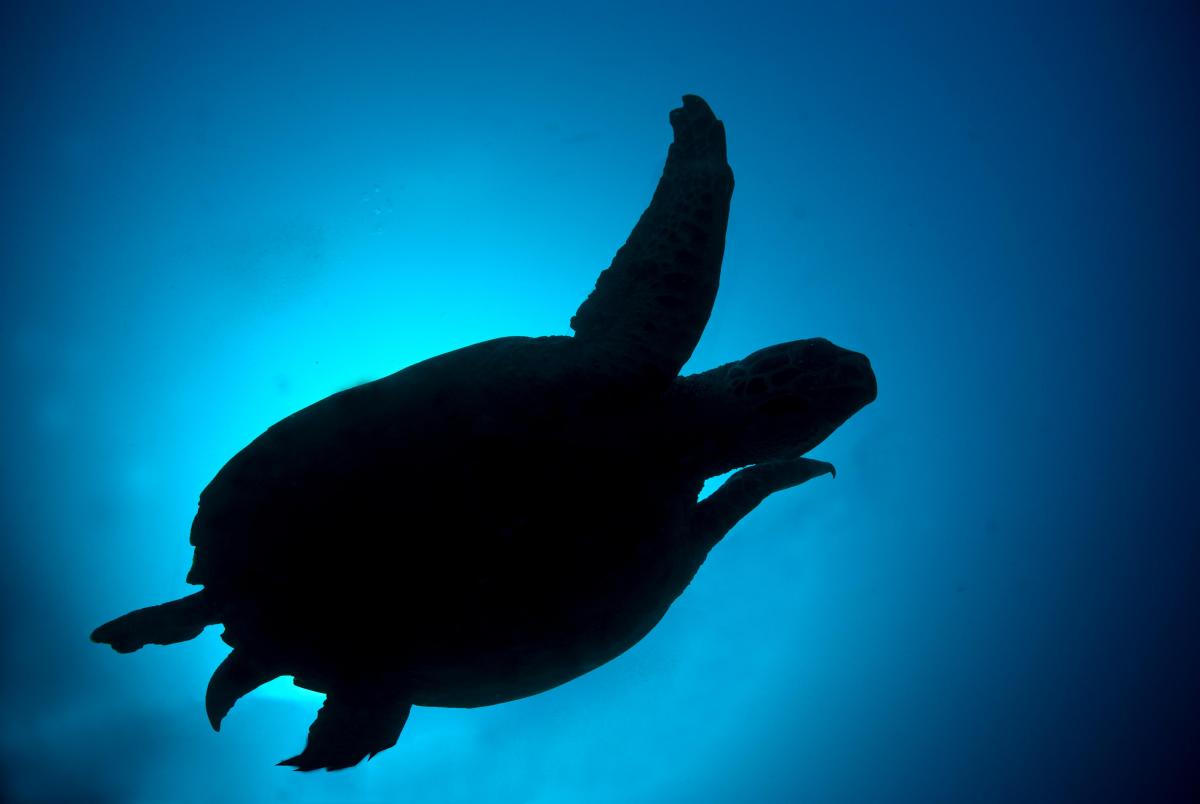
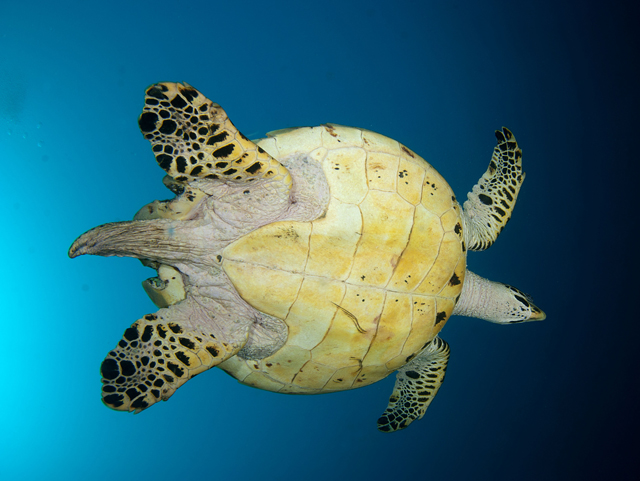
Personal opinions only, so take them for what they're worth. I'm not a big fan of silhouettes, so the first image doesn't really work for me. I also find the "face" of the turtle more interesting than the underside, so shooting from below like the second one also doesn't really work for me. Sorry to be so negative about both of these shots.
Thanks for sharing your photos. I am sure it was fun taking them. If you had it to do over, I suspect you would try for getting the entire turtle in the first one. If you could have it any way you wanted it, perhaps having some space in the first one in front of the turtle would be nice. Then he might be appearing to swim 'into' your image rather the current feel of leaving it. Waiting just a fraction longer in the first one would have the left front flipper separated from the head, which might be more pleasing.
I find the blues you have for water in the both is rather pleasing.
I am wondering how the second one would feel if the turtle was swimming the other way...into the lighter area rather than to the darker. We do not get to choose which way they go but its a thought for consideration.
thanks guys, appreciate it, very interesting thaughts by both
The pose of the turtle in the first shot doesn't work for me. The turtles left flipper so close to its head is distracting for a silloehuette. If you could do it again, I think the second shot done as a sillouhette would be nice.

Terms of Use Privacy Policy Guidelines We have placed cookies on your device to help make this website better. You can adjust your cookie settings, otherwise we'll assume you're okay to continue.

A worldwide community for underwater imaging.
