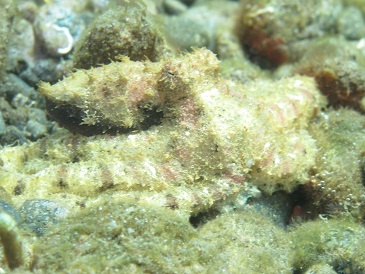
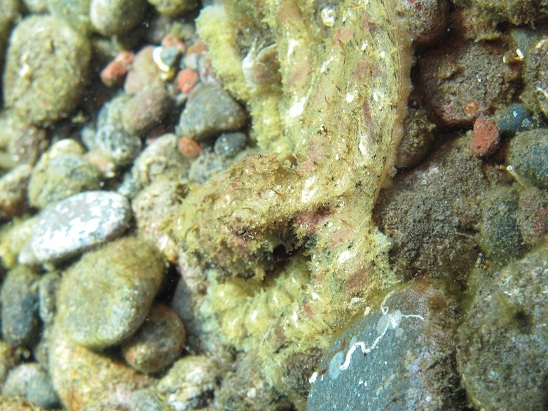
Searching online the nearest I can come up with is the mosaic.
It did display a disc like pattern before I could get a photo, then it was a bit fluffy texture with pinkish colouring.
Thanks for any ID help.
looks more like the Algae octo to me.. but i don't have any books with me to give you the latin name for that one. But I don't think its the mosaic
Thanks Mike,
It could be but it displayed very marked blotches before the photo was taken and the Algae octopus seems to be a lot more filamented not just on the head ?
I could not attach a photo here so I edited in another above that is not as clear but shows the blotches fading away.
Thanks Mike,
It could be but it displayed very marked blotches before the photo was taken and the Algae octopus seems to be a lot more filamented not just on the head ?
I could not attach a photo here so I edited in another above that is not as clear but shows the blotches fading away.
The Algae can go from smooth to filamented and everything in-between in less than a second, so it's hard to say it's not an Algae just by the skin texture. I have a video here showing it's different skin textures. The 'hair' are skin flaps that the octopus can form...it's called 'papillation' apparently
Nice video liquidguru.
It really demonstrates the skin change !
Octopus are so fasinating, it is interesting how body posture and method of movement can be useful for ID.
I sometimes see mototi and they also have a special (unique?) way that can ID them even before they display the 2 blue rings.