



Hello Everybody  ,
,
This is My Second Try at Underwater Photography. Please Let Me How They Have Come Out 
Thankyou,
Salil
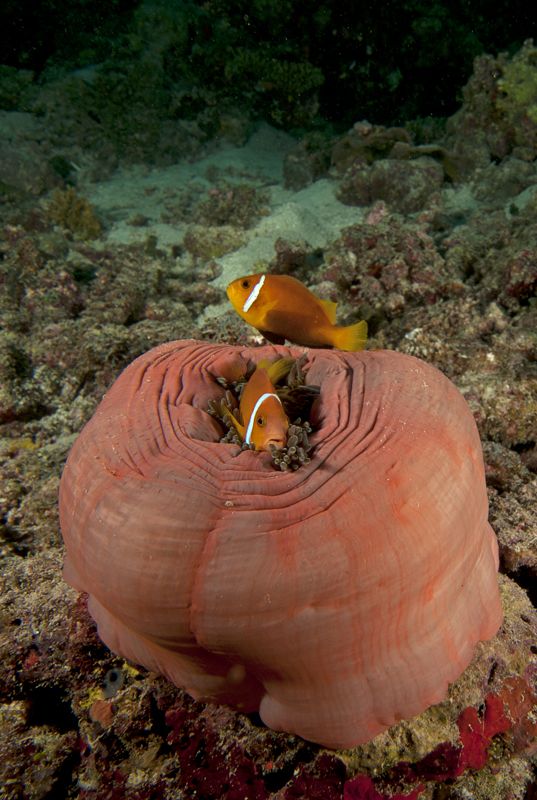
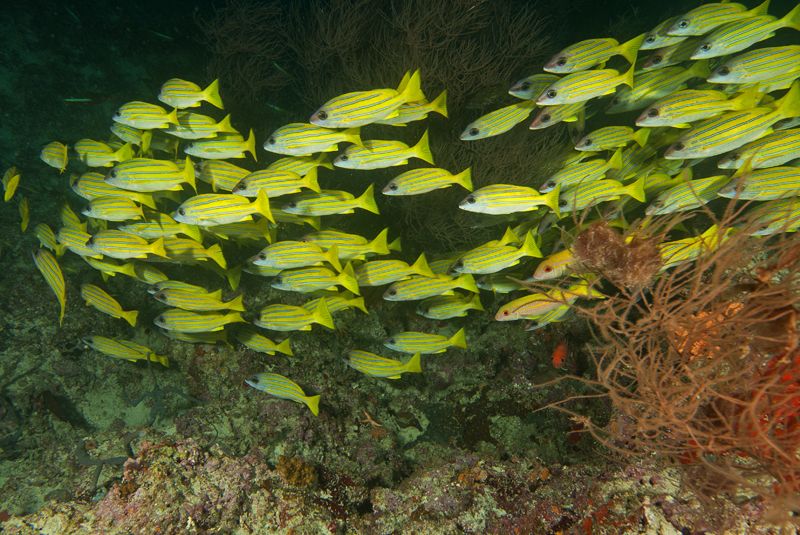
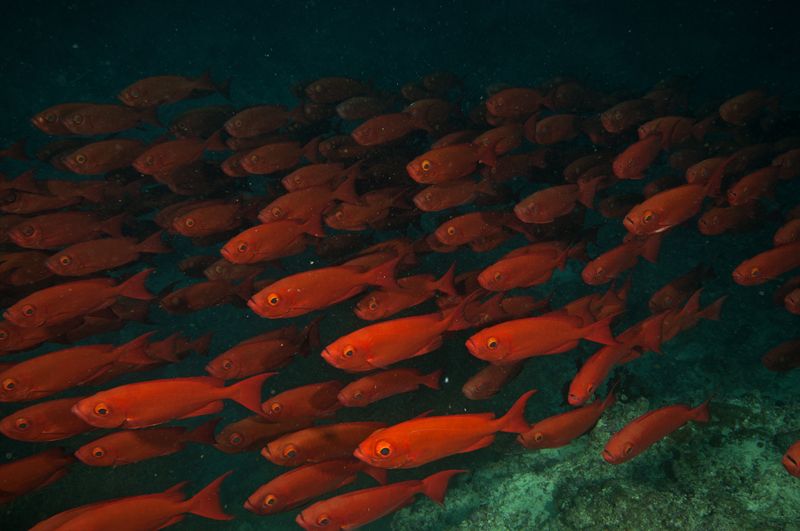
Photo / Video Showcase / Archived topic
Started by Salil Sahani ·
Read-only discussion
Hello Everybody ,
This is My Second Try at Underwater Photography. Please Let Me How They Have Come Out
Thankyou,
Salil
For a second try you have done really well Salil!
Keep shooting!
Part. like the shoal of red eyes..well done :-)
Thankyou Very Much Sir
Atleast I Know I Am Going in The Right Direction Thankyou Once Again
Hi Salil, yes, a great effort for your second attempt, I am impressed.
What equipment are you using? And what are the settings?
The one thing i might suggest is a slower shutter speed to bring out a bit more of the natural light in the background of your photos.
Thankyou Sir ,
I Use Nikon D300 with 10-24 Nikon and 105 Macro Nikon In Ikelite Housing with Dual DS 160 Strobes
The Setting for the First Photo ( Anemone Fish ) Was - 14mm, 1/160, f/8 at ISO 160
The Setting for the Second Photo ( Snapper Shoal ) Was - 15mm, 1/125, f/8 at ISO 160
The Setting for the Third Photo ( Bigeye Shoal ) Was - 24mm, 1/125, f/6.3 at ISO 160
Oh Ok Will Do So
Thankyou Sir Once Again
ok, that info is helpful. During similar natural light conditions try 1/60 on your shutter speed as those subject move slowly so you won't get motion blur. But, if its very sunny and shallow then 1/125 and 1/160 work well
Oh Ok
Will Keep that In Mind
Thankyou Sir
It is Really Nice of You To Guide Me, Its Very Encouraging and Helpful , Thankyou Very Much

Terms of Use Privacy Policy Guidelines We have placed cookies on your device to help make this website better. You can adjust your cookie settings, otherwise we'll assume you're okay to continue.

A worldwide community for underwater imaging.
