Skip to content

Classifieds / Archived topic

Inon S-2000 Strobe, Optical Cable and Inon 1" Ball Mount

Started by Marsh ·

  • 5Posts
  • 5Replies

Read-only discussion

Inon S-2000 Strobe, Optical Cable and Inon 1" Ball Mount

5 posts
  1. Excellent condition

    Inon

    S-2000 strobe with 1" Ball mount and optical cable (

    Inon

    bare cable) for $440 (all over $600 new).


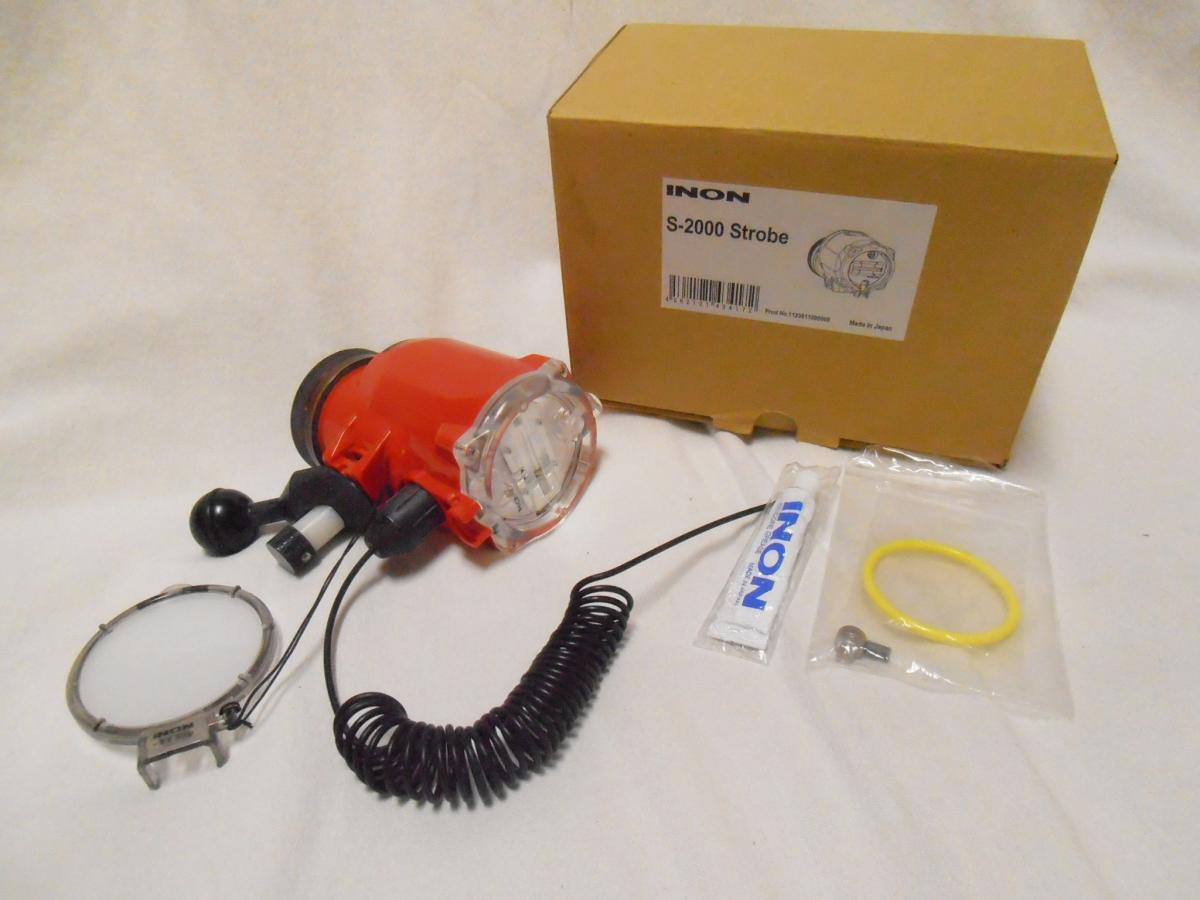
    This was only used on one dive trip and in great condition. It's the most powerful compact strobe on the market. Great for international divers looking to create a small rig for travel. The optical cable has the

    Inon

    connector on one end and ready for a easily available Sea and Sea, Nauticam, etc connector to match your housing on the bare end.


    What you see is what is for sale:

    Inon

    S-2000, 1" ball mount, optical cable, spare o-ring set, and new tube of

    Inon

    grease. This model doesn't come with the wireless connection kit. Ships in original box.


    I've upgraded to dual Z-240's.


    $15 shipping to anywhere in the USA. International shipping can be arranged.


    Buyer must have confirmed and verified Paypal account.


    Please cc to

    mcolleypublic@gmail.com

    since I don't always get replies.

    post-35211-0-98974200-1352867431_thumb.jpg

  2. Can you give me a price for shipping to the UK please.

  3. Send me an address, at least a city/county code so I can get an accurate quote.


    Thanks


    M

  4. West Lothian, Scotland, UK

  5. It's on eBay now and there are some bids on it, so I'm going to leave it on auction. It's available for international shipment though. You can bid and check with eBay on the cost to ship with their shipping calculator


    Cheers,


    M

Aquatica

Account

Navigation

Search

Search

Configure browser push notifications

Chrome (Android)
  1. Tap the lock icon next to the address bar.
  2. Tap Permissions → Notifications.
  3. Adjust your preference.
Chrome (Desktop)
  1. Click the padlock icon in the address bar.
  2. Select Site settings.
  3. Find Notifications and adjust your preference.