Skip to content

Classifieds / Archived topic

Canon XHA1 3 Chip (50i and 25p) Gates Combo

Started by jonny shaw ·

  • 9Posts
  • 9Replies

Read-only discussion

Canon XHA1 3 Chip (50i and 25p) Gates Combo

9 posts
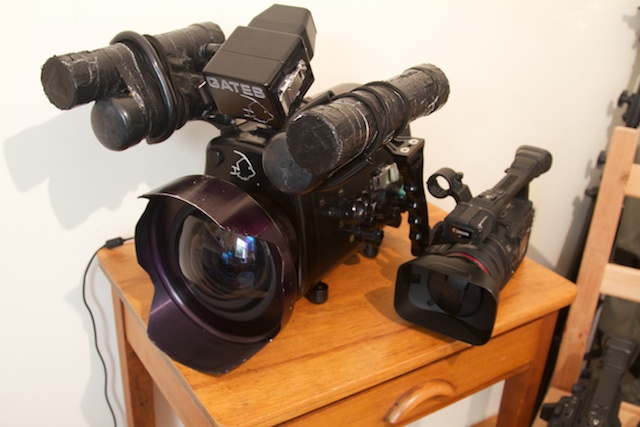
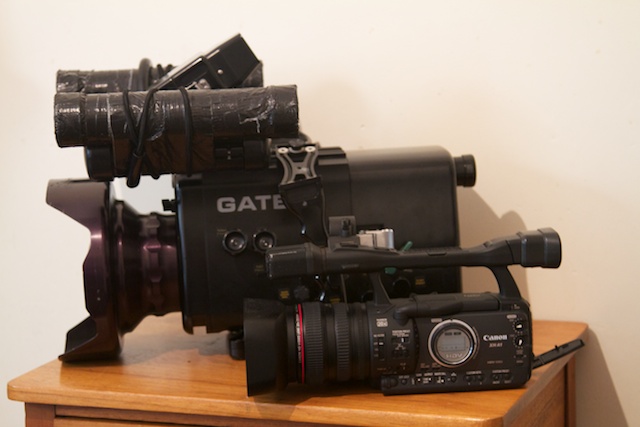
  1. Looking to finally sell my Gates / Canon XHA1 Combo, it has been used on multiple productions for networks in Australia and overseas. It has never missed a beat and still produces stunning images. I am selling due to upgrading to a RED setup last year and it just isn't getting used that much. I am open for offers, the package is based in Sydney Australia. Please note it includes 2 camera bodies


    Included:


    Gates XHA1 housing ($5745 USD)

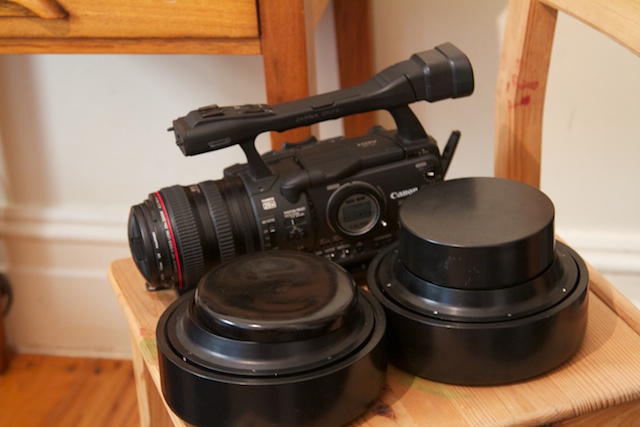
    Fathom SWP44 ($4500 USD)

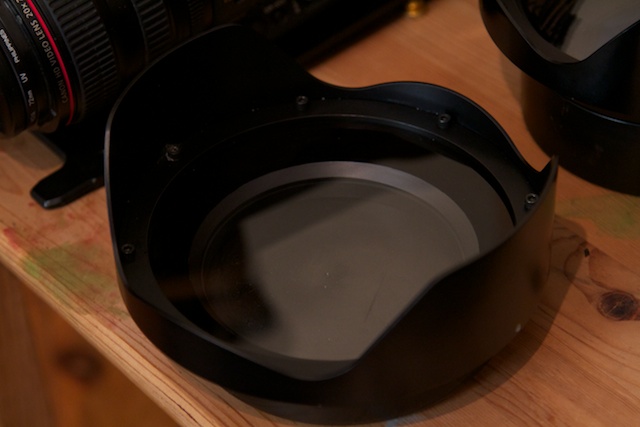
    Standard Dome SP 44 ($450.00)

    Flat Port FP 44 ($450)

    Monitor, it is Gates but unsure of the model (SD version)

    Leak Alarm

    Spare O Ring Set

    Pelican Case for housing

    Century Achromatic +2.5 Diopter ($350)


    Canon XHa1 x2 (one has a broken internal mic, XLRS work fine)

    The Canon wide angle adapter lens ($400 i think)

    Batteries (2x large 3 x small)

    Remote

    Cables

    Manual

    A few DV Tapes


    If local inspections are very welcome, best to get me on email jon.shaw@ginclearfilm.com


    The gear is well used but has been looked after it has been an absolute legend of a piece of equipment and still has years of life left in it.
    post-7703-0-14189700-1360620631_thumb.jpg

    post-7703-0-92826100-1360620639_thumb.jpg

    post-7703-0-23758000-1360620649_thumb.jpg

    post-7703-0-25898700-1360620659_thumb.jpg

    post-7703-0-06229200-1360620670_thumb.jpg

    Edited by jonny shaw
  2. Sorry didn't mention a a price but all offers considered, I want this to go as I my office is full of gear and I need the space.

  3. Still for sale, open for offers (even silly ones)

  4. Hi Jonny


    Just wondering if this gear has sold as yet


    Regards Greg

  5. Maybe send Jon a PM.

  6. Still for sale if anyone is keen for a bargain

  7. Bumpty bump ;)

  8. Bump

  9. BUMP

Turtle

Account

Navigation

Search

Search

Configure browser push notifications

Chrome (Android)
  1. Tap the lock icon next to the address bar.
  2. Tap Permissions → Notifications.
  3. Adjust your preference.
Chrome (Desktop)
  1. Click the padlock icon in the address bar.
  2. Select Site settings.
  3. Find Notifications and adjust your preference.