Leebo92
Archived member
60 posts
Originally published on Wetpixel.com
Hey All,
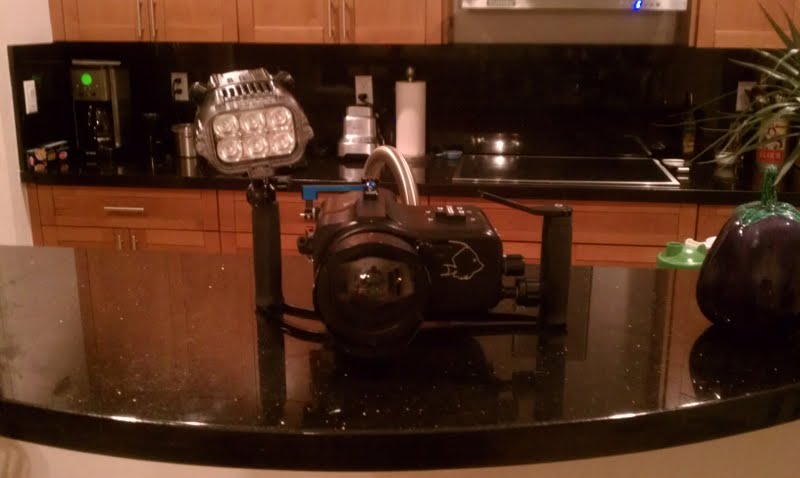
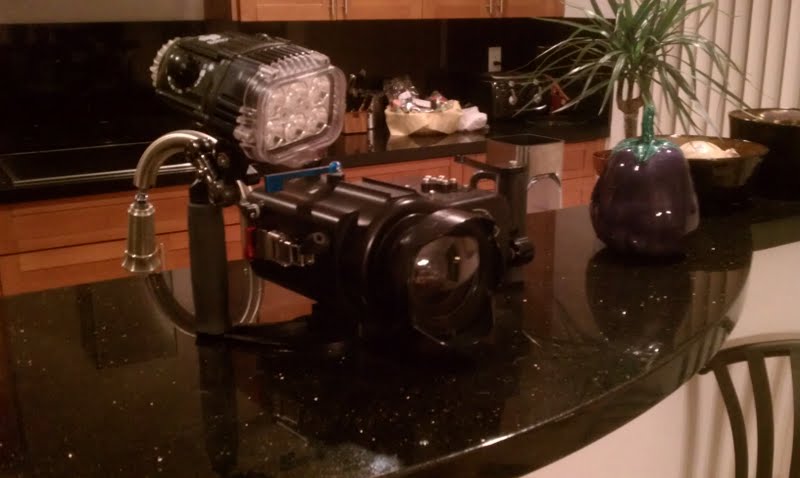
Selling my video setup, the following is included:
Gates HF S11/10/100 Housing w/ water alarm
Gates GP32 Wide-Angle Port(does have light scratches on lens which are not noticeable underwater)
Gates FP32 Flat/Macro Port (mint condition)
Canon HF-S100 Camcorder w/ Charger
Bonica G8V15 LED Video Light
Ultralight Ball Adapter and Clamp for Video Light
Link for Gates Housing and Ports:
http://www.gateshousings.com/housings/hfs11-underwater-video-housing/
Link for Canon HF-S100:
http://www.usa.canon.com/cusa/support/consumer/camcorders/high_definition_camcorders/vixia_hf_s100
Link for Bonica Video Light:
http://www.bhphotovideo.com/c/product/665131-REG/Bonica_DV_VL_G8V15_G8V15_LED_Video_Light.html
Total Package $2200 OBO
see attachments for pictures(the pics do not show the Camera or Flat/Macro Port but they are included) thanks!
Leebo92
Archived member
60 posts
Originally published on Wetpixel.com
Price Reduction!!! New price is now $2000 for the whole Package. Forgot to mention in the previous post, but the original manual for the Gates housing, along with a set of o-rings for the housing and both Gates ports is included.
Heres a link to recent video I took with this setup 2 weeks ago in Bonaire:
https://vimeo.com/62129717
Leebo92
Archived member
60 posts
Originally published on Wetpixel.com
UPDATE: The Bonica Video light and arm attachments were sold. Everything else listed above is still available for a reduced package price of $1600.
Leebo92
Archived member
60 posts
Originally published on Wetpixel.com
UPDATE: Price Reduced $1400 for the Housing, Port, and Camera
Leebo92
Archived member
60 posts
Originally published on Wetpixel.com