



Skip to content

Classifieds / Archived topic

FS: Hugyfot Optical Adapter, Sea&Sea focus gears & ULCS T-groove adapter

Started by Jesper64 ·

  • 5Posts
  • 5Replies

Read-only discussion

FS: Hugyfot Optical Adapter, Sea&Sea focus gears & ULCS T-groove adapter

5 posts
  1. A few odds and ends for sale.


    Item 1

    Hugyfot Acrylic Optical Adapter

    Allows optical triggering from compatible Hugyfot housings. Brand new.

    Price: AUD$30 plus postage


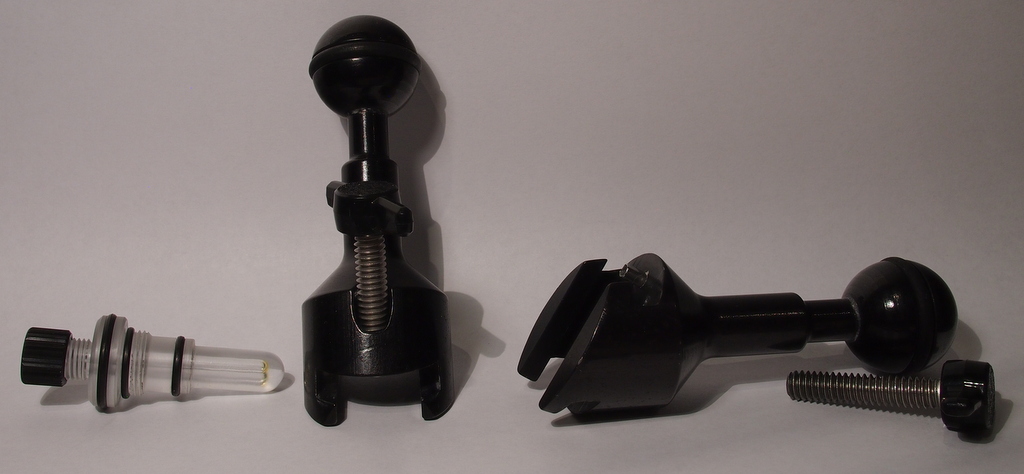
    Item 2

    ULCS BA-TG T-Groove Adapter x 2

    Price: AUD$30 plus postage for both of them
     

    post-34104-0-71810800-1365609810_thumb.jpg


    Item 3

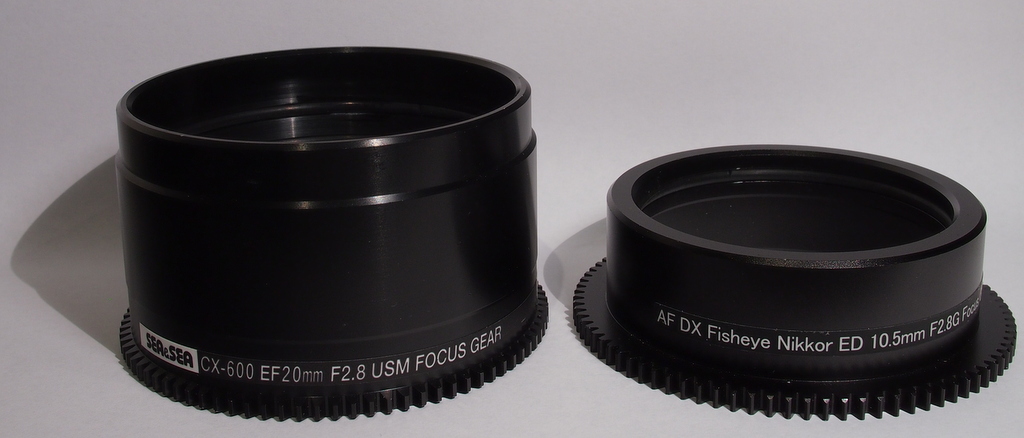
    Sea&Sea AF DX Fisheye Nikkor ED 10.5mm F2.8G Focus Gear

    Price: AUD$50 plus postage


    Item 4

    Sea&Sea CX-600 EF20mm F2.8 USM Focus Gear

    Has an internal diameter of 75mm and will fit over both the Tokina 10-17mm fisheye and Nikon 60mm Micro AF-D lens. Will require some shimming to get a snug fit to hold the zoom gear on the lenses.

    Price: AUD$50 plus postage
     

    post-34104-0-46621100-1365610162_thumb.jpg


    Items located in Australia but will post internationally at buyer's expenses. Only actual postage costs charged.

  2. Hi,

    I am interested into your Hugyfot adapter. I am located in France,

    so I do not know if sending it over here is worth the money.

    Edited by FanchGadjo
  3. Hugyfot adapter sold.


    Price drops:

    Item 3

    Sea&Sea AF DX Fisheye Nikkor ED 10.5mm F2.8G Focus Gear

    Price: AUD$45 plus postage


    Item 4

    Sea&Sea CX-600 EF20mm F2.8 USM Focus Gear

    Has an internal diameter of 75mm and will fit over both the Tokina 10-17mm fisheye and Nikon 60mm Micro AF-D lens. Will require some shimming to get a snug fit to hold the zoom gear on the lenses.

    Price: AUD$45 plus postage

  4. Adaptor received. Great seller !


    8716736480_3a47cc3092_n.jpg

  5. Bump. Make me an offer for the remaining items :)

Scuba.com

Account

Navigation

Search

Search

Configure browser push notifications

Chrome (Android)
  1. Tap the lock icon next to the address bar.
  2. Tap Permissions → Notifications.
  3. Adjust your preference.
Chrome (Desktop)
  1. Click the padlock icon in the address bar.
  2. Select Site settings.
  3. Find Notifications and adjust your preference.

