



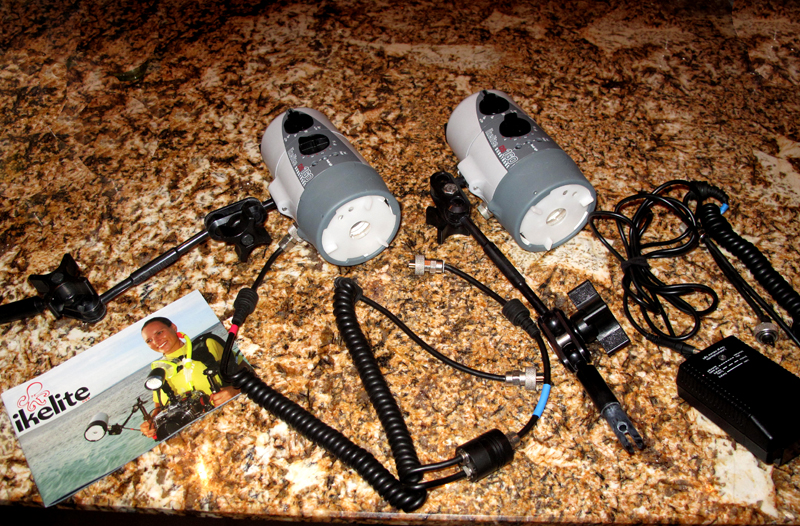
TWO IKELITE DS-160 Substrobes with Diffusers AND DUAL STROBE KIT (INCLUDES ARMS)
(Strobes Retail $950 EACH: Product #4060.1) – Both only 2 years old and dove with less than 20 times. IN VERY GOOD CONDITION.
http://www.ikelite.com/web_pages/ss_dig160.html
I first had a single DS125 and dove with that for three years. Then I sent it in for servicing and something strange happened after it was services and on the next dive the front portion of the strobe completely flooded. I sent it back and they told me they would replace it for me for a small fee and upgrade me to a brand new DS-160! Talk about GREAT service from Ikelite! After less than one year, I decided to add another new DS160 strobe to the mix. Then I moved to a new job/location and have sadly not been in the water much at all with my cameras in the last 1.5 years. whaaaa
INCLUDES: IKELITE SA-100 DUAL DUAL STROBE KIT = (2) SA-100 Arms - #4086.61 AND Ikelite ICS-5 Digital TTL Dual Sync Cord - #4103.52 (Retail $400)
http://www.ikelite.com/web_pages/ss_kits_sa100.html
INCLUDES: TWO Diffusers #0591.3 Diffuser (Retail $19.99)
TOTAL RETAIL NEW IS: $2320
WILL SELL FOR: $1750! (Does not include shipping within US)
Please contact: JenLoves2Dive at gmail dot com Thank you!


