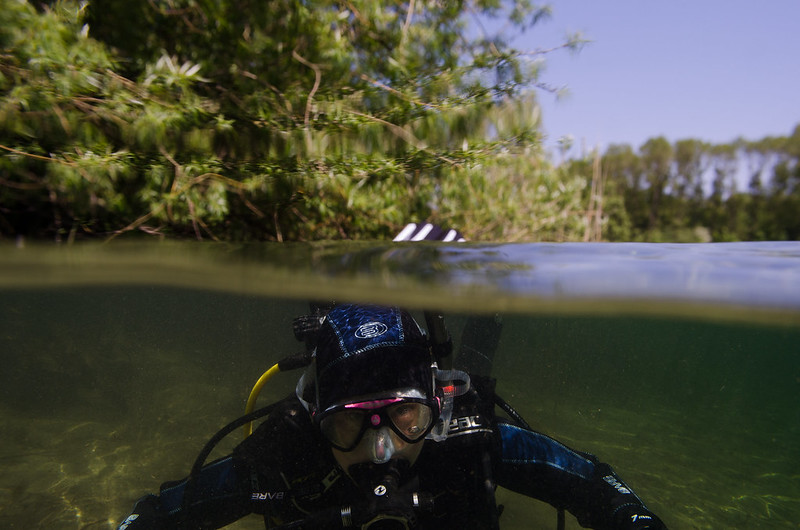
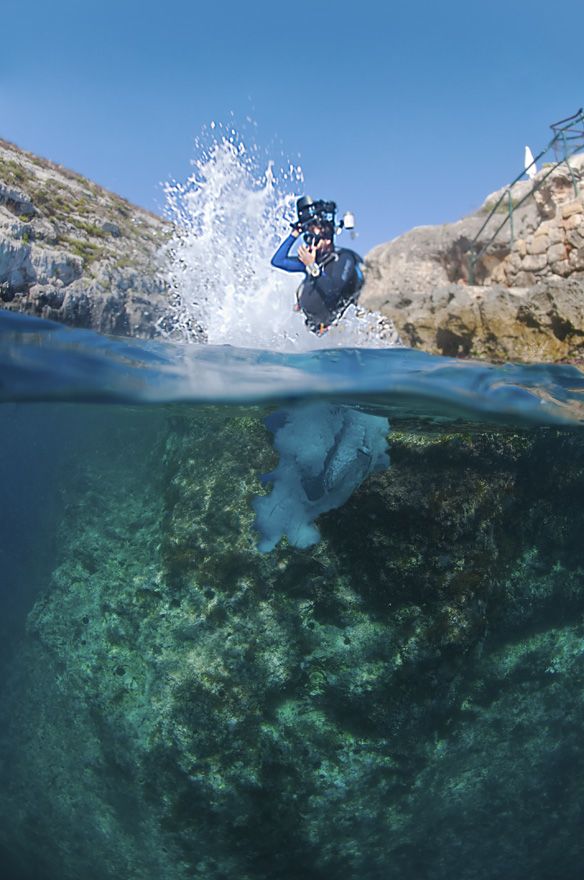
Any suggestions on how to improve the upper part of the shot? all of the gear info is included in the link. Personally i think it's because of the acrylic dome port.. but i could be wrong. Any tip is welcome.
What was the shutter speed, aperture and strobe power
Shutterspeed was 1/200th aperture f11 iso 250.
And the flash was set on ttl which should have been on manual..
Looks like there may still be a sheet of water on the dome to shoot through. You can get all kinds of interesting effects doing this.
Steve
Looks like there may still be a sheet of water on the dome to shoot through. You can get all kinds of interesting effects doing this.
Steve
In this shot, i tried to get a traditional split shot, with the top part being reasonably sharp. so this picture is not really a big succes.
I took this one at the end of the dive (at the exit point) so there was still a lot of water on the dome indeed.
Next time i will try to make a split shot in the beginning of the dive when the dome is still dry.
Thank you!
Max Damiël
I think that you have to go into the water to take splits, not try them at the end of the dive. Glass domes and water repellant are helpful: even spit works. If not: Photoshop, before it becomes a professional-only product!
I've also found that using a portrait format (and even focussing on the background) can sometimes yield a better image:
wow great subject (scene) you got there. Thank you for the advice!