Skip to content

Critter Identification / Archived topic

Unknown Fishes @ Point Lobos (NorCal)

Started by cialowicz ·

  • 3Posts
  • 3Replies

Read-only discussion

Unknown Fishes @ Point Lobos (NorCal)

3 posts
  1. I'm new to diving, so please forgive me if these are obvious...


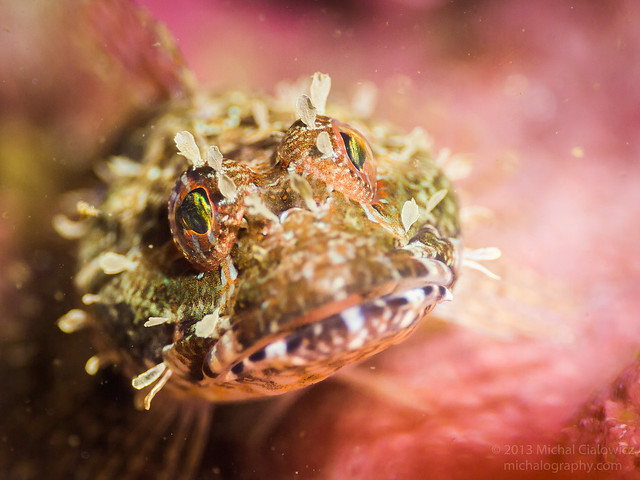
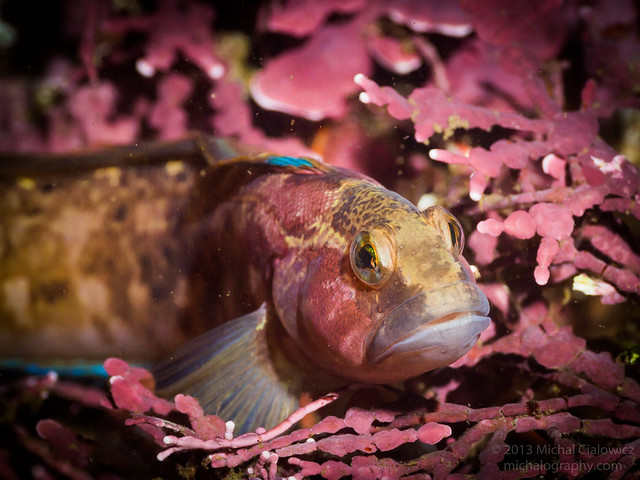
    Both were taken in Northern California, at Whalers Cove, Point Lobos. They were both quite small... just a couple of inches in length (used a macro lens).


    1:
     

    9181136300_e442513ec6_z.jpg


    2:


    9178983213_a0fe8fe9c5_z.jpg


    3: confirmation... it's a Strawberry Anemone, yes?
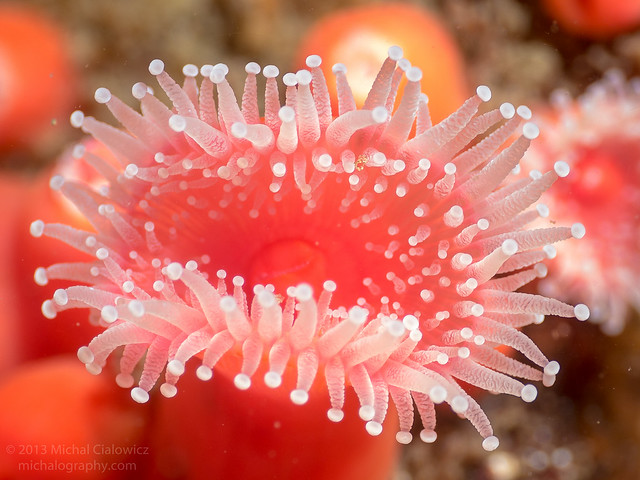
     

    9178737311_3ec3f643c9_z.jpg


    Thank you!

    Mike


  2. Top guy, the cute one, is a stripefin ronquil (Rathbunella alleni)*, not uncommon, but rarely seen. Nice shot.

    Middle of the totem pole is the broad-headed coralline sculpin (Artedius corallinus), fairly common, especially at the Breakwater.

    Bottom guy is indeed corynactus, one of the brighter colors around central California.

    If you likes them critters, Daniel Gotshall's "Pacific Coast Inshore Fishes" is an excellent go-to book.


    *Spell check is underlining "ronquil". Makes me think less of it.

  3. Top guy, the cute one, is a stripefin ronquil (Rathbunella alleni)*, not uncommon, but rarely seen. Nice shot.

    Middle of the totem pole is the broad-headed coralline sculpin (Artedius corallinus), fairly common, especially at the Breakwater.

    Bottom guy is indeed corynactus, one of the brighter colors around central California.

    If you likes them critters, Daniel Gotshall's "Pacific Coast Inshore Fishes" is an excellent go-to book.


    *Spell check is underlining "ronquil". Makes me think less of it.


    Awesome, thank you!

Keldan

Account

Navigation

Search

Search

Configure browser push notifications

Chrome (Android)
  1. Tap the lock icon next to the address bar.
  2. Tap Permissions → Notifications.
  3. Adjust your preference.
Chrome (Desktop)
  1. Click the padlock icon in the address bar.
  2. Select Site settings.
  3. Find Notifications and adjust your preference.