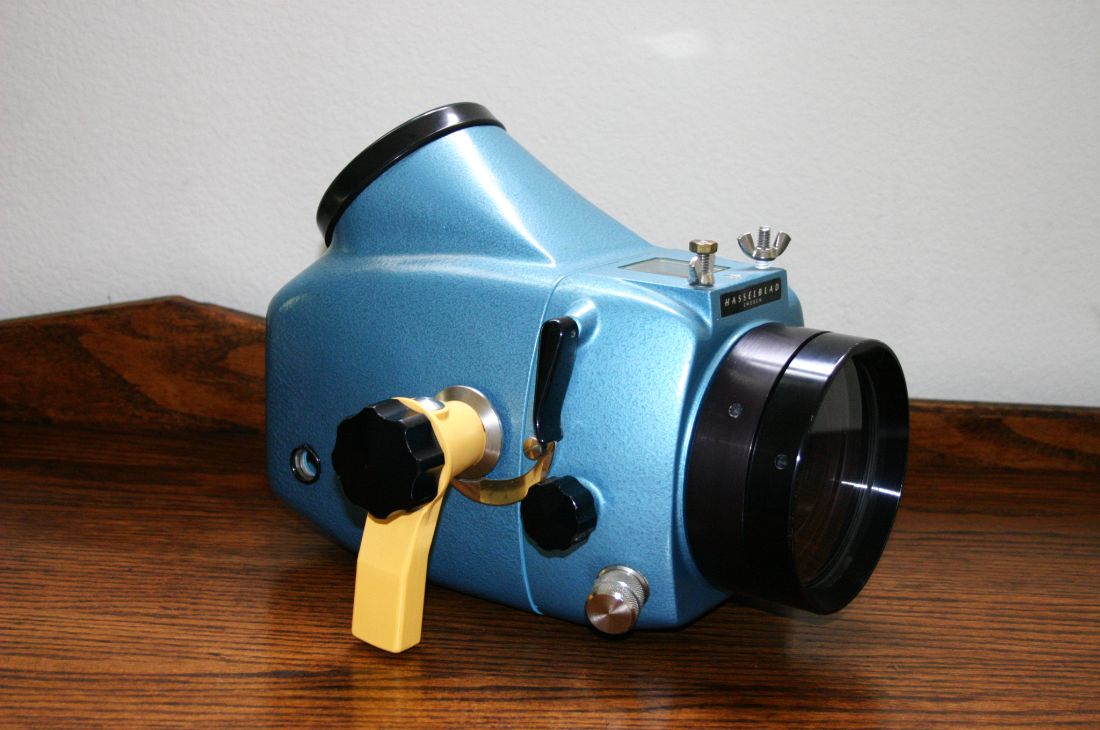
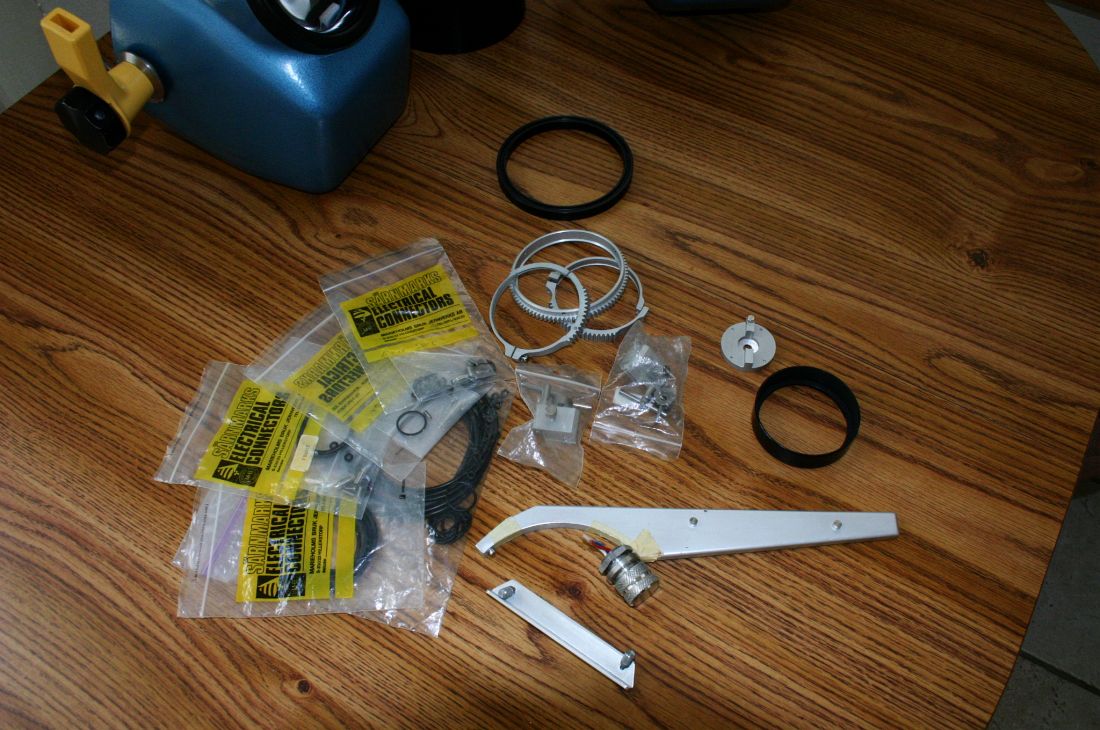
This is another of my Hasselblad housings and it is perfect for the Hasselblad collector or for actual use.
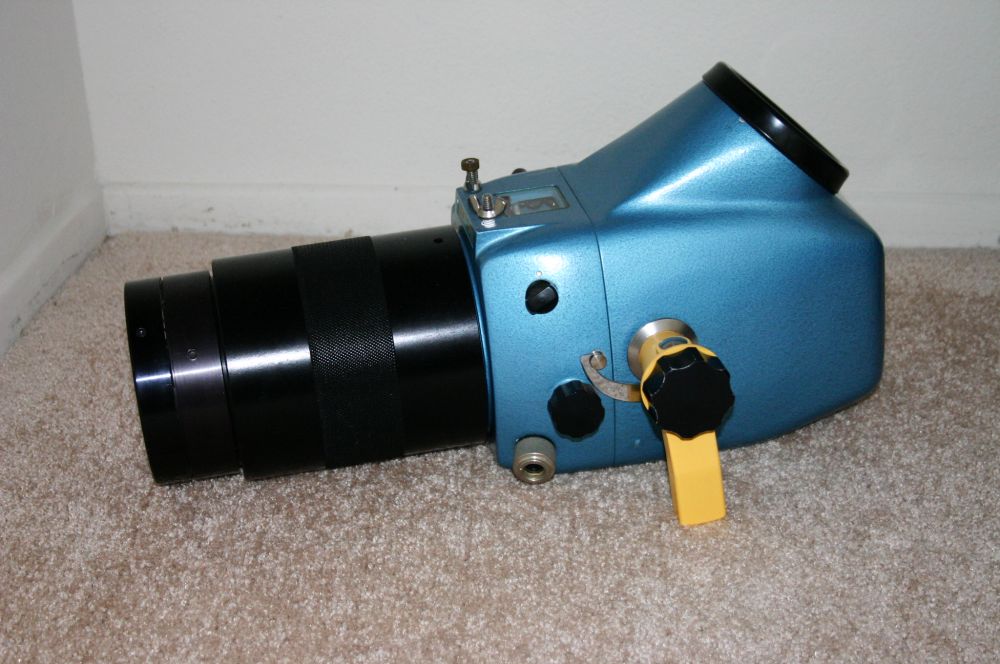
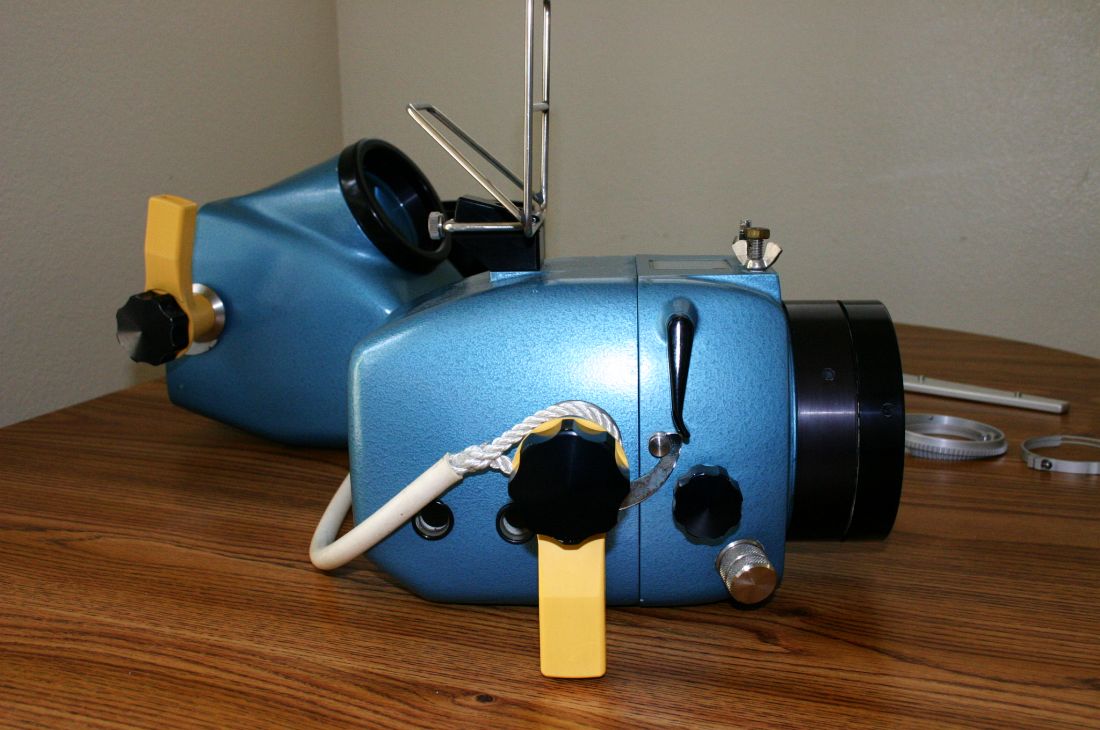
It is a very unique opportunity in that it includes the standard front half, the port extension for the 50mm lens, both of the rear halves (one for the 500C/M and one for the SWC) AND A CUSTOM MADE MACRO PORT EXTENSION. This gives you the flexibility to use it for the 50mm, 80mm, 38mm (SWC), and a 120mm macro with two 55mm extension tubes.
The macro port extension allows you to shoot amost 1:1 macro by using the 120mm lens with two 55mm extension tubes. By adding a close-up Proxar lens you can get more than 1:1 macro. It does not have any exposure or focus control, use your lighting position to adjust exposure. It actually worked quite well the few times that I used it. It does need to have a focusing light though.
I haven't used it in a long time, but it worked great then and is still in incredibly good condition. I don't think that it has ever been used with the SWC back. Never had any leaks. I had Gates change out one of the flash bulkheads to use a Nikonos five pin instead. I also added a leak detector.
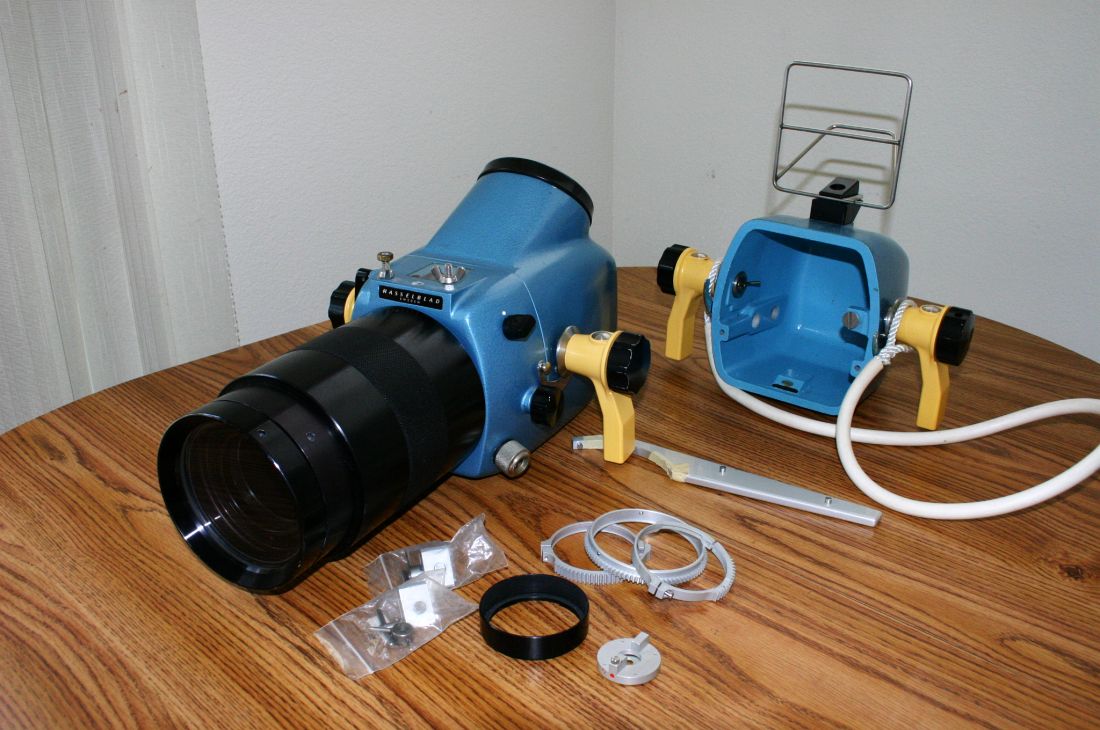
Includes:
- Front section for 500C/M, 500C, and SWC
- Rear section for 500C/M, 500C
- Film advance adapter for 500C/M, 500C
- Lens support ring for 80mm lens
- Extension set for 50mm lens
- Rear section for SWC
- Film advance adapter for SWC
- Shutter release adapter for SWC
- Original neck strap
- Frame viewfinder for the SWC
- Custom made port extension for 120mm with two 55mm extension tubes
- One set of gears
- Wrench to remove the port
- Extra o-rings and screws
- Original flash bulkhead that was replaced with Nikonos 5-pin
- Leak detector
Contact me immediately if you are seriously interested in it. I have one offer on it but I have not accepted it yet as it is a bit low.