Skip to content

Photography Gear and Technique / Archived topic

Sea&Sea Housing MDX-6D

Started by gadip ·

  • 6Posts
  • 6Replies

Read-only discussion

Sea&Sea Housing MDX-6D

6 posts
  1. Hello,


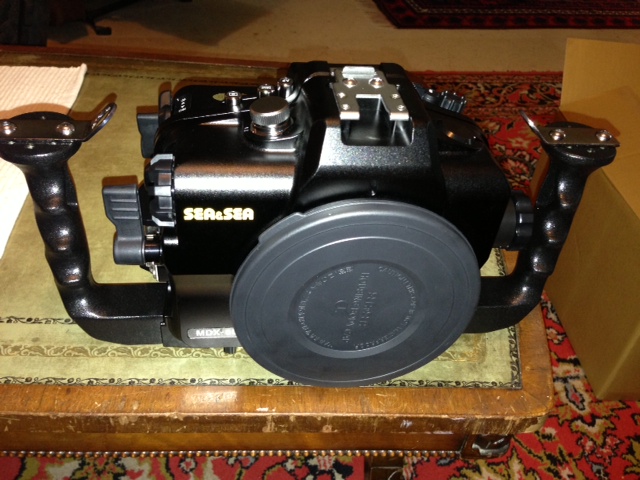
    I got last night the new MDX-6D housing from Sea&Sea. Few question for the Canon shooters and my personal observation, still new with Canon, so probably my learning curve... nothing bad to say on anyone in S&S or Canon. I still learn. appreciate your help. I used to have the Nikon D300 from Sea&Sea and I still learning the Canon 6D Camera :-)


    Question to S&S: (sent their support)

    1- The new S&S housing arrive without the T connectors for the handles (used to come with the D300, D200 and D70 housing I had before) S&S part # 20100. not sure why?

    2- The new housing arrive without the 2nd Strobe buckle head connector (only one installed), same as above.


    Question for Canon Users who use S&S:

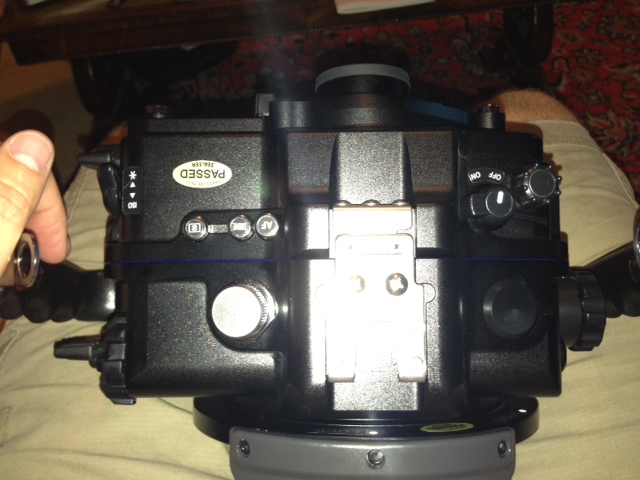
    3- There is no top window on the housing on the right side, so when I try to change modes with the top buttons (autofocus mode, drive mode, metering selection) I can not see it in the top window like used to be in Nikon, I am not sure if there is another way to see it in Canon camera? any idea? help


    4- Mode Dial - there is no way to push the small button on top, at least I don't know how to do it, so I can not change from Manual to other modes. again probably I don't know how to do it, will be happy to hear from other users how they do it?


    here are some pic. will be happy to know from other Canon shooters any tip they can share.


    (sorry i post it in the wrong forum before).


    Thanks

    Gadi
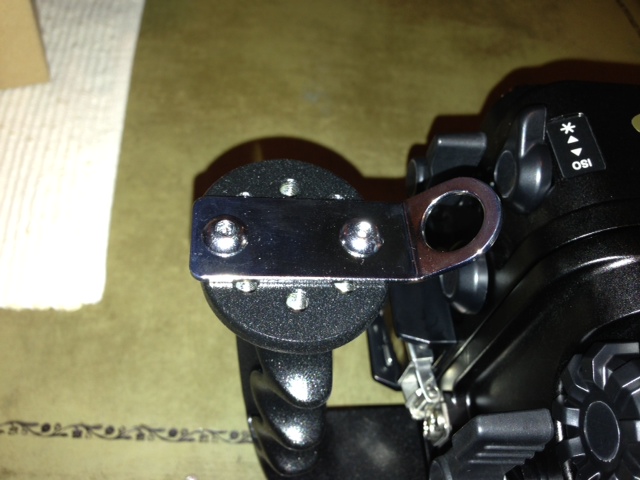
     

    post-2663-0-68314600-1372837435_thumb.jpg

    post-2663-0-30652000-1372837450_thumb.jpg

    post-2663-0-45759600-1372837466_thumb.jpg

  2. Hi Gadi,

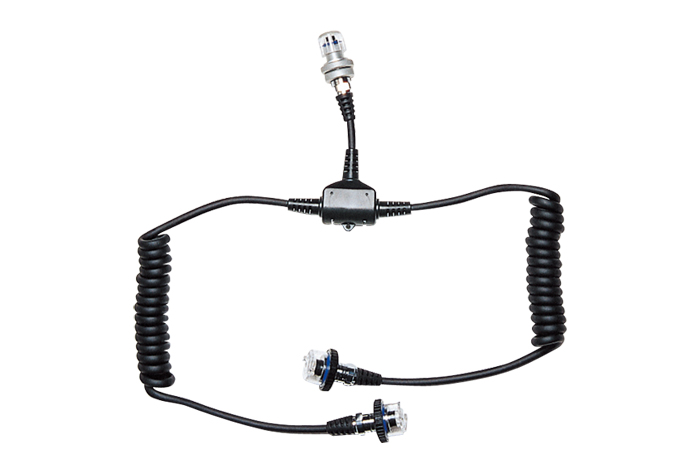
    Congrats on the new rig! I use a Y cable to run two strobes from the one connector. It's called a dual sync cord, part no 03470 in the US parts book.

    post-4526-0-95057000-1372858528_thumb.jpg


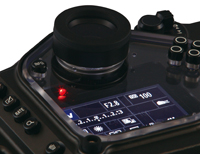
    You can use the rear display to see all the information that you need. On my 7D the button to display this is labeled Info.

    post-4526-0-59271000-1372858561_thumb.jpg


    I'm not sure how to help you with the mode dial issue. Let us know if you figure it out.


    Good luck,

    Steve


  3. Thank you so much Steve, it was very helpful. just finish few dives, i like the camera and housing and the new YS-D1 - a lot...

    Cable works great, i had to buy the plate as additional items.


    I have two questions:

    1- when i click on info i see other information, not the one Steve show above, has anyone else tried?

    2- Has anyone try to change mode from Manual to other modes in the housing? how do you do it? can not click on the top nub.


    Thanks for all your help

    Gadi

  4. Hi Gadi,

    The 6D mode dial is different than older Canons, you have to hold down in the center of the mode dial to be able to turn it. It's a release button so the dial won't turn accidenttaly. I'm not sure how the S&S housing makes this possible.


    Each time you press the INFO button the camera will cycle through the screens that you have set up in the display options. It should cycle between;


    - Camera settings

    - Level display

    - Shooting functons


    If you keep hitting the buttun it will just rotate through. I always turn off the level display on my 7D when shooting underwater.


    You may want to pull out the manual again and spend some time with it. I always try to go on a short vaction when I get a new camera so we can be alone and get to know one another.


    Good luck,

    Steve

  5. Hi Gadip,


    try to use the Q button, if you press this button the rear LCD will display all configuration options and you can navigate through this options and make changes using the apperture or speed dials.


    Cheers

  6. Thank you all, quick question. Has anyone tried the canon 24-105 zoom lens? What zoom gear did you use for sea&sea ? I could not find any reference

    Thanks

    Gadi

Kraken Sports

Account

Navigation

Search

Search

Configure browser push notifications

Chrome (Android)
  1. Tap the lock icon next to the address bar.
  2. Tap Permissions → Notifications.
  3. Adjust your preference.
Chrome (Desktop)
  1. Click the padlock icon in the address bar.
  2. Select Site settings.
  3. Find Notifications and adjust your preference.