Skip to content

Photo / Video Showcase / Archived topic

First try at remote strobes for wreck photography

Started by nirv996 ·

  • 5Posts
  • 5Replies

Read-only discussion

First try at remote strobes for wreck photography

5 posts
  1. Hello all,


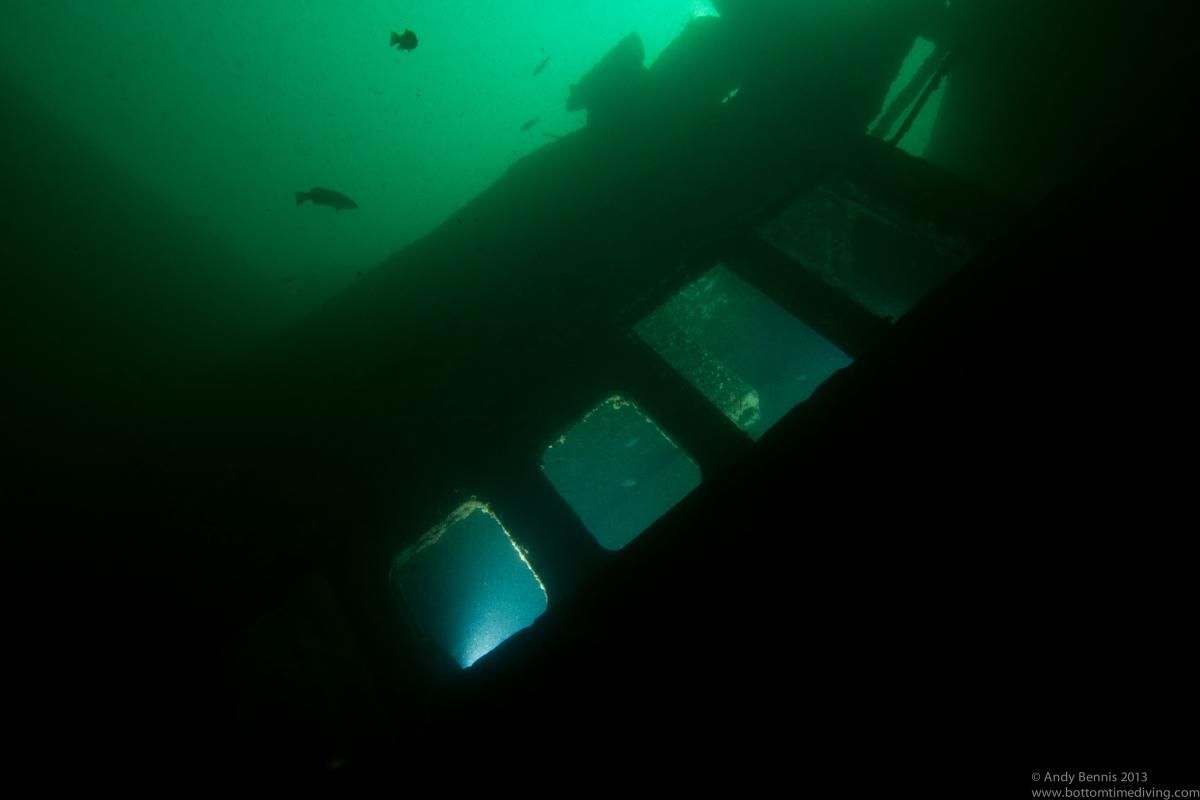
    I have always liked pictures using creative lighing positions for wrecks.

    I thought I would give it a try yesterday. First time shooting strobes remotely. About my second year in photography.

    Looking for input on some camera settings and strobe positioning for situations with challenging visibility.

    Details:

    - location - St. Lawrence River , Ontario

    - Wreck - Eastcliffe Hall

    - visibilty - not the greatest 15 max

    - depth 65 feet

    Equipment:

    - Canon 7D - Tokina 11-16 - 8 inch dome

    - 2 X Sea and Sea YS-D1

    - triggered optically by using a 50 ft optical synch cable and slaving the second strobe off of the first.

    Settings for this shot:

    ISO 160

    11mm

    1/100th

    f/6.3


    Strobes were positioned in opposite ends of the overturned bridge/superstructure.


    Again looking for input on strobe positions and camera settings. Also, most of the time there is some particulate in the water. When it gets colder the visibility starts to get much better.

    Here is a link the some other pictures on the same dive.

    Gallery link


    Thanks in advance.

    Andy


    post-32899-0-67353800-1378124534_thumb.jpg

  2. Thanks Herb - You expanded my understanding about low light underwater photography :)

  3. Hi Andy,


    I grew up in Ontario and dove the wrecks in Kingston and Brockville for almost 15 years - never with a camera... unfortunately! However, now that I'm on the wet coast, and shooting - on almost every dive, I can understand the challenges using remote strobes in poor vis.


    I've done some remote strobe work, but in crystal-clear water in the caves in Mexico - so while not a fair comparison to your situation, it has taught me a few things that I've tried to apply to the green waters of the PNW. First, even in the clear water, for the remote strobe(s) to have a significant effect on the outcome, I had to use ISO 400 (usually 1/40th and f5.6 or so). Next, while I use a Tokina 10-17 for the wide work, I found I had to limit my expectations as to how much of the cave I could light - and I'm okay with that, largely because I prefer to have some dark areas in my cave images. It offers some context to the viewer - IMO.


    As a matter of personal opinion, I tend to prefer that divers (models) carry the remote strobes rather than simply placing them - otherwise, to me at least, it doesn't make sense as to where the light is coming from. The exception I've seen that really works, is placing remote strobes on man-made opjects/structures that would have normally had light coming from them. The image of a car sitting on the bottom of a quarry with remote strobes placed in the headlights is the best example that comes to mind. That may be a little harder with the wrecks you have to work with, but it might be worth considering.


    Lastly, because of the vis - the same vis I have here most of the time at the local sites, it largely dictates that you focus the composition on a small, but readily identifiable object, or part of the structure. The other option, of course, is to shoot essentially available light and then paint small, discete areas with strobe light.


    I'm working on ideas on how to use remote strobes on some of the sites here - mostly walls with cloud sponges and gorgonian corals, but the ambient conditons are usually very dark and often turbid. Oh, and I also shoot with a Canon 7D.


    Hope that helps!


    Cheers,


    Lee

  4. Herb and Lee,

    Thanks very much for the comments and suggestions.

    Great feedbackand and I will use it on my next dives.


    Thanks

    Andy

    Ontario

Fotosub Shop

Account

Navigation

Search

Search

Configure browser push notifications

Chrome (Android)
  1. Tap the lock icon next to the address bar.
  2. Tap Permissions → Notifications.
  3. Adjust your preference.
Chrome (Desktop)
  1. Click the padlock icon in the address bar.
  2. Select Site settings.
  3. Find Notifications and adjust your preference.