



Hi All,
Off to the Philippines in November and will be photographing whale sharks, I hope. Just wondering what camera settings everyone recommends for shooting these amazing sharks by natural light?
Cheers,
Nigel
Shooting Technique, Workflow and Editing / Archived topic
Started by wobby ·
Read-only discussion
Hi All,
Off to the Philippines in November and will be photographing whale sharks, I hope. Just wondering what camera settings everyone recommends for shooting these amazing sharks by natural light?
Cheers,
Nigel
You need the "good visibility" setting when choosing the "ocean" mode...

If you get this wrong, then the best that you can do is wait in the mirk:
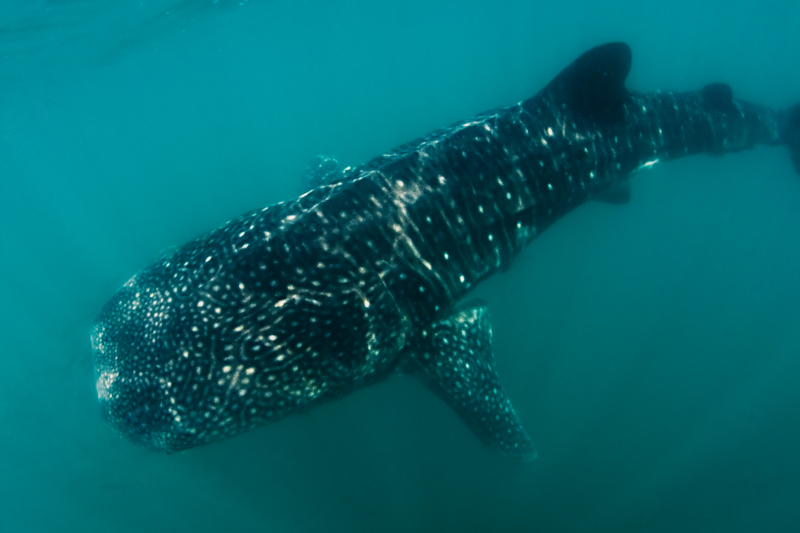
i would suggest f8 with a wide angle lens, then using your light meter to figure out where you need to be with your shutter speed, dial in the shutter speed to be less than the 0, say - .7 to - 1. Then you will have to make adjustments to your shutter speed depending on which way you are facing, available light etc as the conditions and angles will change from one minute to the next. You could also use aperture priority, set it at f8 and let the camera choose the shutter speed for you, once again dial in the exposure control +/- slightly to the negative
Hi Mike,
Thanks for the feedback, appreciate the answer.
Cheers,
Nigel
Depends on where you'll be shooting too. Oslob or Southern Leyte or Donsol. Oslob allows scuba and you can get pretty dramatic silhouettes and sunbursts behind the animal if you stop down to f16-22. Donsol and Oslob are snorkel interactions only and you're limited to how deep you can freedive and the vis. Generally vis is good at Oslob, and Southern Leyte and sucky at Donsol.
S.

Terms of Use Privacy Policy Guidelines We have placed cookies on your device to help make this website better. You can adjust your cookie settings, otherwise we'll assume you're okay to continue.

A worldwide community for underwater imaging.
