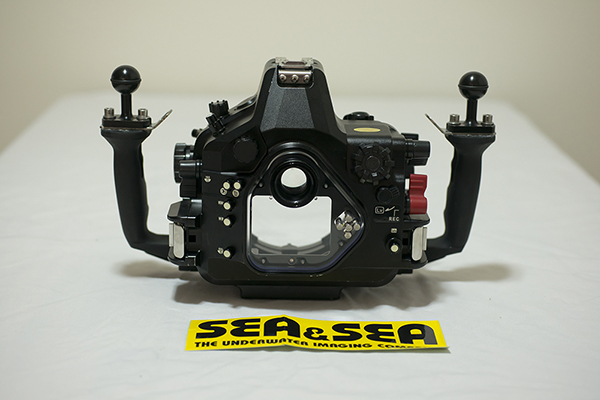
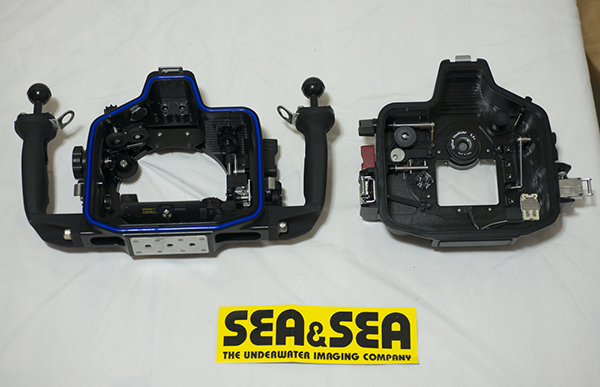
Sea & Sea MDX-D7000 Body- Hardly Used
Was $2400; Now Asking $2100
Free Ground Shipping in the USA!
(Shipping Insurance +$30.00)
Contact mike@evolutionunderwater.com for more info.
Comes with Tool Kit, Body Port Cover, Manual and Spare O'ring w/grease.
This MX-D7000 housing (for the Nikon DSLR D7000) has been in the water less than a dozen times and is in mint condition with very minor cosmetic wear. Manual, spare housing o-ring and tools included.
I have been using Sea & Sea gear on a professional level for more than 8 years and I am very happy with the performance.
More info for the Nikon D7000 here: http://shop.nikonusa...uctID.226487200
Please contact:
Mike@evolutionunderwater.com of www.evolutionunderwater.com for more information.
More housing info:
•Housing is precision CNC machined from solid block aluminum.
•Ergonomically designed for ease of use and for total control of D7000 functions underwater.
•Protected by a highly corrosion resistant anodized (black) coating.
•A/R (anti-reflective) coated LCD rear display window accepts VF-45 prism viewfinder.
•Port lock system prevents an attached port from loosening while in use.
•Two fiber optic cable sockets
•One sync cord connector (optional)
•Dual locking latches to prevent accidental release of housing back.
•Built-in Leak sensor alerts user if moisture or water-intrusion is detected.
•Construction: Body: Corrosion-resistant aluminum alloy (machined)/anodized body, grip:
corrosion-resistant aluminum alloy (die-cast)
•Depth rating: 330ft/100m