



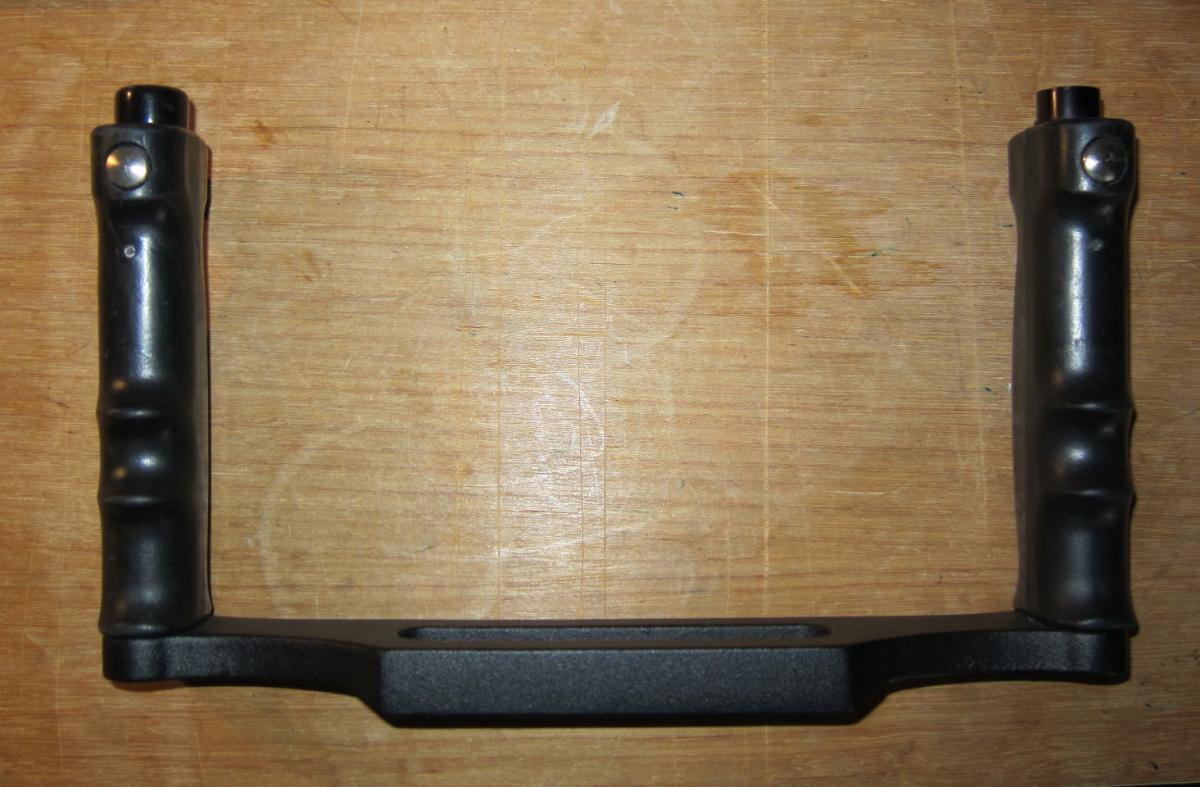
This is an Ikelite #9523.32 like new metal hande and tray with quick realeses on top of both handles. Older tray design. No wear marks. I will include standard Ike bolts, washers and nuts.
Will take PayPal. Shipping extra.
Asking $50
Read-only discussion
This is an Ikelite #9523.32 like new metal hande and tray with quick realeses on top of both handles. Older tray design. No wear marks. I will include standard Ike bolts, washers and nuts.
Will take PayPal. Shipping extra.
Asking $50
This is an Ikelite #9523.32 like new metal hande and tray with quick realeses on top of both handles. Older tray design. No wear marks. I will include standard Ike bolts, washers and nuts.
Will take PayPal. Shipping extra.
Asking $50
could you ship it to the Netherlands?
Yes I can ship it, will check with USPS Friday, but leaving for Curacao on Monday and can not complete deal until my return about 13 Dec~
Yes I can ship it, will check with USPS Friday, but leaving for Curacao on Monday and can not complete deal until my return about 13 Dec~
That OK..Cheers
I am back from dive trip. Anyone still interested pls send me a PM with good shipping address. Foreign via USPS adds about $45.
This tray is a like new, the all metal #9523.02 (vice older .32) is not sold by Ike any more, worth $150 new. I will provide a pair of Ike specifc or any other bolts and washers needed to mount a housing.
Looks like UPS shipping runs about $15?
I saw a reply of yours concerning a DS-51 you had for sale. I need a stobe w/battery, charger, arm, and sync cord for an Ikelite housing for my Canon 20D. Do you have any of this equipment that you want to sell?
Thanks.
seafmd, I have a pretty new DS-51 but it take regular batteries no charger needed. I have the Ike Digital Converter also. Sold my Ike sync cords.
PM me and we can get together about this

Terms of Use Privacy Policy Guidelines We have placed cookies on your device to help make this website better. You can adjust your cookie settings, otherwise we'll assume you're okay to continue.

A worldwide community for underwater imaging.
