



Skip to content

Video Gear and Technique / Archived topic

Two new gadgets on my housing

Started by peterbkk ·

  • 5Posts
  • 5Replies

Read-only discussion

Two new gadgets on my housing

5 posts
  1. Just sharing some recent additions to my housing for those that might be interested.


    Following all the recent talk on this forum, I went ahead and bought a Vacuum system. We bought the BackScatter system but David Cheung of ScubaCam here in Singapore installed it for me. That flashing green light gives me a warm, fuzzy feeling.
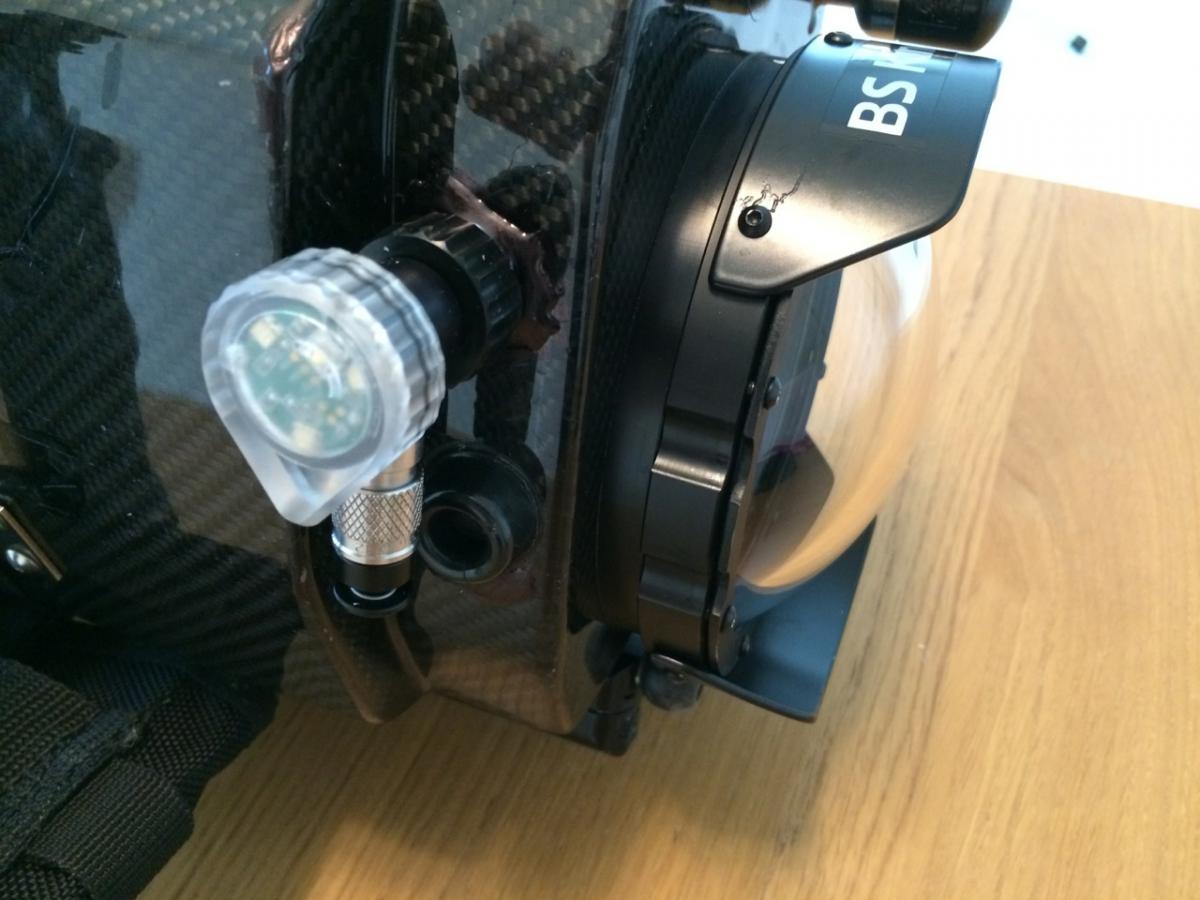
     

    post-4537-0-59384700-1386504602_thumb.jpg


    Just occasionally, there's a sound underwater that I'd like to include in the video. Might be dolphins, whales or just the chatter of crabs and shrimps. I've never been happy with previous hydrophones, but then Google introduced me to Aquarian Audio Products. They quickly built me a H2c Hydrophone with an XLR terminal.


    post-4537-0-13454900-1386504756_thumb.jpg


    Yesterday, David installed it for me and today I tested it in the pool. The results are great.


    Here's a little test clip: http://vimeo.com/81298453


    I'm looking forward to using the hydrophone with the congregations of mating humphead parrot fish later this month in Palau. Might find out what noises they make while making whoopy...


    Regards

    Peter

  2. Thanks Peter for sharing. The Hydrophone is on my list. It looks easy to add.

    I am not sure about the Vacuum system though. Is it complex to fix?

  3. Hi Thani


    I think I will chime in as I did the handy work. Peter could tell you more about the hydrophone.


    Installed these in less than couple of hours total but Peter and I have to first find the best spot first for the hydrophone and secondly for the vacuum check. Mindful of the wall of the housing that is the thickest this is after all a carbon fibre housing.


    With your sturdy aluminium housing I don't think you have any trouble with the vacuum check - judging from your past mods you are very skillful.


    I am really impressed with the hydrophone.


    Cheers

  4. Thanks Peter for sharing. The Hydrophone is on my list. It looks easy to add.

    I am not sure about the Vacuum system though. Is it complex to fix?

    Here are the fitting instructions that I used to fit the Hydrophone and Vacuum system:


    1. Buy the items

    2. Take them and the housing to David Cheong

    3. Go and have a cup of coffee

    4. Come back to pick them up

    5. Test in pool

    6. Go diving


    It's a very effective way of getting things fitted. :)


    For the hydrophone, talk to Ronn at sales@aquarianaudio.com. He will configure it with the necessary mount, cabling and plugs.


    For the vacuum system, there's a video on the backscatter site.


    http://www.backscatter.com/sku/bs-ale.lasso


    Regards

    Peter

  5. David, Peter,


    Thank you guys for the tips. While I can follow all the instructions, especially point 3 repeatedly.

    The challenge I have with the fitting instructions is point no 2.

    Can't find as good as David around here :).

    Beside, the phrase "underwater housing" is rarely used here.


    Here are the fitting instructions that I used to fit the Hydrophone and Vacuum system:

    1. Buy the items

    2. Take them and the housing to David Cheong

    3. Go and have a cup of coffee

    4. Come back to pick them up

    5. Test in pool

    6. Go diving

    It's a very effective way of getting things fitted. :)

    For the hydrophone, talk to Ronn at sales@aquarianaudio.com. He will configure it with the necessary mount, cabling and plugs.

    For the vacuum system, there's a video on the backscatter site.http://www.backscatter.com/sku/bs-ale.lasso

    Regards

    Peter

    Really appreciate your help and this wonderful forum :)

Backscatter

Account

Navigation

Search

Search

Configure browser push notifications

Chrome (Android)
  1. Tap the lock icon next to the address bar.
  2. Tap Permissions → Notifications.
  3. Adjust your preference.
Chrome (Desktop)
  1. Click the padlock icon in the address bar.
  2. Select Site settings.
  3. Find Notifications and adjust your preference.

