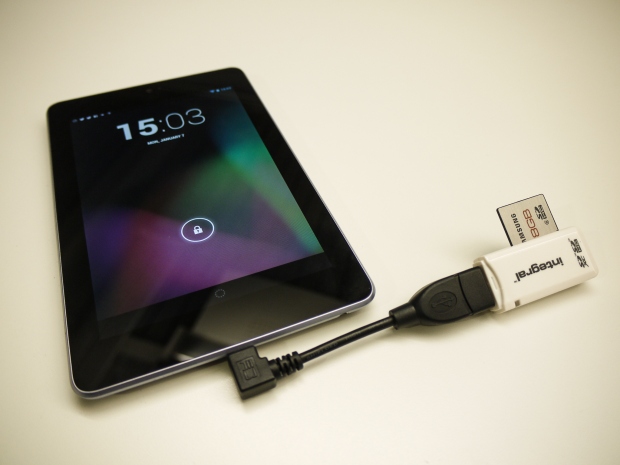
Hi, for people who don’t want to take their heavy and expensive lap top on a diving trip, a tablet could be a solution. I bought the Nexus7, a cheap and ultralight 16 GB Android tablet that connects with Wifi (there is also a 32 GB version). To get this set up working could be a pain, but finally it will (probably) work and satisfy your needs. If you can find the right apps!
First I downloaded a free app called Nexus Media Importer (NMI). This app allows you to stream and transfer music, video, photos and documents from a USB flash drive or card reader to your Nexus. The card reader needs to be connected with a special OTG cable to the mini USB port of the Nexus. When you import your pictures with the NMI you first select the folder or files on your card that you wish to transfer, and then select the destination folder in the tablet. Its also possible to add and name new destination folders in the directory. Another useful app is Android file manager, that makes it easier to search for folders or create subfolders in the tablets directory.
Both JPG and Raw files can be transferred from your card reader to Internal storage, either individually or as a folder. But for inspecting the raw files on the Nexus screen I use another app called RawDroid. Its also possible to transfer your pictures or folders with the ‘Share’ option to media like Drive or Dropbox on your tablet. This could be a good option to export and download the Nexus files to your PC. A second option is to download the app AirDroid, and use your Wifi connection either at home or at your diving location. Finally, there is a Photoshop app called Photoshop Touch 1.4. for Nexus 7 that allows you to do some (I suppose modest) photoshopping of your pictures during your dive trip. But I think that Nexus7 might not be the best platform for picture editing.