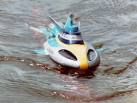
I'm thinking about setting up a mini "test kit" for use in the pool so I can practice with settings and composition. Basically using a plastic crate with fake fish/plants etc attached. Ideas on how I could go about this/set it up?
- 4Posts
- 4Replies
Read-only discussion
Pool test kit
4 posts
-
-
You may also think about getting a tarp or something to block out a lot of light if you intend to use strobes.
-
I've used a plastic Stingray toy tied to a lead weight...

You may also think about getting a tarp or something to block out a lot of light if you intend to use strobes.
As balanced light is probably the most important way to construct an underwater image, I certainly wouldn't suggest practicing in the dark.
-
I used a large ceramic tile and glued on plastic dinosaurus, but whatever "thing" is fine
some considerations:
- different colors and shapes
- you need a dark, non reflective tile or a weight to avoid that the float around or fall when you move around in the pool
- glue them on all places on the tile to play with DOF
- instead of a tarp you can di night dives to simulate dark environments or photographing during night dives
- a grey/black backdrop will help to avoid reflections from light colored or reflective pool tiles- take a slate with you to note settings or remarks
and don't forget to have fun!
Chris