



Skip to content

Photography Gear and Technique / Archived topic

Nikon D4s

Started by GeorgeH ·

  • 4Posts
  • 4Replies

Read-only discussion

Nikon D4s

4 posts
  1. I shot the D4s for the first time yesterday while covering a Major League Soccer game and was grinning ear to ear as I edited my images. The files are gorgeous, the AF is amazing, and I haven't even tested the high ISO improvements others are reporting.


    I still have my D3s for underwater and it is still a great body but it would be more convenient to standardize at some point, at least until the new body is introduced in a couple years.


    I could care less what the pixel peeper testers are reporting; my first experience matched what I was hearing from the sports shooters I know of and respect and the improvements are not subtle.


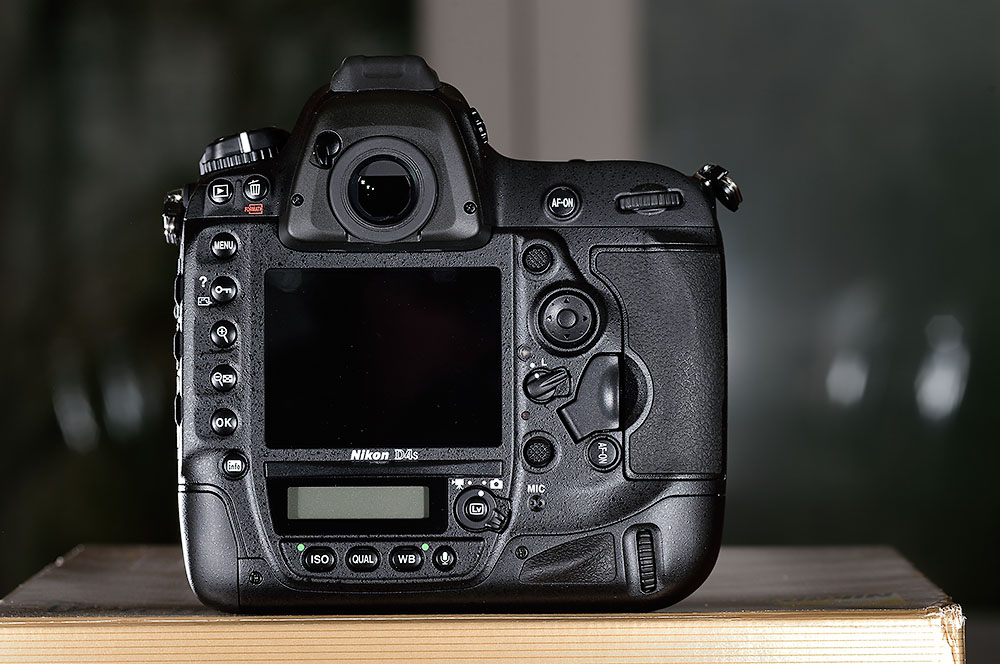
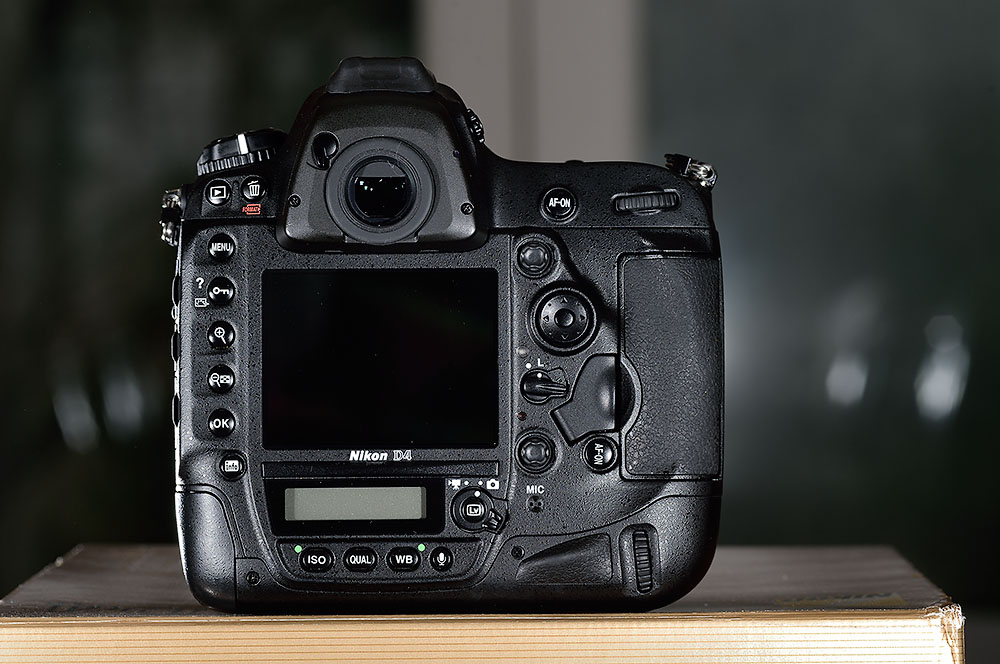
    I don't know if I will seriously consider a housing upgrade but was hoping to get a sense of how dramatic a redesign of the D4 housings will be required in order to accommodate the D4s.


    post-34775-0-97030600-1394997088_thumb.jpg

    post-34775-0-64698000-1394997113_thumb.jpg

  2. Why should there be a redesign for a D4 housing? Size, dimensions and buttons locations of D4 and D4s are exactly the same IMO. So all the housings for D4 (Subal, Seacam, Nauticam etc) for D4 also will fit D4s, or not?

  3. Has anyone tried? dpreview mentions a few subtle body changes in their D4s preview, including a slightly deeper grip, AF-ON button easier to press and AF point selector made of plastic instead of rubber. Hopefully those changes will not require much if any change in current D4 housings in order to accommodate the D4s.


    Thanks.

  4. Nauticam's Thai distributer Aey Komson has tested the D4s in Nauticam #17280 NA-D4 housing, and reports full functionality. I'm keen to try it with the Nauticam and Subal housings we have in stock here, but I don't have a camera yet.

Fotosub Shop

Account

Navigation

Search

Search

Configure browser push notifications

Chrome (Android)
  1. Tap the lock icon next to the address bar.
  2. Tap Permissions → Notifications.
  3. Adjust your preference.
Chrome (Desktop)
  1. Click the padlock icon in the address bar.
  2. Select Site settings.
  3. Find Notifications and adjust your preference.

