Skip to content

Photo / Video Showcase / Archived topic

Help me improve this image

Started by JDelage ·

  • 2Posts
  • 2Replies

Read-only discussion

Help me improve this image

2 posts
  1. Hi,


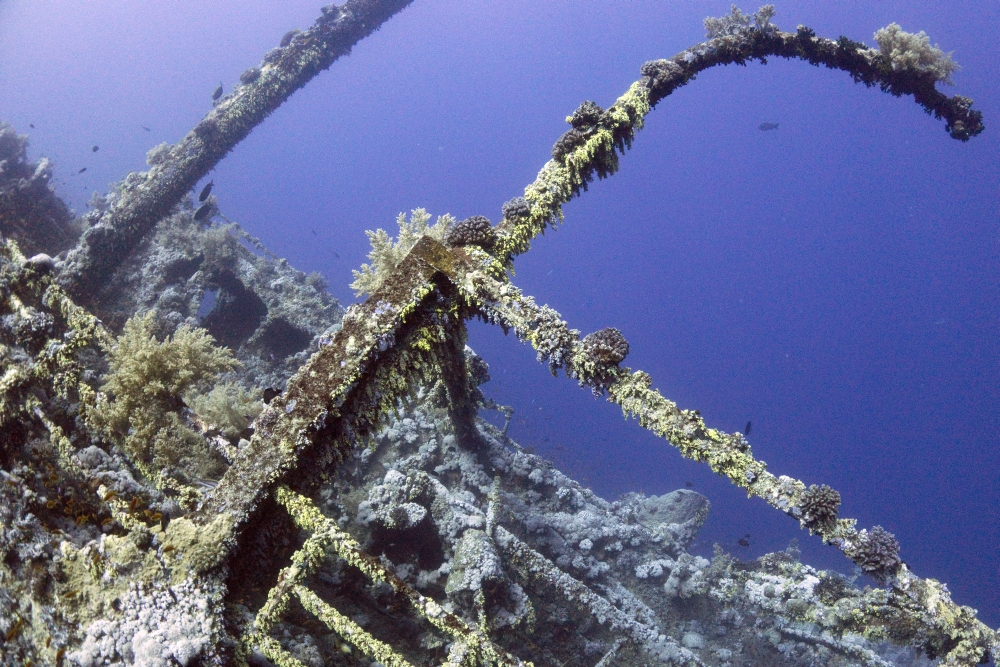
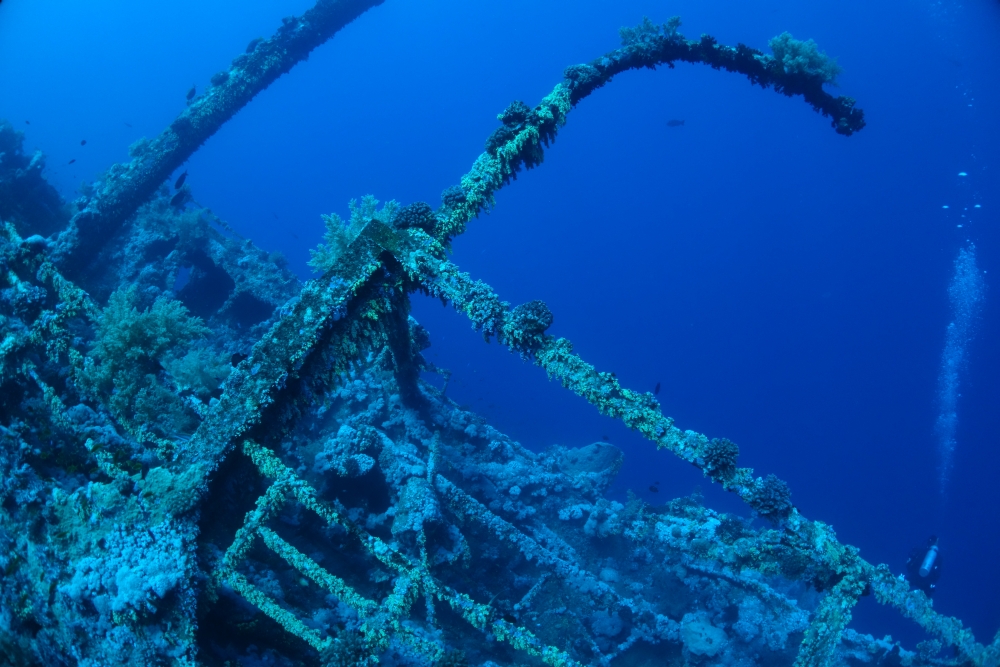
    This is a pic of one of the wrecks of the Daedalus reef in the Red Sea. I'd love to get some pointers on how to improve it. One of the problem I have is that I introduced noise in the water when I used the channel mixer to add back some reds.


    The picture was taken with the Sony RX100ii in a Nauticam housing.


    My best effort:

    DSC00324a_small.jpg


    Original JPG straight from the camera:

    DSC00324_small.jpg


    And a link to the RAW file here: http://jdelage.public.s3.amazonaws.com/Sharing/DSC00324.dng


    Thank you,


    Joss

    Edited by JDelage
  2. since you have the raw, I would say avoid the channel mixer. Multiple ways to skin the cat. I did this quickly in Lightroom 5


    untitled%20%28Medium%29.jpg

    Exposure +1.29

    Temp: 20787

    Tint: +150

    Highlights -100,

    Shadows +100,

    Whites +24

    Blacks -60

    Clarity +17


    Saturation - to taste - strong agrument to leave it a little "blue" given that is what we see underwater and what the viewer might expect it to look like.

    Reds: +81

    Greens: -73

    Aqua: -39

    Blues: -9


    noise reduction

    Luminance: +50

    Color: +25

    Sharpening +50

    Masking: 90


    and the spot healing brush on the diver and fish (Photoshop would have done a better job)

     

    raw

    https://dl.dropboxusercontent.com/u/78937/wetpixel/DSC00324.dng

Keldan

Account

Navigation

Search

Search

Configure browser push notifications

Chrome (Android)
  1. Tap the lock icon next to the address bar.
  2. Tap Permissions → Notifications.
  3. Adjust your preference.
Chrome (Desktop)
  1. Click the padlock icon in the address bar.
  2. Select Site settings.
  3. Find Notifications and adjust your preference.