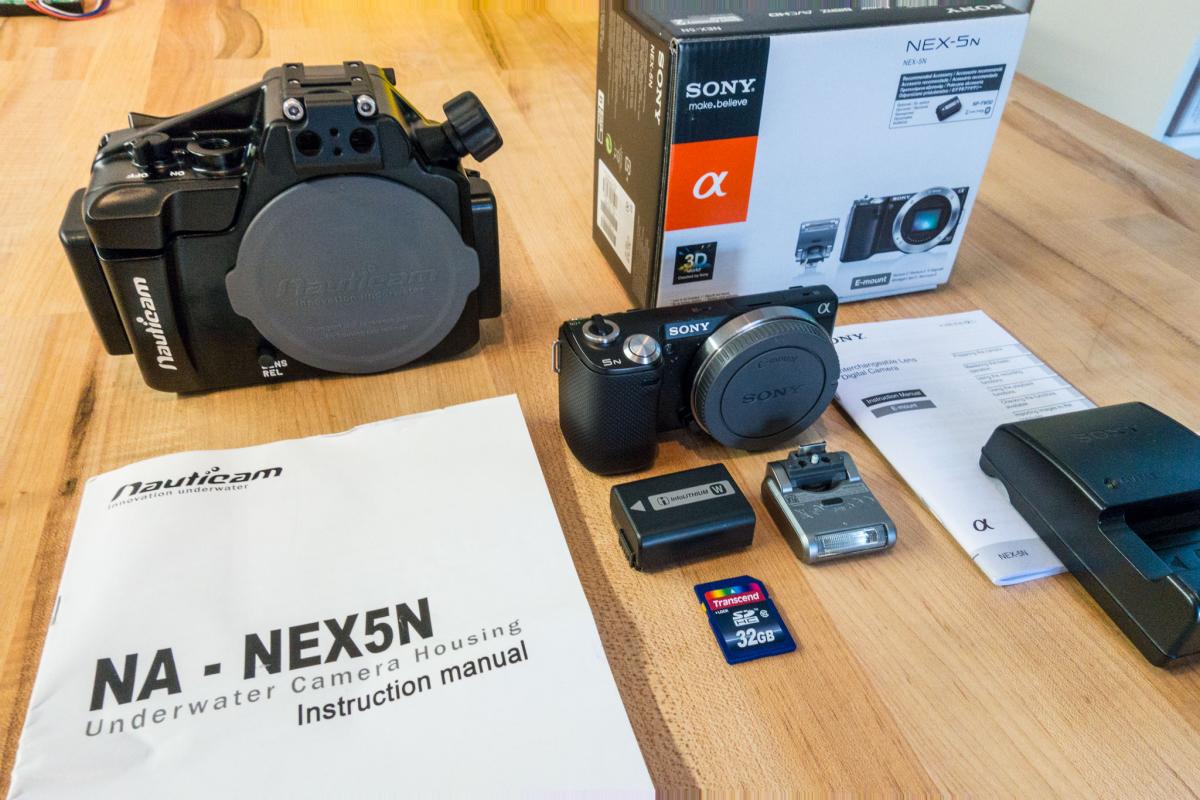
I am selling my Nauticam NA-NEX5N Underwater Housing PLUS a spare camera body.
See listing here: http://cgi.ebay.com/ws/eBayISAPI.dll?ViewItem&item=261559659783
This was used about ten times. It is in overall great condition and has never leaked. Please note: No Port or lenses included.
Nauticam NA-NEX5N Underwater Housing PLUS Sony NEX-5N Camera Body (sold together)
Underwater photographers have long had to choose between the excellent image quality of a DSLR versus the compact size of point and shoot cameras. With the NA-NEX5N housing from Nauticam, that paradigm has now changed. The 16-megapixel APS-C sized sensor in NEX-5N means no image quality compromise, and this housing is incredibly small and light.
NA-NEX5N delivers the advanced functionality of the NEX-5N in style and with the ergonomics that people have come to expect from Nauticam. The housing accommodates the changes in camera body and control positions for the NEX-5N. All of the NEX-5N camera controls available from the ergonomic grip sculpted into the side of the housing.
The same Nauticam patented locking port release system used in the NEX-5 housings has been incorporated, allowing easy and secure port changes. Ports are available for the major lenses that are useful underwater, including the Sony 18-55mm, 16m pancake, 16mm pancake + FE adapter, and the 16mm pancake + WA adapter.
Items Included: Housing, Manual, Optical Fibre Mount w/screws, Spare Silicone & O Ring, CR2032 Battery, Body Cap, Sony NEX-5N Camera Body, Camera Battery, Charger, Camera Flash, 32 Mb SD Card
Sample video: https://vimeo.com/87886690