Skip to content

Classifieds / Archived topic

Olympus E-520 with Lenses/Underwater housing/ports/strobe

Started by Jpink ·

  • 5Posts
  • 5Replies

Read-only discussion

Olympus E-520 with Lenses/Underwater housing/ports/strobe

5 posts
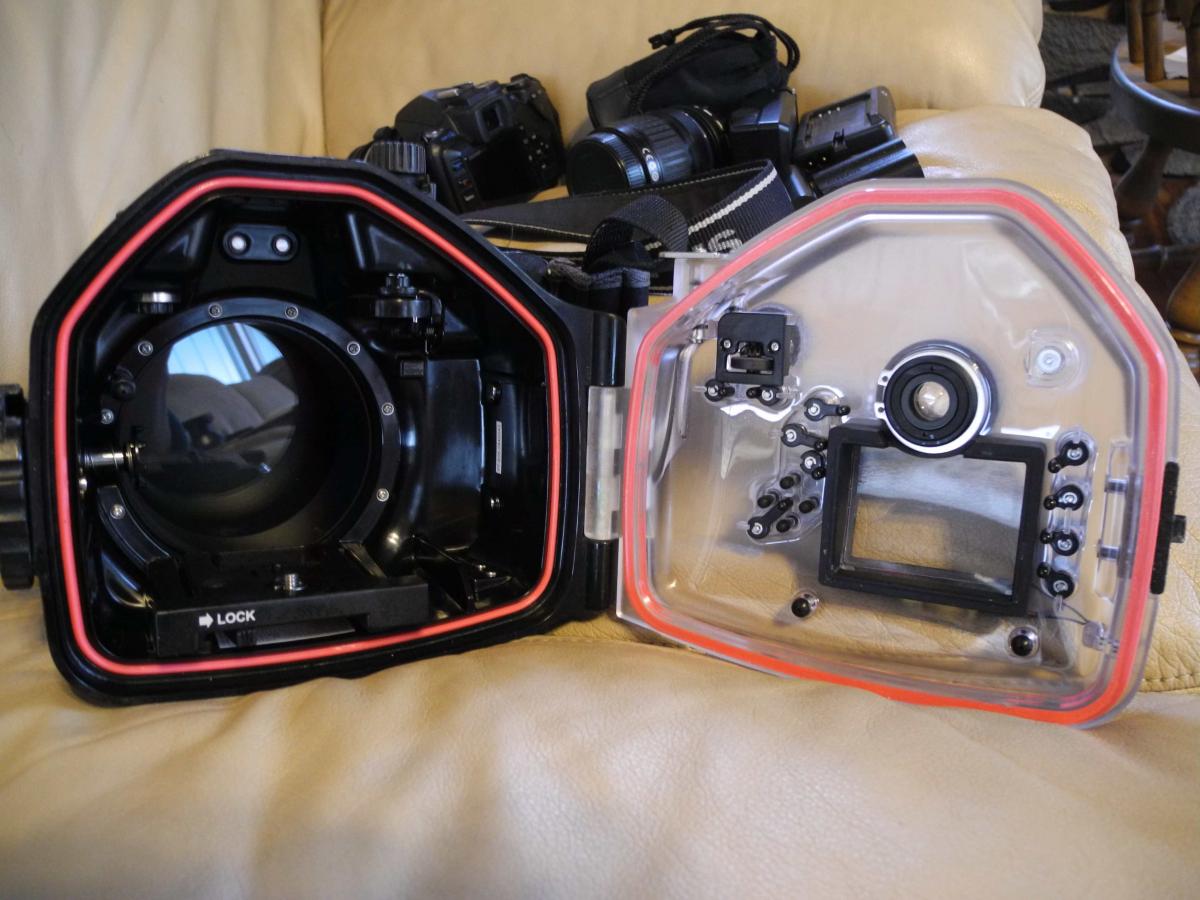
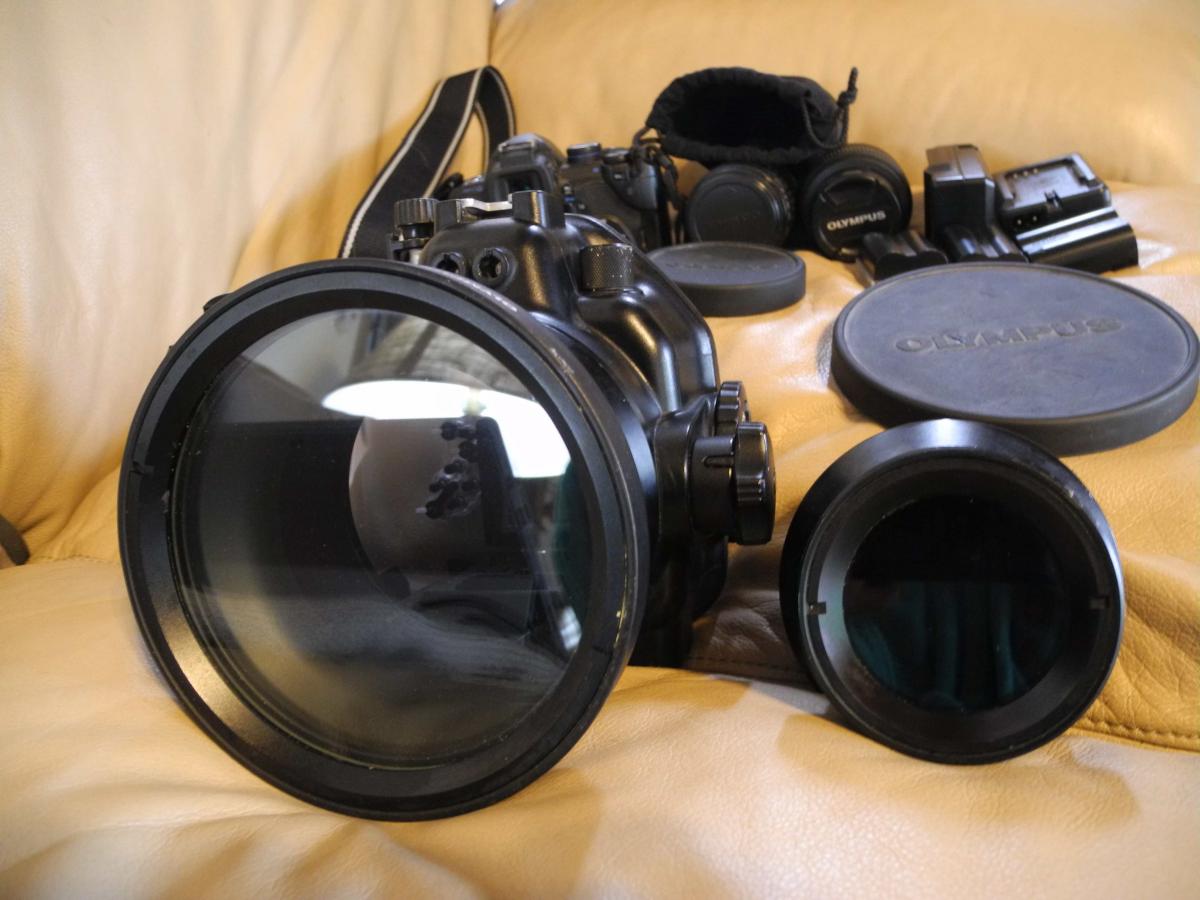
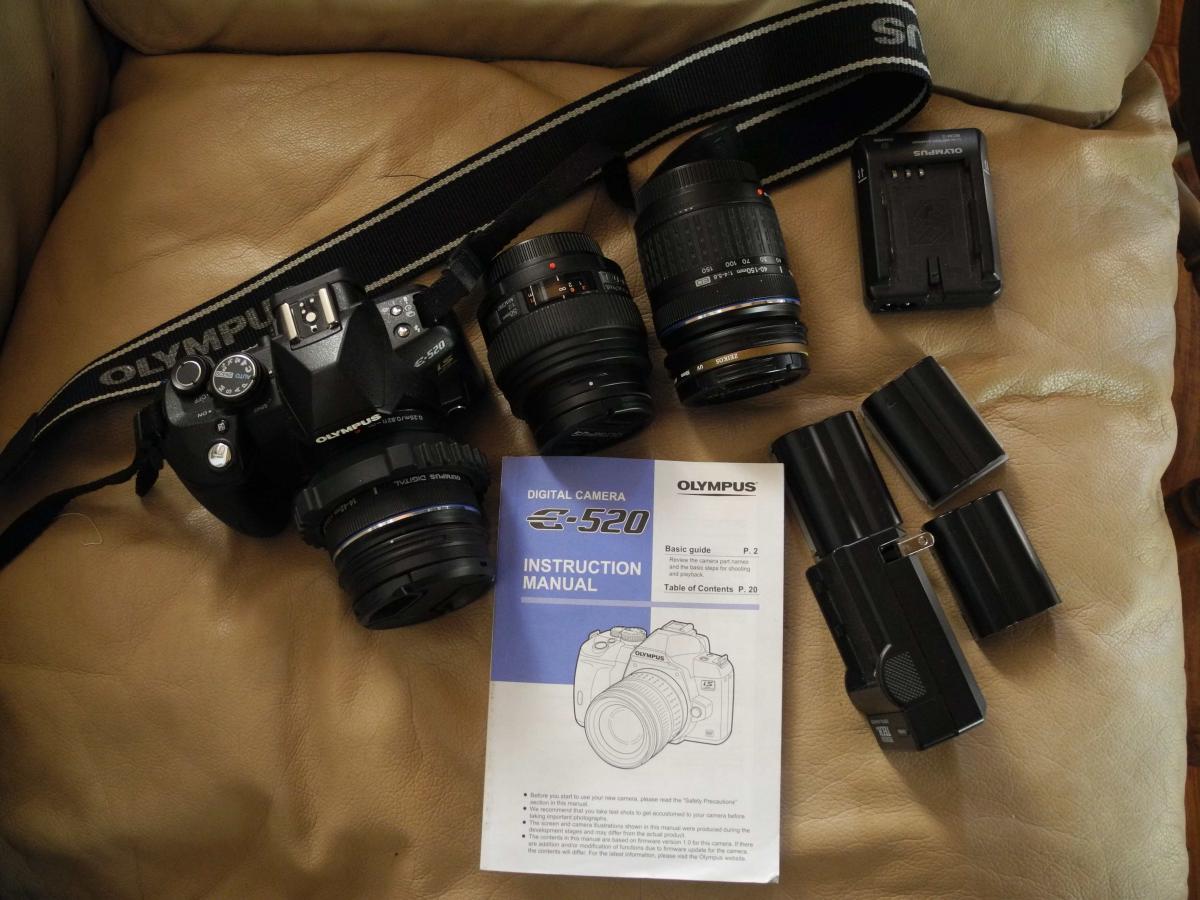
  1. Olympus E-520 (with manual), 2 spare batteries, 8gb Compact Flash, 2gb Olympus XD picture card, 32mb Olympus XD picture card, PT-E05 Housing, 14-42 lens, PPO-E05 port (with manual), port cover, Olympus Electronic Flash UFL-2 with attachment to PT-E05 housing & fiber optic cable. $650.00 U.S.D.


    Olympus 50mm Macro - $200.00 U.S.D.

    Olympus PPO-E03 (with manual) - $125.00 U.S.D.


    Olympus 40-150mm - $200.00 U.S.D.


    Camera and lenses are in very good condition. Underwater gear in good condition - never flooded. The PPO-E03 is the most loved (used) along with the 50mm Macro. Still in good condition. Excellent underwater starter camera set up. Will sell all the above as a package for $1000.00 U.S.D. obo. Buyer pays shipping.


    Contact me at jpink1@gmail.com. Located in Washington State.


    Just noticed I didn't take picture of the housing or ports... will add those pictures later if I can figure it out! Thanks for looking!
    post-47915-0-21532600-1412953965_thumb.jpg

    post-47915-0-77875900-1412953980_thumb.jpg

  2. Pictures of the underwater housing and ports...

    post-47915-0-29007500-1413044337_thumb.jpg

    post-47915-0-61774300-1413044359_thumb.jpg

  3. Entire set-up is still available... make me an offer! This is a complete great beginning set of underwater camera equipment in really good condition!

  4. Christmas special...$650 TOTAL (not including shipping) for all E520 gear on this listing!

  5. This has been sold! Thanks for looking!

Turtle

Account

Navigation

Search

Search

Configure browser push notifications

Chrome (Android)
  1. Tap the lock icon next to the address bar.
  2. Tap Permissions → Notifications.
  3. Adjust your preference.
Chrome (Desktop)
  1. Click the padlock icon in the address bar.
  2. Select Site settings.
  3. Find Notifications and adjust your preference.