Skip to content

Photography Gear and Technique / Archived topic

DIY Focus-Ring for Panasonic 8mm for 2€

Started by milchschnittae ·

  • 2Posts
  • 2Replies

Read-only discussion

DIY Focus-Ring for Panasonic 8mm for 2€

2 posts
  1. Hi!


    I just thought I should share how I build a focus-ring for my Panasonic 8mm Fisheye. Honestly I didn't build it completely new but just thought, why not build an adapter for the Zoomring I already have (I used the zoomring of the Olympus 14-42EZ because it is almost same diameter and of a simple structure.


    All I needed was:


    - The original Zoomring of the 14-42EZ (but I am sure there are a lot of others that will work the same way)

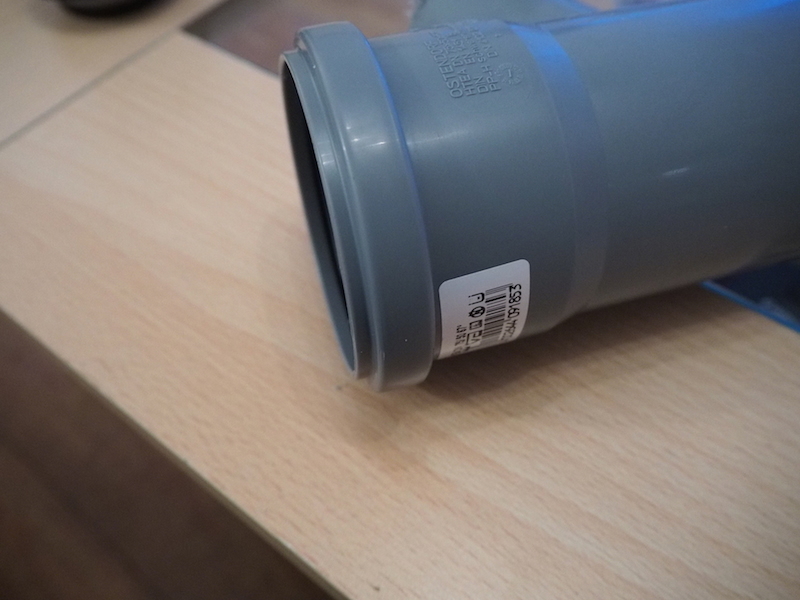
    - a short piece of drainpipe with 50mm diameter (little bigger or smaller will work as well, I used the connector part you can see in the picture for example with an exact outer diameter of 62mm) for 1.30€

    - some shrinking hose 12->6mm


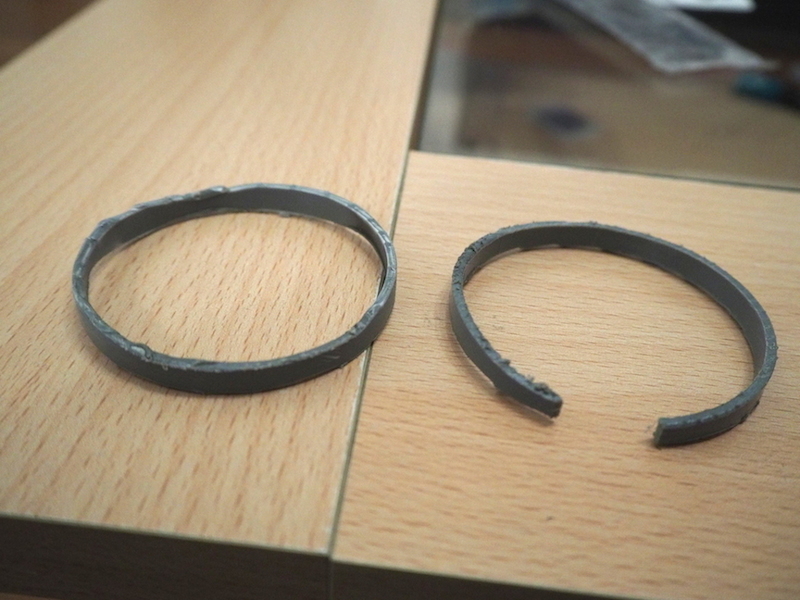
    I just cut of ca. 8mm of the drainpipe. I did it twice to make have one piece just for testing.
     

    post-47699-0-93889100-1414261724_thumb.jpg


    post-47699-0-79761900-1414261766_thumb.jpg


    Then I cut the pipe-ring and covered everything with the shrinking hose
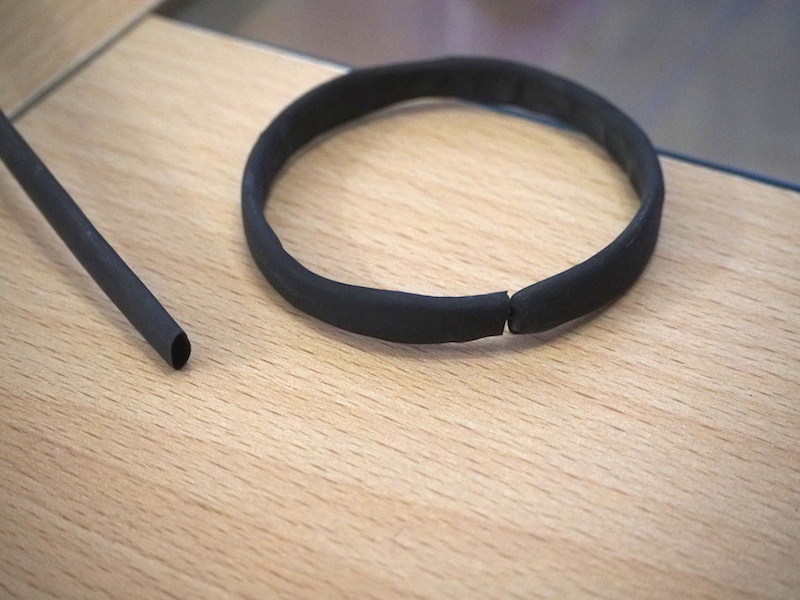
     

    post-47699-0-04287500-1414261800_thumb.jpg


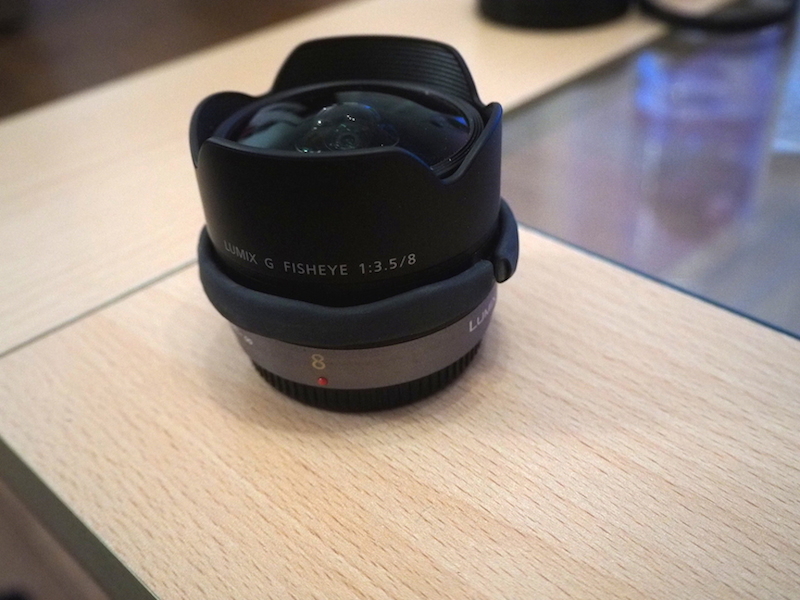
    I just warmed everything with a hair drier to shrink the shrinking hose. Then I attached it to the lens.
    Edited by milchschnittae
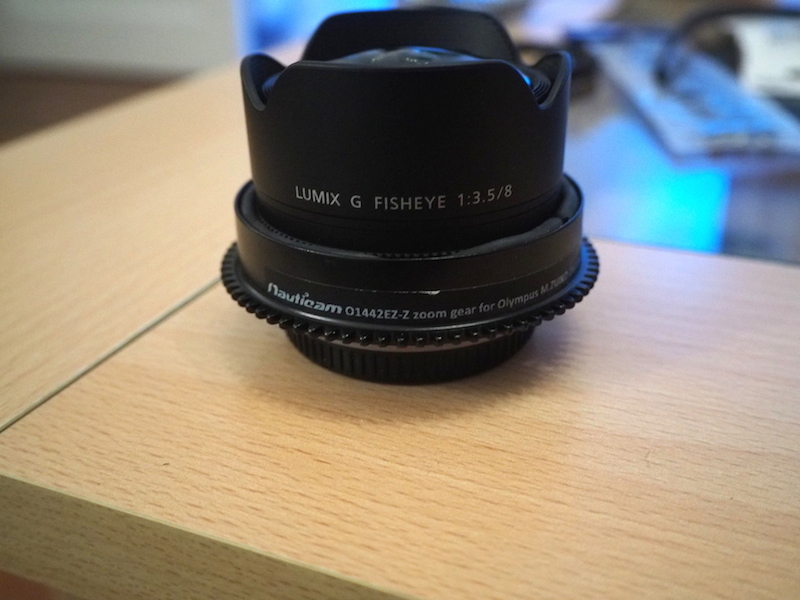
  2. Lens with Ring attached:


    post-47699-0-69487600-1414262067_thumb.jpg


    and then connected the zoom-gear of the 14-42EZ with it.


    post-47699-0-78474800-1414262161_thumb.jpg


    It took some time to find out the right diameter. First I tried with more rubber and found out it was to tight, so the focus ring of the objective didn't move smooth. You can add more or less rubber to your structure depending on the diameter of your zoomring and how thin the drainpipe is.


    Everything works perfectly well in the housing, smooth focus with no problems so far. As allready told it could also be nicer, but that was not the goal for me at this first try.


    Have fun ;-)

    Edited by milchschnittae
Keldan

Account

Navigation

Search

Search

Configure browser push notifications

Chrome (Android)
  1. Tap the lock icon next to the address bar.
  2. Tap Permissions → Notifications.
  3. Adjust your preference.
Chrome (Desktop)
  1. Click the padlock icon in the address bar.
  2. Select Site settings.
  3. Find Notifications and adjust your preference.