Skip to content

Photo / Video Showcase / Archived topic

Southern Red Sea pics

Started by coinee ·

  • 6Posts
  • 6Replies

Read-only discussion

Southern Red Sea pics

6 posts
  1. Hiya!


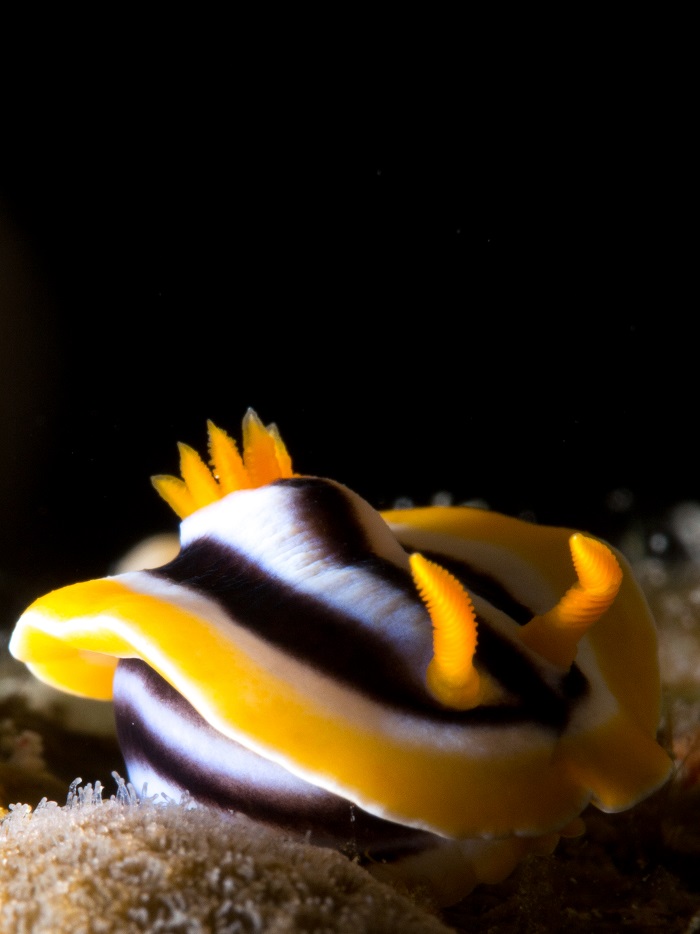
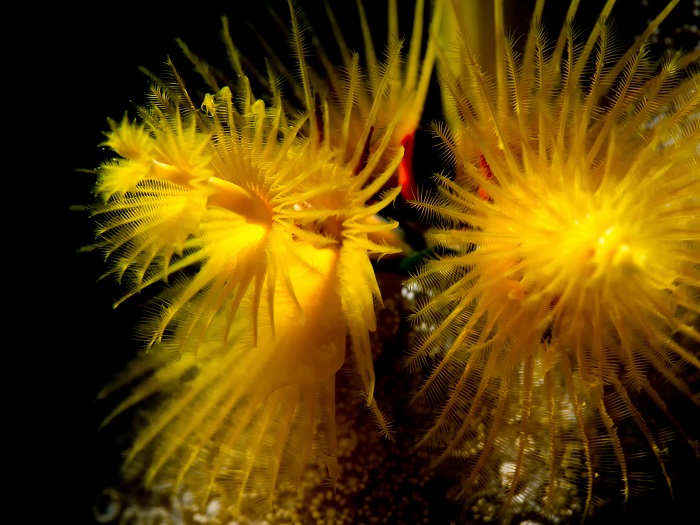
    I just got back from a trip to Daedalus -> Rocky Island -> Zabargad -> Fury Shoals, which gave me a lot of opportunities for taking pictures. I also had a new piece of equipment with me - a Nauticam SMC-1 super macro converter. Let me just say it like this: It's a challenge alright. But the results are beautiful, here are my favorite ones...


    Equipment:

    Olympus OM-D EM5

    Panasonic 45mm macro lens

    Panasonic 8mm fisheye lens

    Dual D-2000/ S-2000 strobes

    Nauticam SMC-1 on flip holder


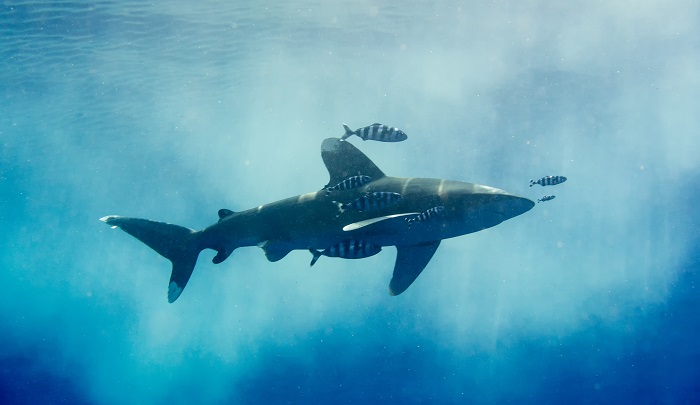
    Longimanus at Zabargad:
    PB200006%2B1-Edit-small.jpg


    Longimanus at Zabargad:

    PB200037-Edit-small.jpg


    Mozambique goby close-up:

    PB170010-Edit-small.jpg


    Napoleon (shortly before biting my finger):

    PB220003-Edit-small.jpg


    Cave Reef, St. John's:

    PB220012-Edit-Edit-small.jpg


    Pajama slug close-up:

    PB230033-small.jpg


    Trapezia tigrina on a night dive:

    PB240007%2B1-Edit-small.jpg


    Christmas tree worm close-up:

    PB240027-Edit-small.jpg

    Edited by coinee
  2. Really nice macros.

    Did you find the 45mm sufficient or you had to crop the pics to get where you wanted?

  3. Hey Nir


    nah, all those macro pics were show with the Nauticam SMC-1 on top, and I cropped them because getting something focus _and_ getting the framing right turned out to be too much for me.

  4. some very nice pics you posted here!

  5. good ones! like the man riding grumpy fish :D

    out of the curiosity - was it liveaboard ? or were you based on shore ? normally i end up in Dahab (cannot beat that!) but after like 15 times i am thinking about a quick visit to Marsa Alam (and around) in between Dahab trips

  6. That was on a liveaboard. And grumpy is a good description for the Napoleon, it bit me half a second after that picture was taken...

Ultralight Control Systems

Account

Navigation

Search

Search

Configure browser push notifications

Chrome (Android)
  1. Tap the lock icon next to the address bar.
  2. Tap Permissions → Notifications.
  3. Adjust your preference.
Chrome (Desktop)
  1. Click the padlock icon in the address bar.
  2. Select Site settings.
  3. Find Notifications and adjust your preference.