Skip to content

Shooting Technique, Workflow and Editing / Archived topic

Flash problem with Sea&Sea TTL Converter/N and DX D200 housing

Started by banjobees ·

  • 3Posts
  • 3Replies

Read-only discussion

Flash problem with Sea&Sea TTL Converter/N and DX D200 housing

3 posts
  1. I am putting together an UW photography system using: Nikon D200, Sea&Sea DX D200 housing, 2 Sea&Sea YS 120 duo strobes and a Sea&Sea TTL Converter/N. If I connect the strobes to the STROBE bulkhead connection on the housing, they work fine in manual mode, which is what they're supposed to do.


    Over the past 2 days, when I connect the strobes to the TTL converter and then connect the TTL converter to the CONVERTER bulkhead on the housing, the following happens most of the time:

    1. When converter is turned on to "M" or TTL settings, the red light comes on as it should, and the camera's function window acknowledges that flash is attached.

    2. If the converter is set to "M" and the strobves are set to the manual settings: "Full" or "1/2" there is no flash when I take a shot with the camera.

    3. If the converter is set to a TTL setting and the strobes are set to "TTL" , the flash fires when I release the shutter, but the light doesn't affect the picture taken (the flash isn't occurring during the time the shutter is open?).


    Two times yesterday, and 19 times today (out of ~ 300 shutter activations ) the system worked NORMALLY: the strobes fired in "M" mode and the "TTL" firings resulted in normally lit pictures and the flash output varied in Plus and Minus increments in response to the TTL converter dial.


    I wonder if anyone has experience with such a set up to suggest what the problem might be: Is it more likely to be the TTL converter or DX D200 housing bulkhead/circuit board electronics.


    I've tried different cables and camera bodies. The connectors all look shiny with no tarnish or corrosion and the soldered connections to the housing bulkheads look solid.....


    Thanks for any suggestions!


    David


    Seattle, WA
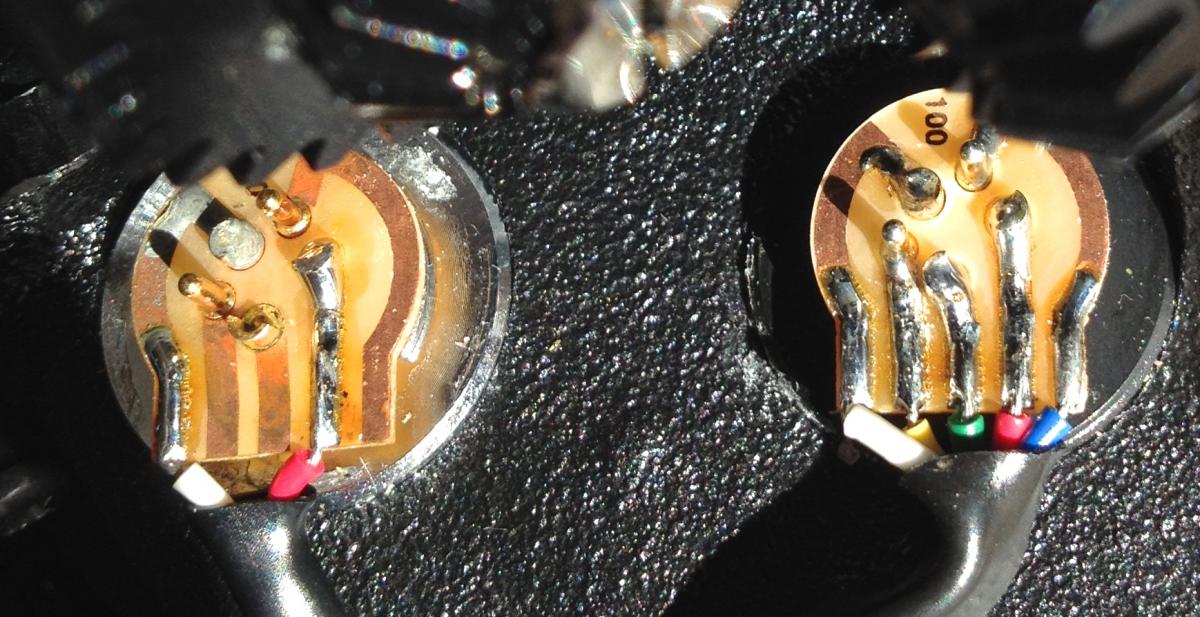
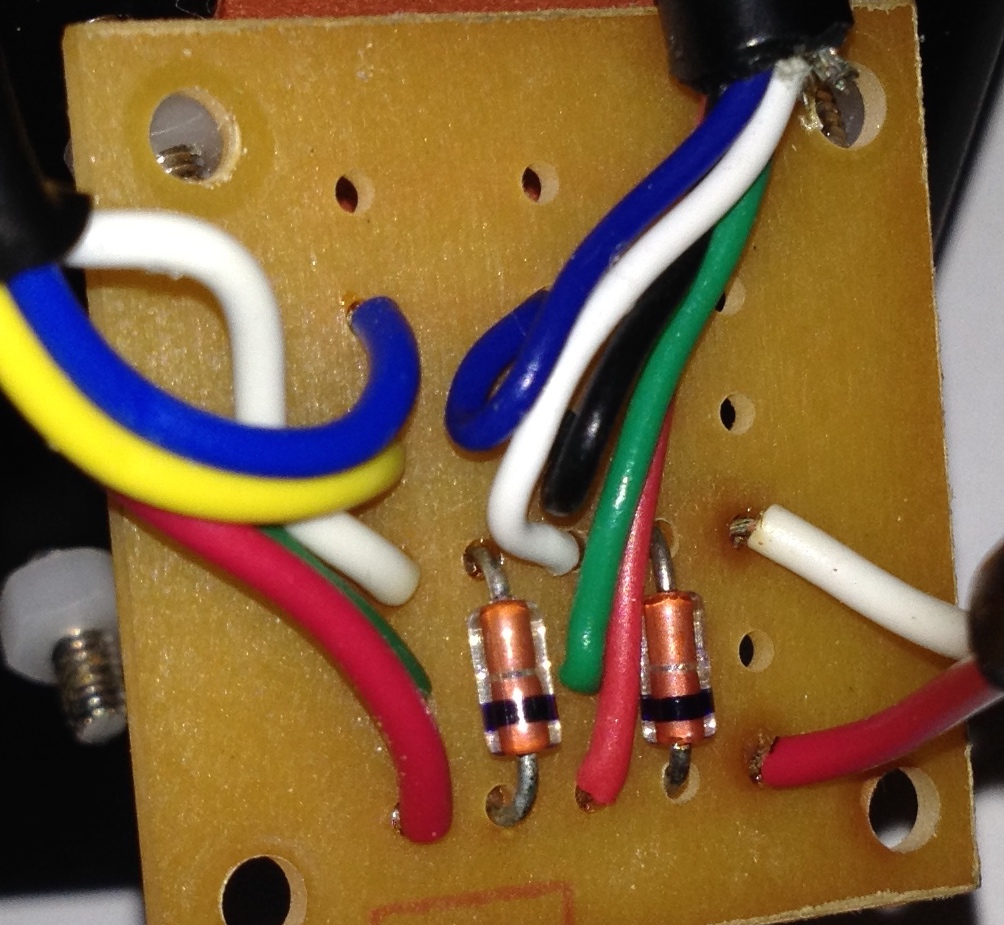
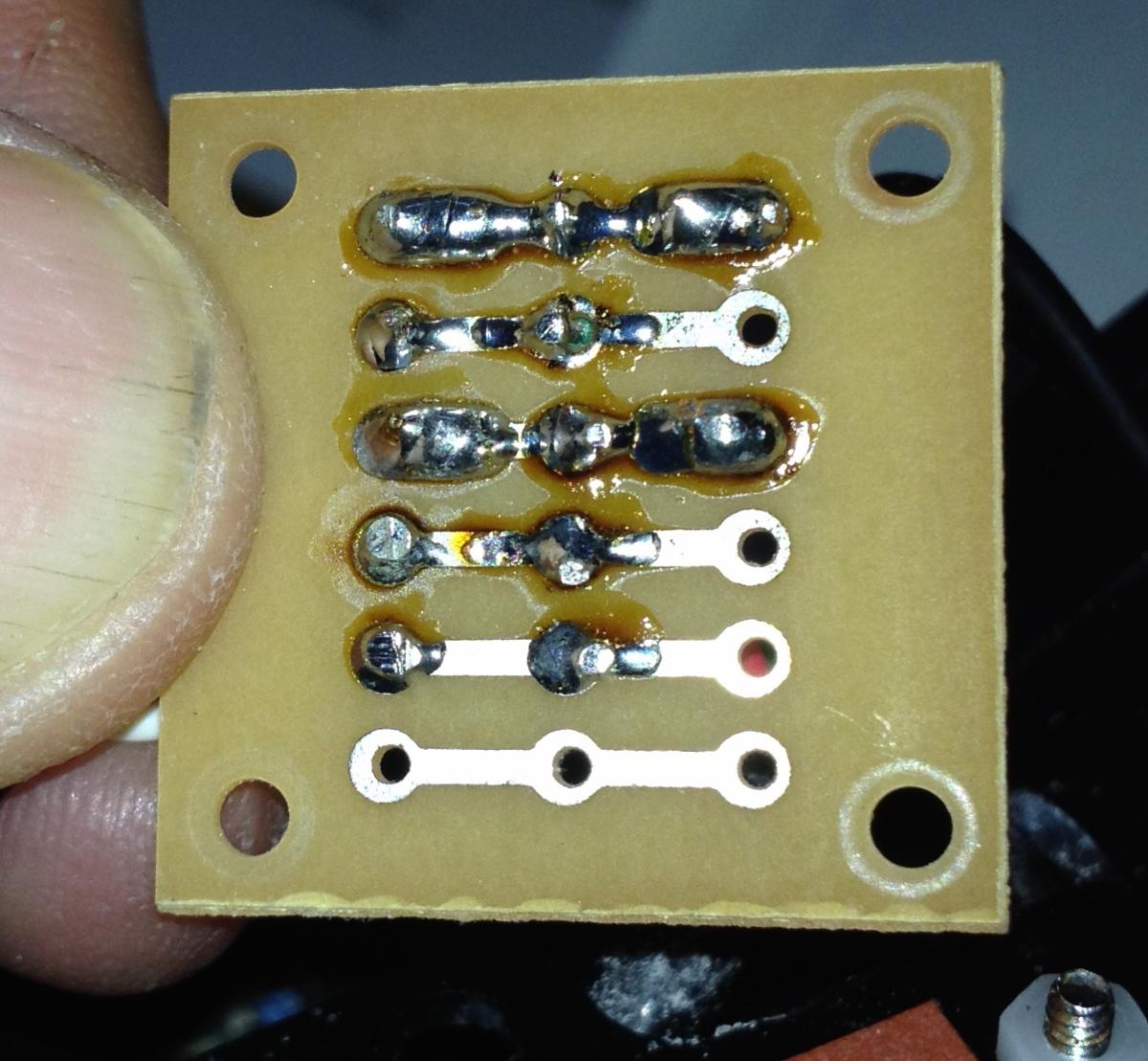
  2. Here are some photos of the connections inside the DX200 housing. The strobe bulkhead has 2 leads and the CONVERTER bulkhead has 5. post-47291-0-42941400-1424119135_thumb.jpg

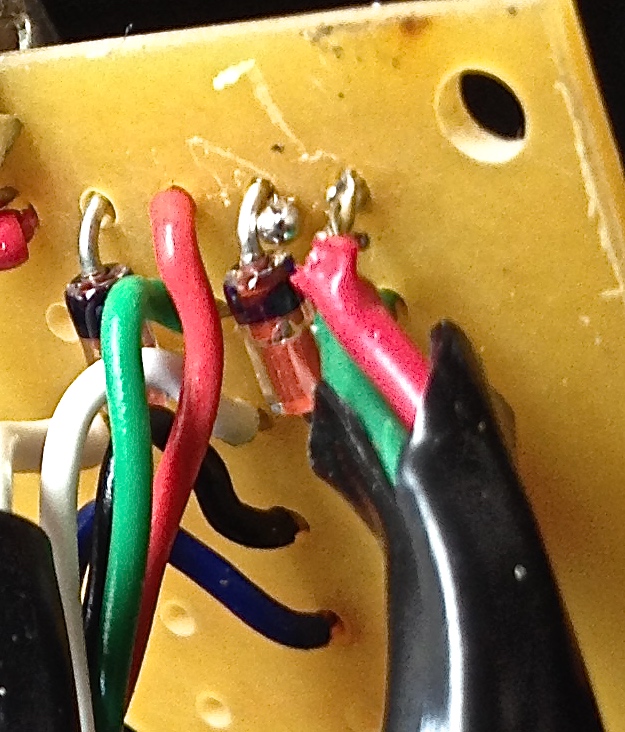
    The little circuit board in the housing has 2 components bridging the white (Gnd) and red (Trigger).

    post-47291-0-97821400-1424119136_thumb.jpgpost-47291-0-61103000-1424119138_thumb.jpg


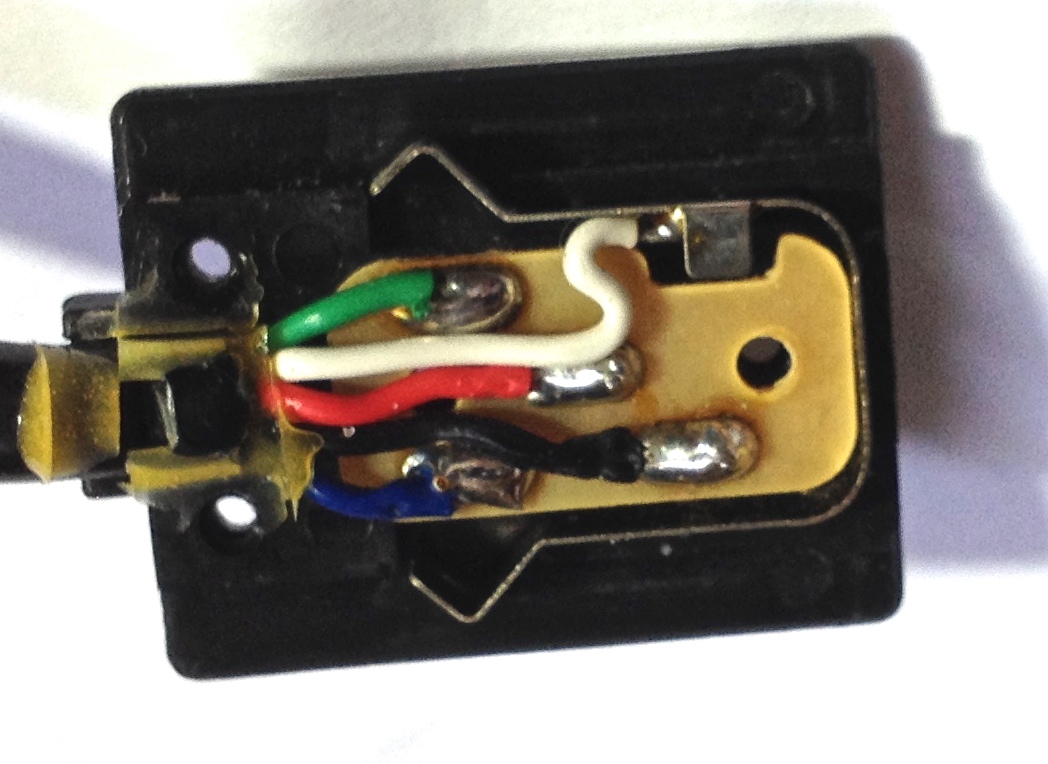
    Wiring to the hot shoe is: post-47291-0-98674900-1424119139_thumb.jpg

    Red: trigger

    White: Gnd

    Black: SP (speedlight present) handshake

    Green: Ready to fire

    Blue: Quench TTL stop


    Less electronics here than I expected, so maybe that means the problem is due to the TTL Converter.

    Is there any connection problem that would explain the problem?

  3. Figured it out!

    After looking at all the connections in the housing and mapping the circuits, I reassembled the housing and tested the continuity of the different leads. The red (trigger) lead was discontinuous between the CONVERTER and the hot shoe connection. As I tested the parts of that red path, it seems to be all continuous once more ( intermittently working, like the flash over the past 2 days.....)

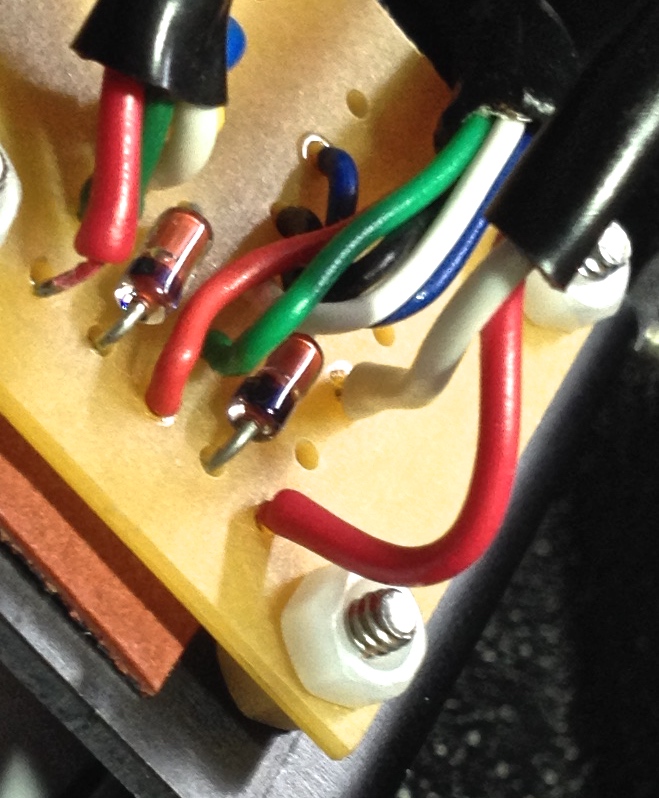
    When I got to the circuit board, I gave a little tug where the CONVERTER red wire went into the board, and in came right out (so it had broken off, but still intermittently was touching the circuit board solder. See left-most wire in photo has come out of hole in board. post-47291-0-30219100-1424130260_thumb.jpg


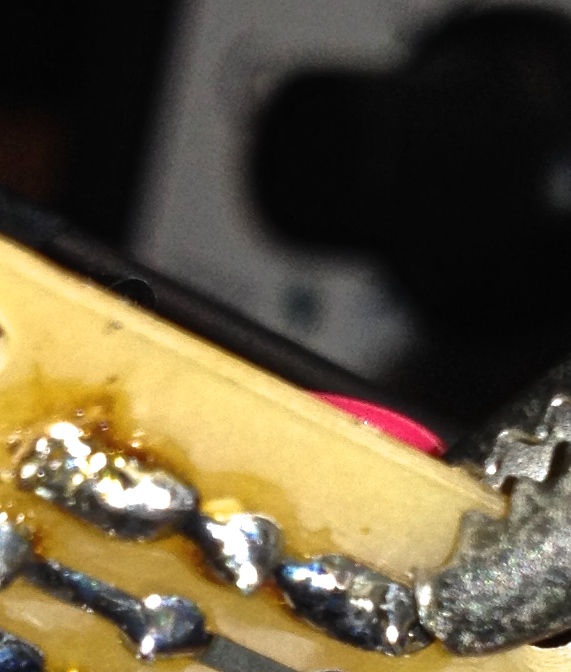
    I stripped the wire a bit and resoldered it post-47291-0-40817000-1424130262_thumb.jpgpost-47291-0-39437100-1424130261_thumb.jpg and everything works fine now.

    Phew!

    Putting the setup together bit by bit has taught me a lot!! And I still haven't tested it in the water yet.....probably lots more lessons!

WaterPixels Store

Account

Navigation

Search

Search

Configure browser push notifications

Chrome (Android)
  1. Tap the lock icon next to the address bar.
  2. Tap Permissions → Notifications.
  3. Adjust your preference.
Chrome (Desktop)
  1. Click the padlock icon in the address bar.
  2. Select Site settings.
  3. Find Notifications and adjust your preference.