Skip to content

Classifieds / Archived topic

FS: Aquatica Extension Rings 18453 and 18457

Started by TightLines ·

  • 7Posts
  • 7Replies

Read-only discussion

FS: Aquatica Extension Rings 18453 and 18457

7 posts
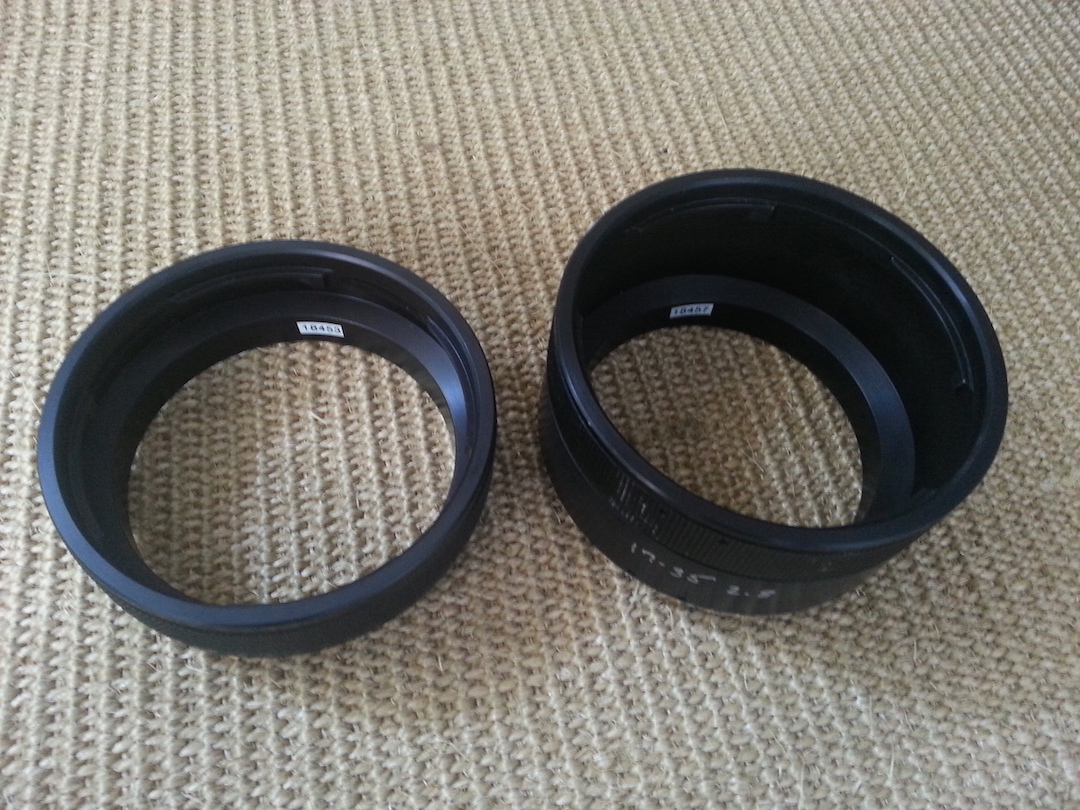
  1. I have two Aquatica extension rings for sale.


    Both come from a recently purchased kit and I don't need them.


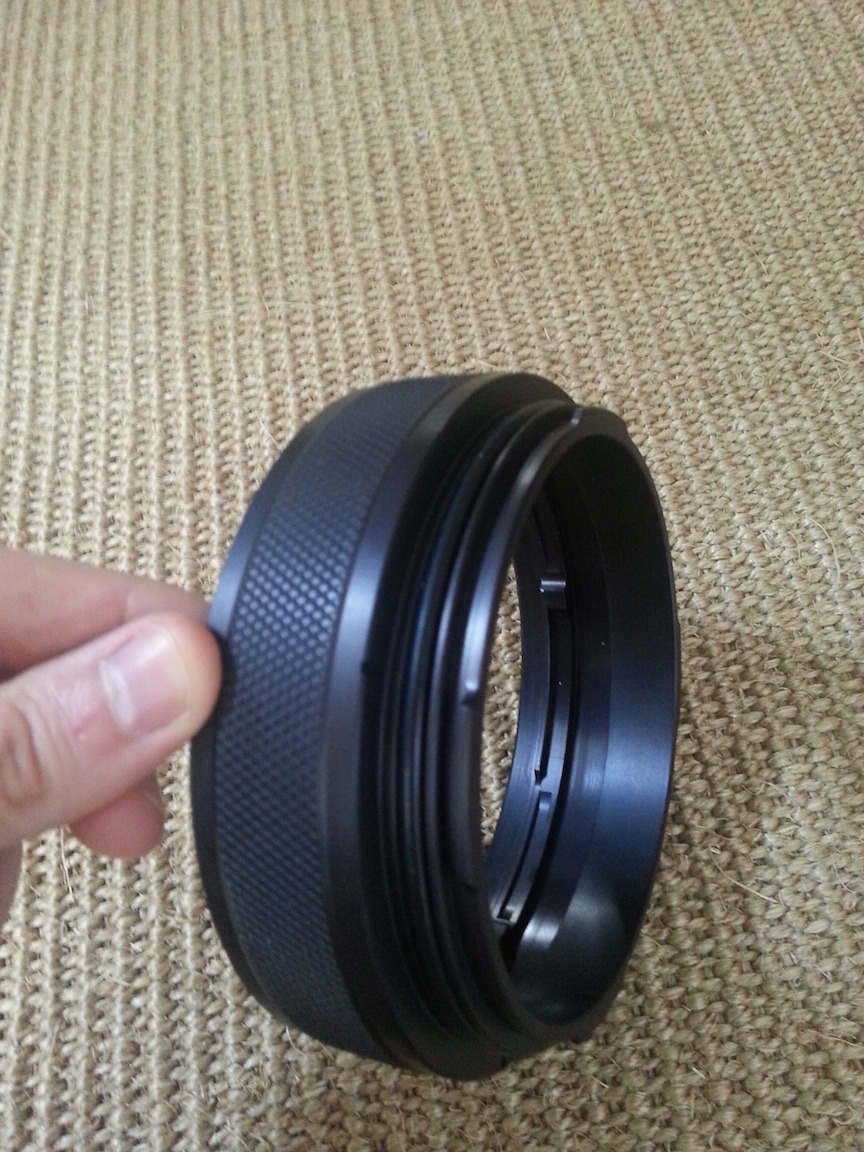
    The 18453 is brand new without a single scratch on it. It's a 28.5mm extension ring most commonly used with the Nikon 105mm and Tokina 10-17 with 1.4x teleconverter, 12-24mm, etc. No idea how they'd be used on Canon rigs so take a look at the charts for more info.


    The 18457 extension is used and is in good functional shape. It looks like the previous owner used it with the Nikon 17-35mm, not sure of other uses.


    http://aquatica.ca/en/products_zoom.html


    Selling to fund the purchase of Aquatica port extension 18463 (21.5mm). So, in the off chance someone should have one to sell or trade, I'd certainly be interested.


    New 18453: $150


    Used 18457: $150 (50% retail)
    post-32515-0-79163200-1425935350_thumb.jpg

    post-32515-0-57344000-1425935354_thumb.jpg

    Edited by TightLines
  2. Found port extension 18463. No longer looking for trades, just an outright sale.

    Edited by TightLines
  3. Wanted to check to see if these are still available. Thanks in advance.

  4. Both extensions are still available.

  5. Adding another.


    Per the box and confirmed by Aquatica it's an "18458 Extension Ring 2:1 Macro". This provides for 76.2mm of extension as measured.


    Note that there are two versions of this extension. This is an older version and is NOT the same length as new production 18458 rings which measure 63.5mm.


    I was not aware of this when I bought it.


    Like new condition, $70.

  6. All extension rings sold.

  7. Hi I am interested in the Tokina 10-17 \ The 1.4 converter and the 12-24 for Nikon.

    Please quote price.


    seankent1@gmail.com

Reef Photo & Video

Account

Navigation

Search

Search

Configure browser push notifications

Chrome (Android)
  1. Tap the lock icon next to the address bar.
  2. Tap Permissions → Notifications.
  3. Adjust your preference.
Chrome (Desktop)
  1. Click the padlock icon in the address bar.
  2. Select Site settings.
  3. Find Notifications and adjust your preference.