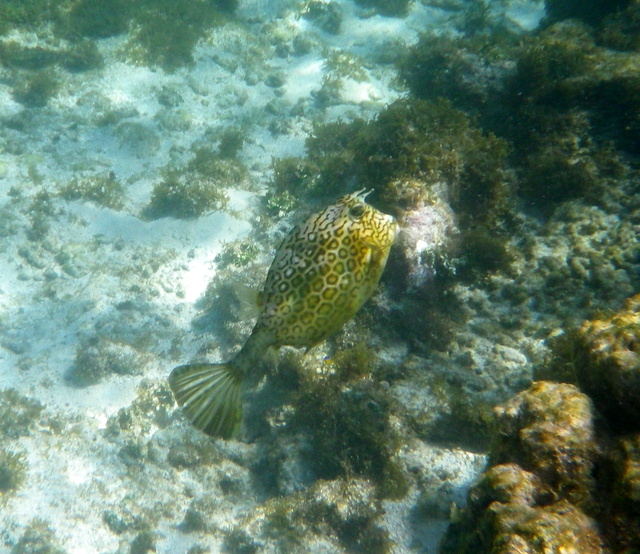
Camera numptie needs help.
I live on a sailboat in the Eastern Caribbean. I am in the water two or thee times each week with a camera. Up till now it has been a Snap Sights SS 1000. I had a visitor Jan who had a Pentax WG 2 and it clearly took much better pics than my Snap Sights SS 1000.
So I bought a Pentax WG 3 but in fact never went underwater with it as I had another camera on loan. That has gone back and my WG 3 died with a faulty on off switch.
I now have a Ricoh WG 20 which appears externally to be the same camera. Now I really like this camera as it is simple to operate but am concerned that there are multiple reports of them leaking. If people thought they were OK I would buy a couple more and keep them as spares. At $133 on EBAY they will not break the bank.
But I want to add some sort of light. It looks like the WG series can not trigger a light.
What about the equivalent Cannon [ D10 ? ] can it trigger a light. If so what kind of light.
Finally I have been offered this for a $1000
SeaLife DC1400 14 megapixel underwater camera & underwater case
Fisheye Wide Angle Lens
SeaLife Pro Duo Kit/Set:
- Sea Dragon 2000 Photo/Video/Dive Light
- Sea Dragon Flash
All instruction manuels, extra seals, moisture munchers, silicone lubricants, batteries, wrist straps, chargers, carrying case, etc.
Unwanted gift and is unused but more than I really need I think and also more than I want to spend.
So lets say budget of $500 max for camera and light. NB Must be easy / simple to operate Point and Shoot please. No setting stops.
Finally this was taken with my old SS.