Skip to content

Classifieds / Archived topic

FS: Nauticam NA-EM1 for Olympus OM-D E-M1 and Dome

Started by Scubanomad ·

  • 7Posts
  • 7Replies

Read-only discussion

FS: Nauticam NA-EM1 for Olympus OM-D E-M1 and Dome

7 posts
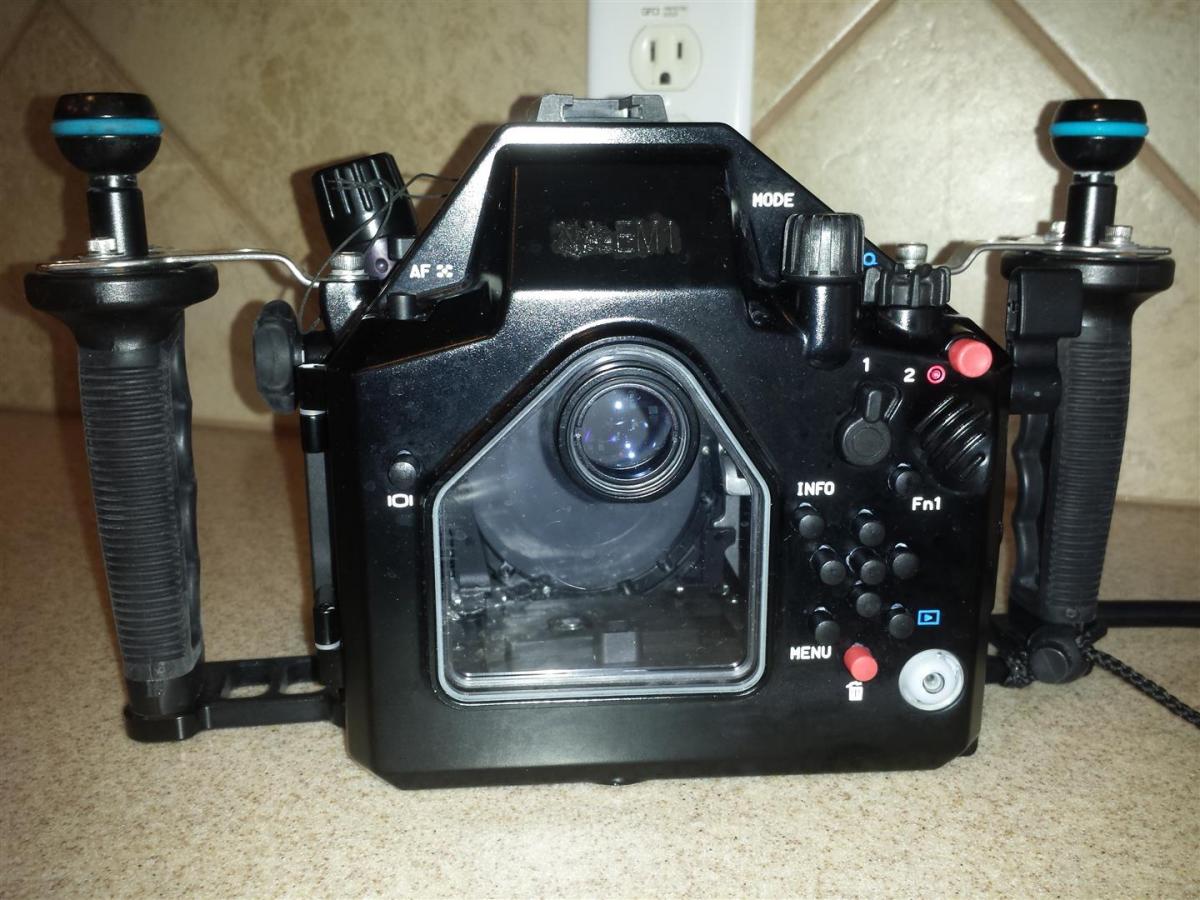
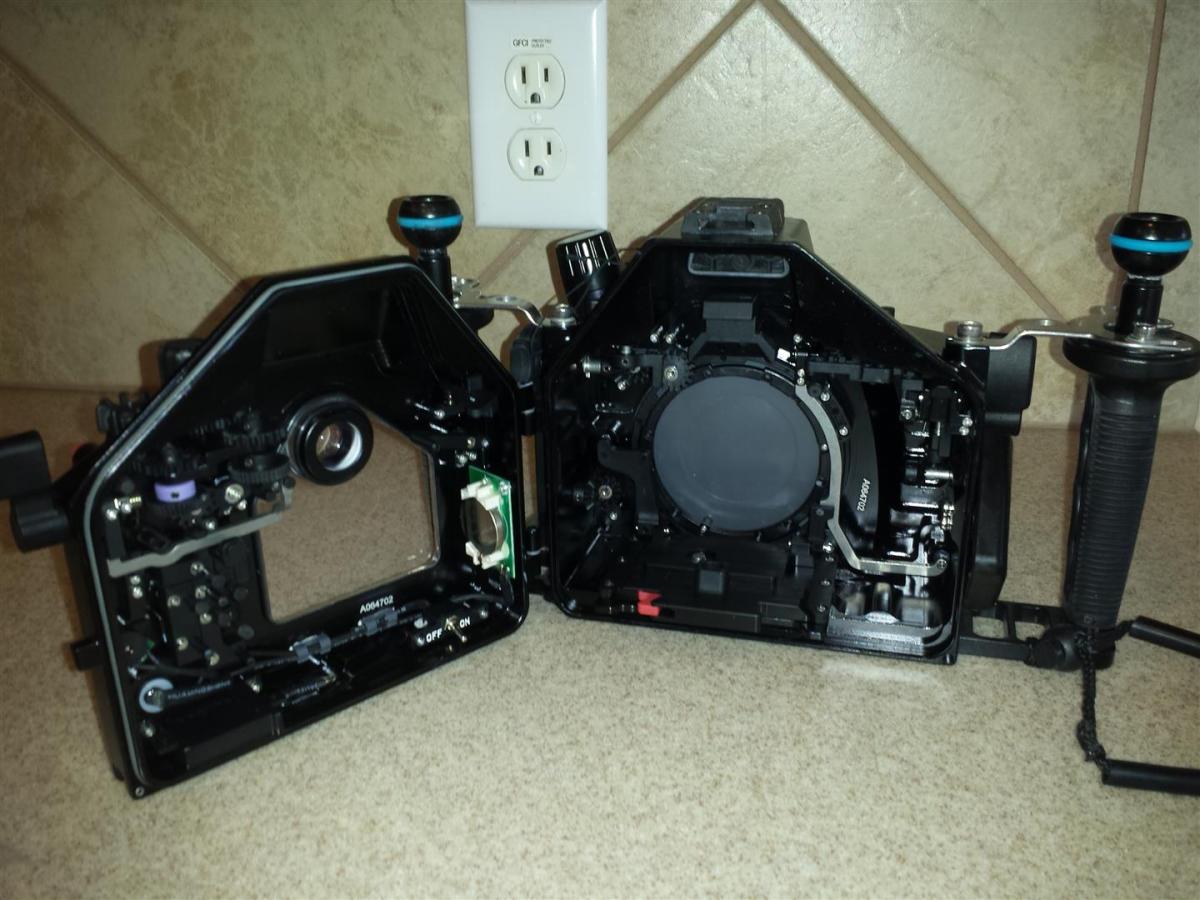
  1. Selling my Nauticam NA-EM1 housing, approx. 1 year old, 30 dives. Nothing wrong with it, I just have to quit diving for now and therefore the housing would only sit around so I sell it for my baby fund :-)
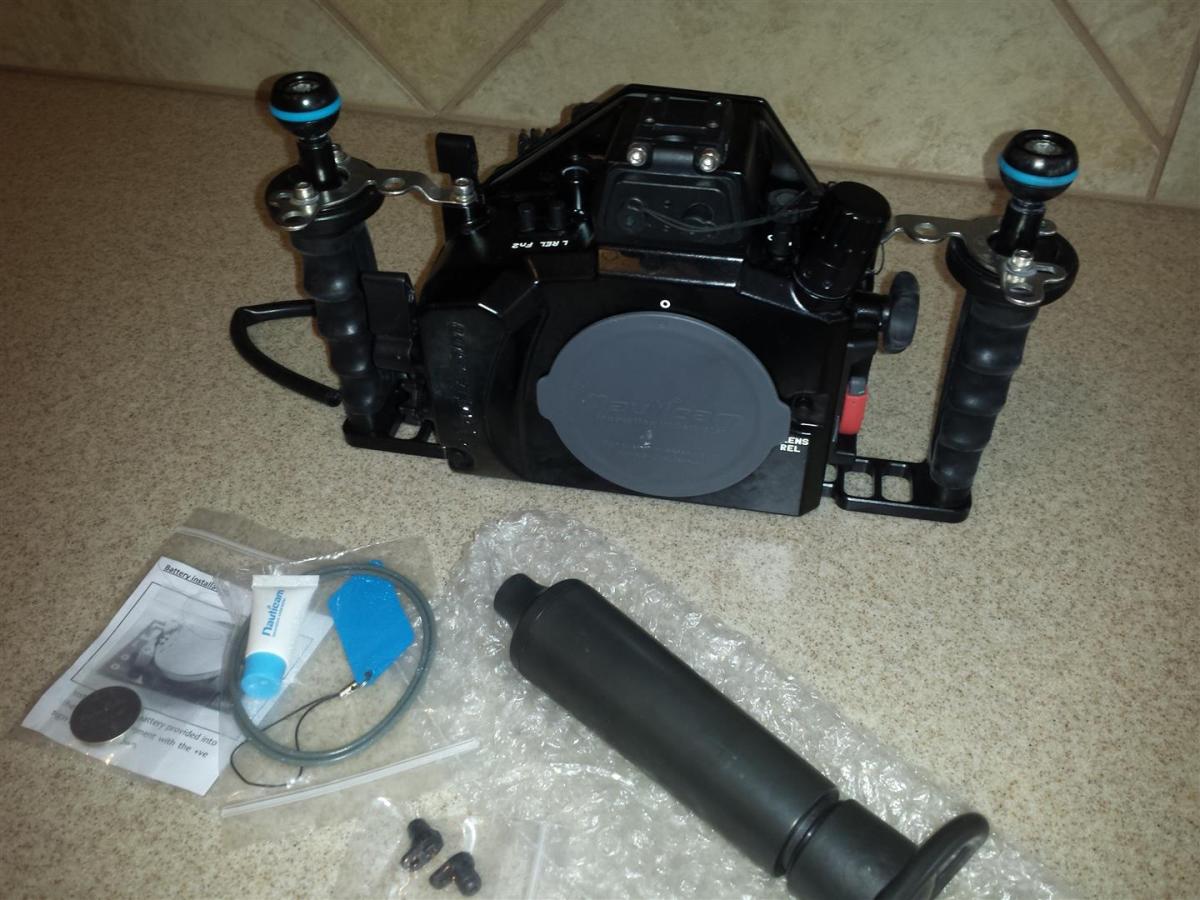
    Comes with the Vacuum check valve installed and hand pump. Everything works great, has always been rinsed after every dive and soaked after every dive trip. Comes from a smoke free home.
    Asking $1300 shipped in the USA please pm if interested.

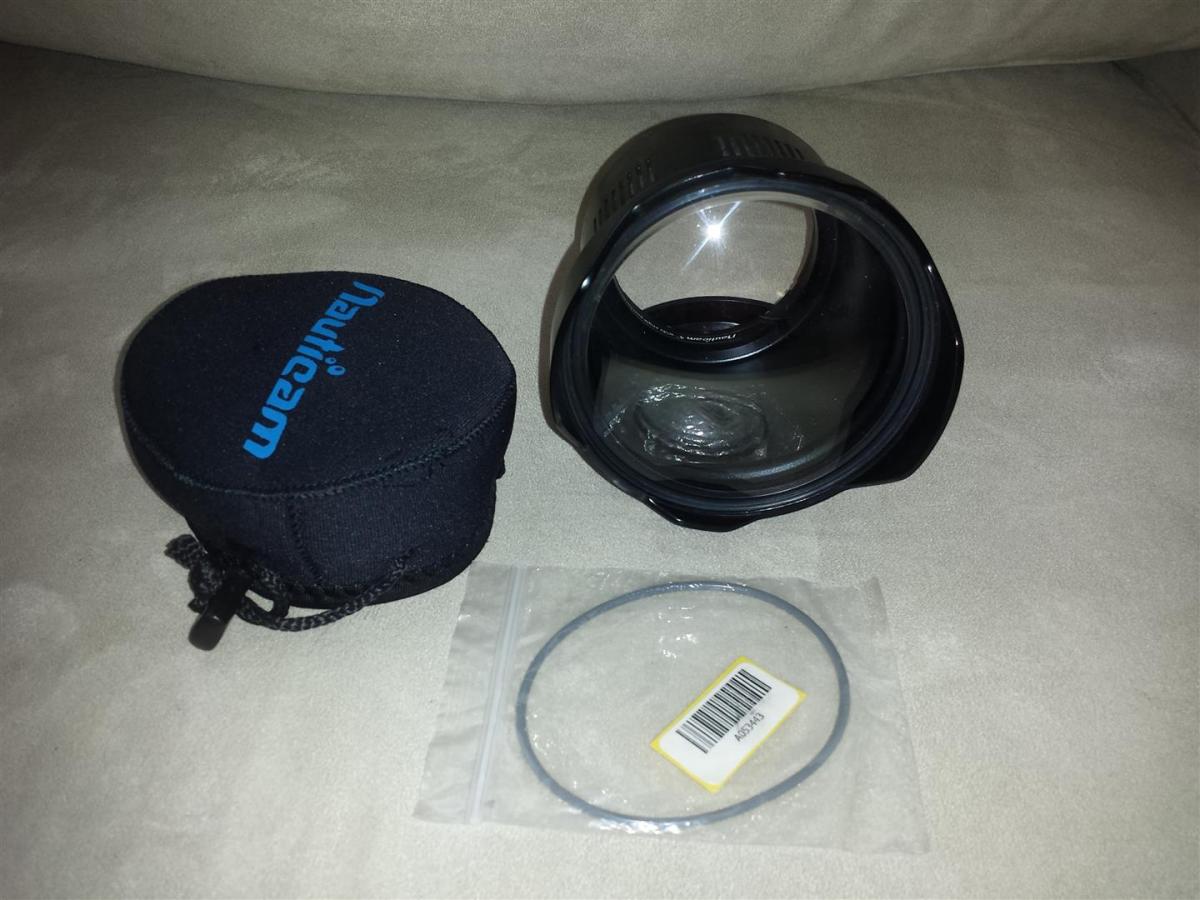
    Also the have the Nauticam 4 inch dome 36137 , no scratches. Comes with rear cap and front neoprene cover and spare o-ring.
    Asking $300 shipped.

    Have feedback on Scubaboard.
    I ship insured USPS priority mail (2-3 days delivery)
    I accept bank transfer, check or cash if you are local in Austin or Houston TX, I do NOT accept Paypal.
    Thanks
     

    post-36994-0-07911900-1426856800_thumb.jpgpost-36994-0-76191000-1426856801_thumb.jpgpost-36994-0-01731800-1426856803_thumb.jpg

    post-36994-0-15160100-1426856976_thumb.jpg

    Edited by Scubanomad
  2. PM sent.

  3. PM sent.

    replied. thank you.

  4. Could you contact me at twarner77@hotmail.com or 773-469-4935?

  5. Could you contact me at twarner77@hotmail.com or 773-469-4935?

    please pm me with questions. Thank you

  6. Housing SOLD to

    BengalBoy
  7. Thank You for the AweSome Deal ScubaNomad!!! I've been waiting months for a NA-EM1 Nauticam Housing at a good price for my OMD-EM-1 and finally,,, I got It!! Very nice talking with you by phone and I look forward to taking many Great Photos with this housing!! Congrats on the New Child!! Keep Diving!!

Backscatter

Account

Navigation

Search

Search

Configure browser push notifications

Chrome (Android)
  1. Tap the lock icon next to the address bar.
  2. Tap Permissions → Notifications.
  3. Adjust your preference.
Chrome (Desktop)
  1. Click the padlock icon in the address bar.
  2. Select Site settings.
  3. Find Notifications and adjust your preference.