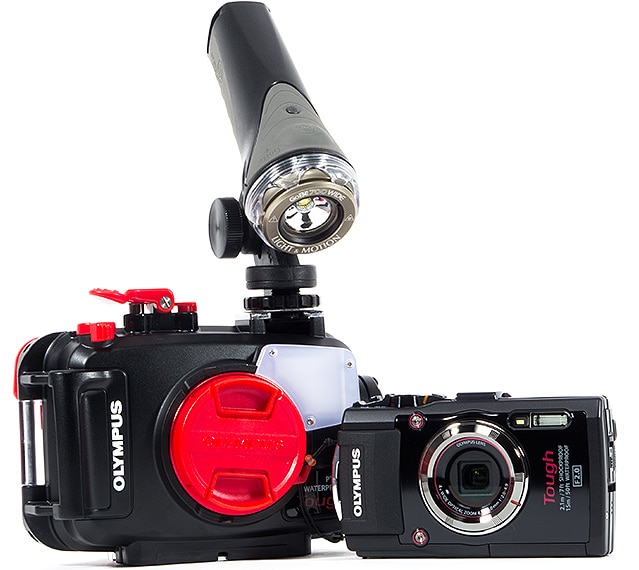
Thank you for the steer. Size wise and feature wise that is exactly what I am looking for. However at $800 or so it is more than I really wanted to spend.
However there are no pockets in a shroud so maybe I should splash out. it does look the 'proper job'.
$350 for the camera only, which is waterproof down to 50 feet.
Vantages: small, lots of programs, custom white balance, fullHD videos, GPS included, Waterproof to 82ft, shockproof to 6ft drops
The main issue i found is that she record pictures only in JPG!
Chris
OK I think I want the waterproof housing. There are times I snorkel every day for a month so the seals get a work out.
Now what king of light is shown. Is it just a torch?
I must say I thought some kind of flash would be better
When they talk about a strobe is that a flash?
I need ' Underwater Photography for Dummies' I think.
For snorkeling usually you don't need a strobe or light due the shallow depth (excluding nightsnorkeling),
depending on where you snorkel you might opt for the correct color correcting filter or simply use the built-in underwater mode.
Yes a strobe is a flash.
A housing will have the same work out, but the seals are more rugged. Most housings add bulk so it becomes a "big" wrist dangler.
If you want a camera in a housing and a cheap solution; the Intova Sport 10K is a cheap solution.
Chris
P.S. Don't try to use the waterproof camera in the water and later in the housing, there is always a drop of water somewhere who will fog up the housing.