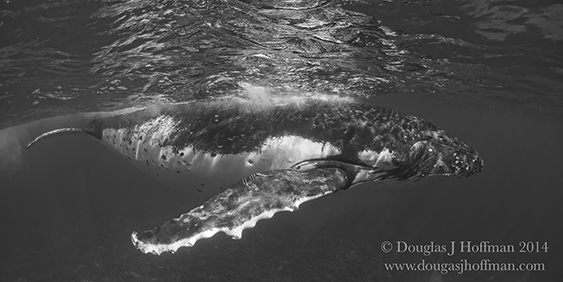
Aloha everyone, In two weeks I will head to Tonga to spend some quality time swimming with humpbacks. I will be leading a group of photographers but since my camera will shoot video, I want to I've it a try. I have a Nikon D810 in a nexus housing and will be using a 16 mm fish eye lens. I have been thinking about setting the camera in manual and using fast shutter speed and F-8 with a floating ISO. Do any of you have experience shooting video with this camera. Any and all insight is appreciated.
Mahalo
Douglas Hoffman
I do have some experience with shooting with Canon DSLR's so here is my advice to you. The shutterspeed is fixed to twice the frame rate you using. I live in a "PAL" country which is 25 frames per second, so my shutterspeed need to be 2 x 25 = 50. The only variation you have is the f stop and the iso value. On land it is possible to add a variable ND filter so you can vary the f stop if desired.
I did a lot of video with my D800 with not very good results because i am a photo guy and not a videographer.
In any case the D800/D810 record excellent quality videos in HD, you just get to get used to her. My suggestions: - use manual focus or use hyperfocal distance to avoid focus hunting - as mentioned, double the shutter speed
- i rather would use a rectilinear zoom lens (17-35/16-35 f/4 VR) instead of a fisheye because of distortions
- the WA zooms above need special domes to get sharp corners!
- stabilizer wings and/or perfect balanced neutral buoyancy is a "must" to get soft movements
Chris
Thanks. I will set camera to f-8 @ 60 FPS and auto ISO to maintain. I am really looking forward to using my D810 for still and video.