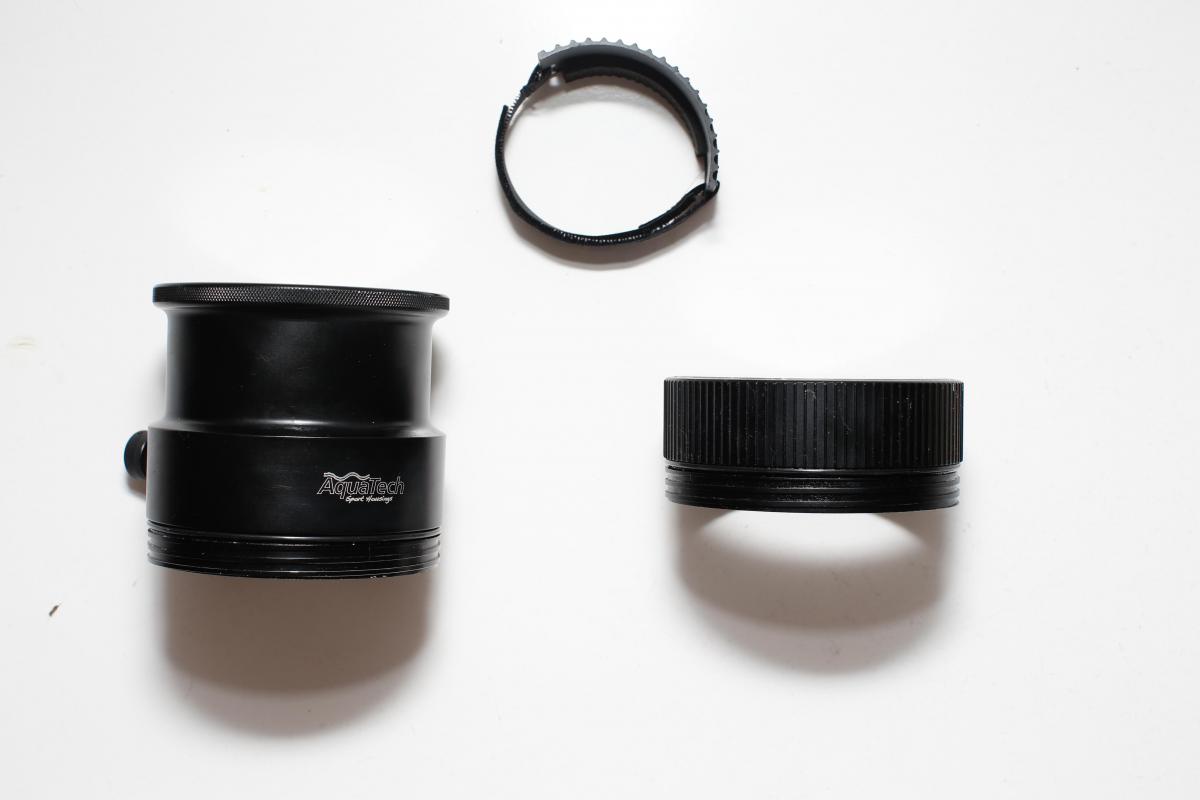
AquaTech DC-5 v2 with 3 back-plates (5d mkIII, 5d mkII and 7d) and 2 ports.
Started by LadoKennedy ·
8Posts
8Replies
Read-only discussion
AquaTech DC-5 v2 with 3 back-plates (5d mkIII, 5d mkII and 7d) and 2 ports.
8 posts
AquaTech housing complete with DC-5 v3, DC-5 v2 and CO-7 back plates. For Canon 5d mkIII, 5d mkII and 7d.
LP-WZ II lens port for Canon 16-35mm f2.8 II plus zoom ring.
LP- 5 lens port.
The housing has been used lightly, has never flooded and is in excellent condition. Comes supplied with Pelicase .
I'm looking for £1000 ono.
HI Mate,
Interested in your housing for use with a 5d Mark III. Do you have any pictures? Also wanted to make sure the housing is compatible with the lens port Aquatech currently makes.
Cheers,
Taylor
Hi Taylor,
Thanks for your message. This housing works with the LP series lens ports https://aquatech.net...tems/lp-series/so they're current in that you can still buy them but they're not the newest ones. The advantage is that you can pick up some bargains online.
I'll take some pics later and send them to you.
Cheers,
Matt
and if it's up for parting out I could make use of the 7D back plate
Sorry I didn't see your message till now are you still interested in the 7D back plate?
Matt
Hi LadoKennedy
I take you have sold you gear? If not, get in touch.
Cheers,
Steffen
Hi Steffen,
No I have't sold it yet so it's still available if you're interested.