



has somesody used this combination? I recently had a Pana GH4 in Nauticam housing with 170mm Zen and want to avoid to have really huge domes like the 230..... any idea?
Photography Gear and Technique / Archived topic
D 750 with Tokina AT-X 17-35 F4 PRO FX in Nauticam housing?
Started by SMY ·
- 5Posts
- 5Replies
Read-only discussion
D 750 with Tokina AT-X 17-35 F4 PRO FX in Nauticam housing?
5 posts
-
-
I've shot the Nikon 17-35 with the Zen 170 on my D800 quite a bit. Corners aren't great, so you need to stop down and shoot around the problem a bit - move the corners into the blue or black, maybe crop a bit. But I find overall that it shoots fine, and most of the time I'm using that lens for bigger animals out in the blue anyway. The turtle below had pretty soft corners, but with such a large file as you have on these full-frame cameras a lttle cropping doesn't hurt much.
Jack

Soft Coral in Mangroves by Jack Connick, on Flickr
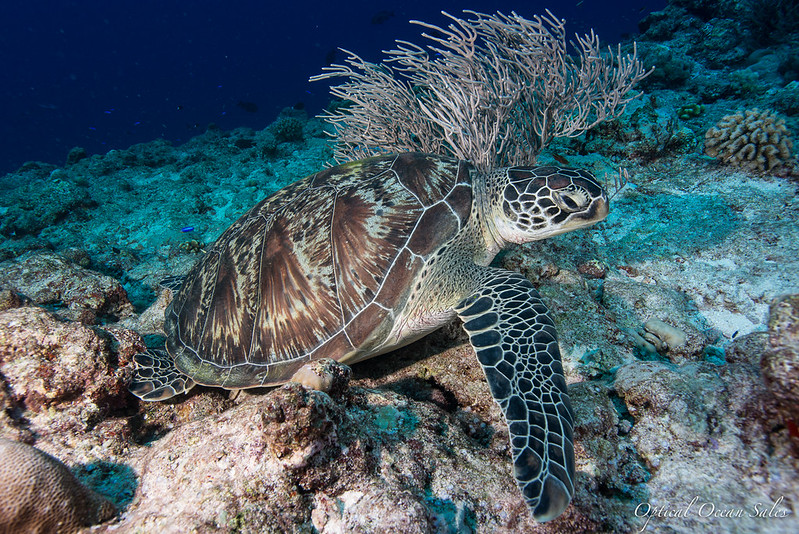
Turtle by Jack Connick, on Flickr
-
Hi Jack,
very interesting information, thanks a lot!
I never thought about using the 750 with a DX lens, would I loose a lot of quality?
Two more questions:
- do I need an additional port extension?
- Can ZEn modify my exiting 170 with has 85 mm diameter to the 120 mm necessary for DSLR or does it make no sense.
Regards, Sascha
-
The Nikon 17-35 is an FX lens. I use a 70mm extension.
No, the mount is the mount on the ports, you're better off selling it and buying another.
-
I never thought about using the 750 with a DX lens, would I loose a lot of quality?
If you shoot in FX mode it's very likely you'll significant vignetting. I have a D750, and used a Tokina 17-35 DX lens, and that starts vignetting at 24mm if I recall correctly. The Pro should work, but get a big dome. I'm somewhat unhappy with my 17-35 Nikon and a 200mm dome.


