Skip to content

Photography Gear and Technique / Archived topic

Comparing Pana 8mm 3.5f and Oly 8mm 1.8f (1)

Started by albert kok ·

  • 7Posts
  • 7Replies

Read-only discussion

Comparing Pana 8mm 3.5f and Oly 8mm 1.8f (1)

7 posts
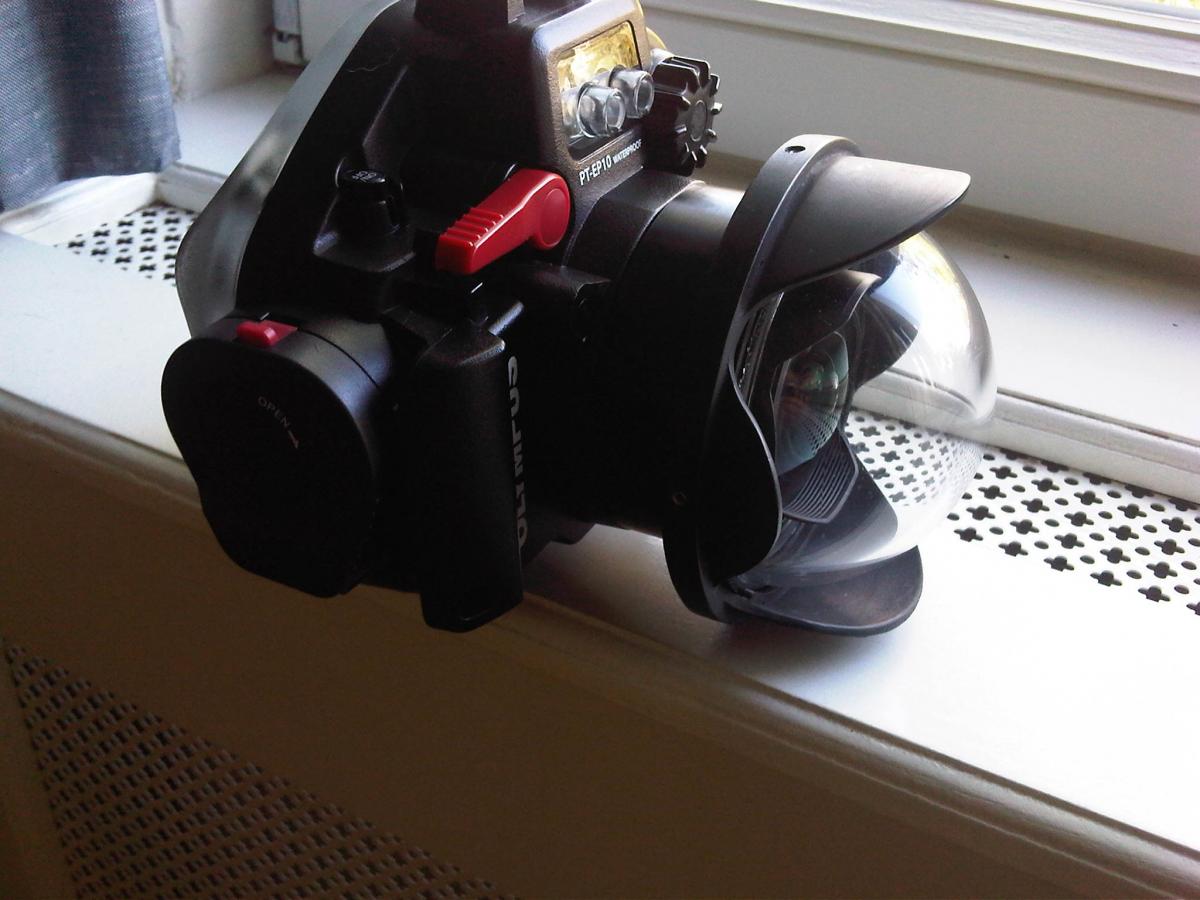
  1. Just received the new Olympus 8mm 1.8F FE. The lense (which is 28 mm longer that the Panasonic 8mm 3.5 F) seems to fit nicely in my PEN PT EP10 housing with a Zen 25 mm extension ring and the 4 inch dome (EPL5 inside). The position in the dome looks about the same as with the Pana. Without the extension I use the Panasonic 8mm 3.5 F like I did before. Sofar the topside pictures taken with these two set ups (Oly with extension and Pana without) look not so much different.Nice and crisp.

    post-7335-0-79285100-1443188137_thumb.jpg

    Edited by albert kok
  2. Cool and then how about uw wide open?

  3. Havent tried out the lense in open water yet. Like I said, on first sight I feel that there is not SO much difference with my old Panasonic 8mm F 3.5. Here are some preliminary results, Look at the two pics of the plastic bottle with Oly set at F7.1 and 1.8 in a water tank. Bye..


    http://www.albertkokuw.nl/420517523

    Edited by albert kok
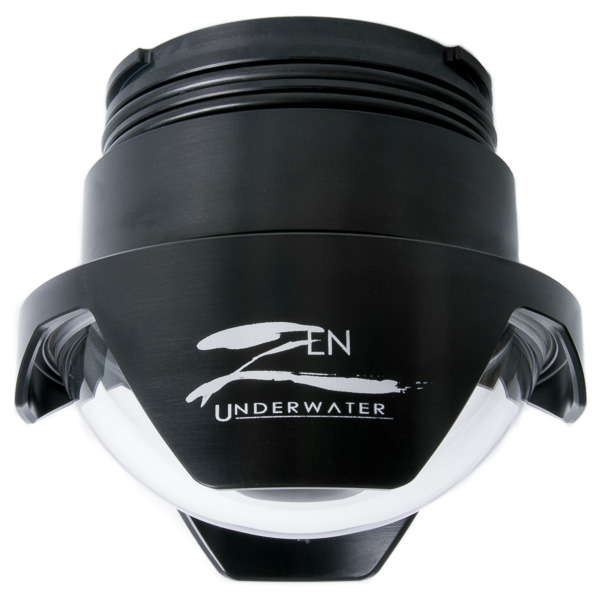
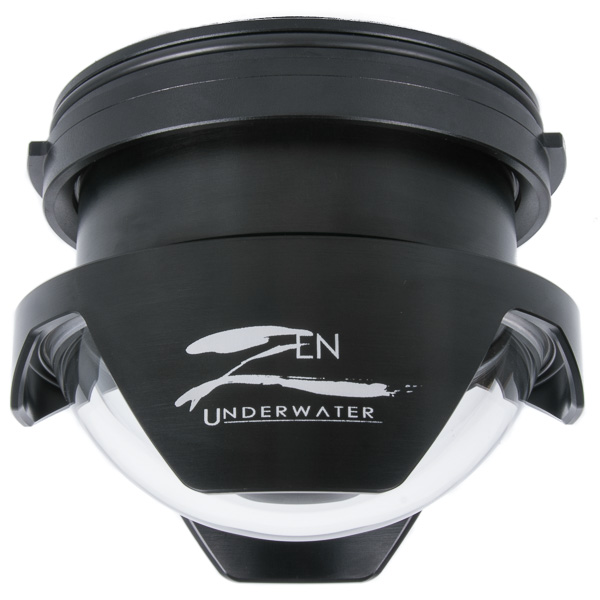
  4. If you have no fisheye port Zen Underwater now offers Olympus 8mm F/1.8 ports for both styles of Olympus housings (Pen & OMD) with the extension built in.


    post-2618-0-97352200-1443628749_thumb.jpg

    post-2618-0-82371000-1443628763_thumb.jpg

  5. Hi Albert,

    I'm currently shooting the same camera and housing as you have, but with the lumix 7-14mm wide-angle and Zen port. I'm not happy with the chromatic aberration and blurring I'm getting in the corners and am considering upgrading to the Oly 8mm and Zen ports you have.

    Are you happy with the image quality in the corners with this setup? Other than the $2000 price tag, can you think of any reasons why I might regret making that change from the Lumix 7-14?

  6. I have posted a sample image of my 7-14 mm lens to my dropbox account. (Full frame JPG and the RAW file)

    There is also an "x-ray image" of your port setup, made by superposing a side view of the lens onto the side view of the port & housing. From that you can see that the pupil of the lens is located about 19mm in front of the center of the sphere. I wonder if that causes any noticeable color-fringing in the corners?

    See: https://www.dropbox.com/sh/0dn33499p7oi4bm/AADbVKEgUTMK7oYhP_dwYXFDa?dl=0&s=so

    Would you be kind enough to upload an ORF file from your E-PL5 + Oly 8mm setup? It doesn't have to be a "winning image" just anything that is reasonably in focus and has some contrast in the corners so I can look for fringing.

    You can upload here: https://www.dropbox.com/request/sYfnzLcWro0mmSAMgvpC and it will end up in the folder with my 7-14mm sample.

    Thanks!

  7. Hi

    Sorry for not answering earlier. My impression of the new Oly PRO 8 lense is good. But as I said, I see no direct advantage over the Panasonic Lumix 8mm F 3.5. I have no opinion about the Lumix 7-14 lense. I do know that the (shorter) 8 mm Lumix has a fine reputation.


    The setup of Oly 8mm with the Zen 25 mm extension ring worked well with my 4 inch Precision dome (note that this dome was designed for the Panasonic without extension). So I think that in this case the alignment of the Oly's nodal point with the dome plus extension was OK


    In the topside test of the Oly F 1.8 on the EPL5 I saw no corner unsharpness at the widest aperture. So I think its all a question of finding the right dome for the right fish eye lense. With a mini dome properly aligned with the lense nodal point you dont have to worry too much about the corners, if you have blue water as a background and use a smaller aperture. How the Oly 8mm PRO performs without strobes in a cave at F 1.8 is a different story. Havent tried out that yet.

    Cheers Albert


    see also www.albertkokuw.nl for some examples under Test pictures.

    Edited by albert kok
AOI

Account

Navigation

Search

Search

Configure browser push notifications

Chrome (Android)
  1. Tap the lock icon next to the address bar.
  2. Tap Permissions → Notifications.
  3. Adjust your preference.
Chrome (Desktop)
  1. Click the padlock icon in the address bar.
  2. Select Site settings.
  3. Find Notifications and adjust your preference.