



How can this be done? Are they glued shut?
The black front cover seems tight is it glued or possible to screw off?
Cheers
Lights, Strobes, and Lighting Technique / Archived topic
Started by oskar ·
Read-only discussion
How can this be done? Are they glued shut?
The black front cover seems tight is it glued or possible to screw off?
Cheers
How can this be done? Are they glued shut?
The black front cover seems tight is it glued or possible to screw off?
Cheers
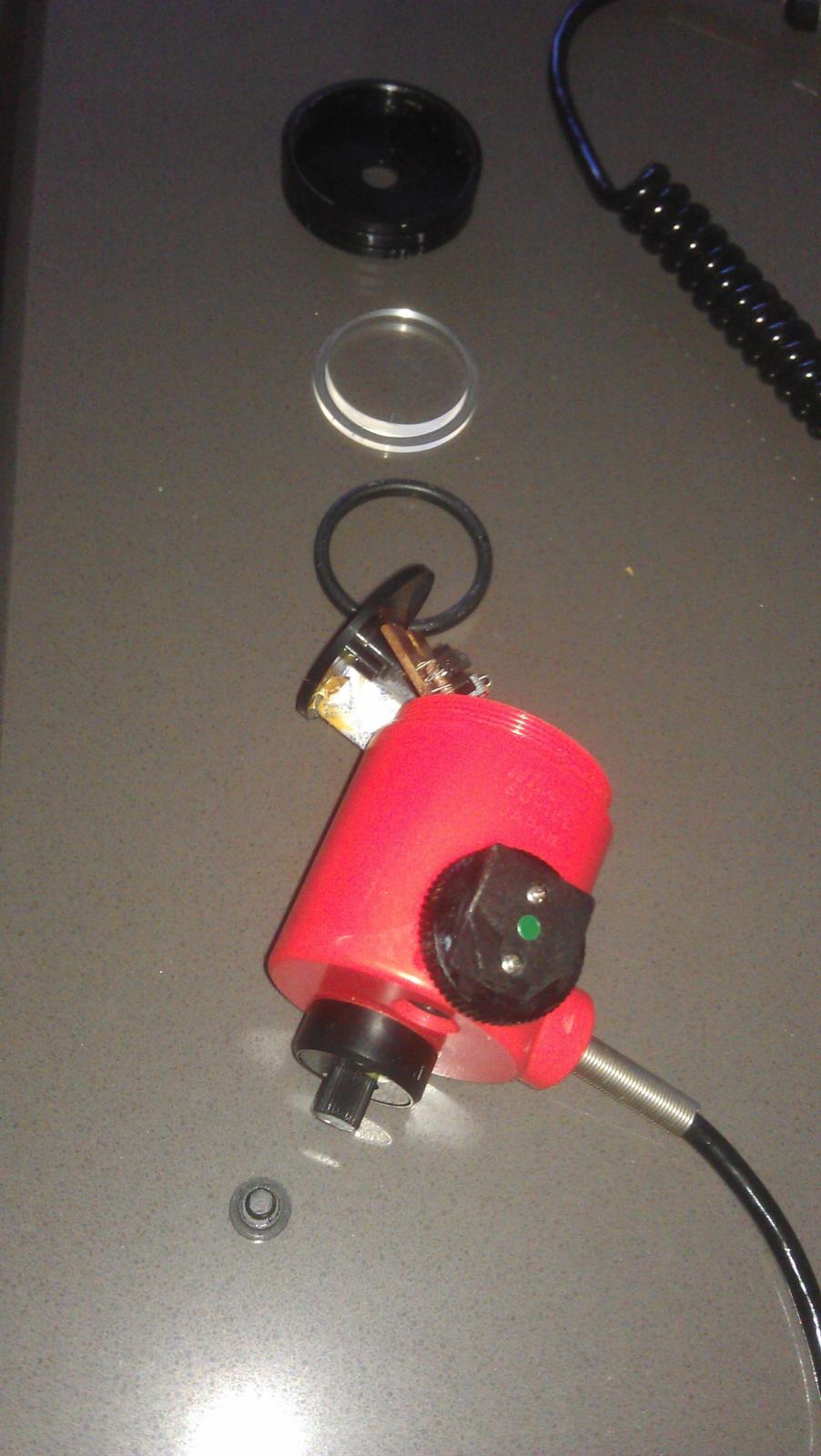
The front bezel screws off.
The housing is made of plastic. The front bezel appears to be aluminum (it is a soft metal). Mine has visegrip marks on it.
You then need to pry the lens out with something very thin like a dentist pick. The oring then falls out. The gubbins IS glued in, but not very firmly. You likely will not be able to "pull" it out since the black face ring is a snug fit.
You can push it out from behind, but care is required.
You can remove the small cap on the back (small black ring with 2 indents in it - it screws out). This reveals an (adjustment?) potentiometer which is mounted on the circuit board. Firmly push against the pot and the glue holding the board in place should break. Be prepared for the pot to bend over, so make sure you push from the side closest to the circuit board. The circuit board mounts horazontally in the middle of the housing.
There is no need to remove the foot (2 screws), the cable (1 threaded ring) or the magnetic switch (threaded retainer).
Thanks, that is great!
I was thinking about replacing the innards with something different.
What is the switch for, different sensitivity levels?
Cheers
/Oskar
Thanks, that is great!
I was thinking about replacing the innards with something different.
What is the switch for, different sensitivity levels?
Cheers
/Oskar
It is simply an on/off switch used to select between 2 different "aperature" settings.

Terms of Use Privacy Policy Guidelines We have placed cookies on your device to help make this website better. You can adjust your cookie settings, otherwise we'll assume you're okay to continue.

A worldwide community for underwater imaging.
