Skip to content

Photography Gear and Technique / Archived topic

Nauticam Trigger on the NA-GH3

Started by thetrickster ·

  • 5Posts
  • 5Replies

Read-only discussion

Nauticam Trigger on the NA-GH3

5 posts
  1. So the main driving force behind buying my 3D Printer was to make the trigger mechanism like the NA-BMPCC for my NA-GH3, alas I never got around to doing one - as it was turning out not to be easy!


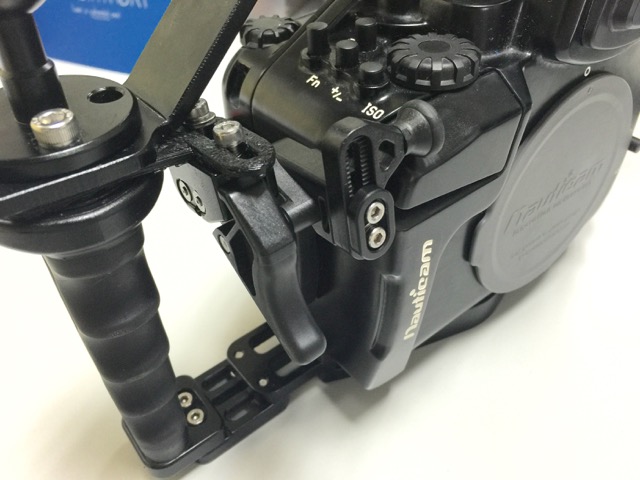
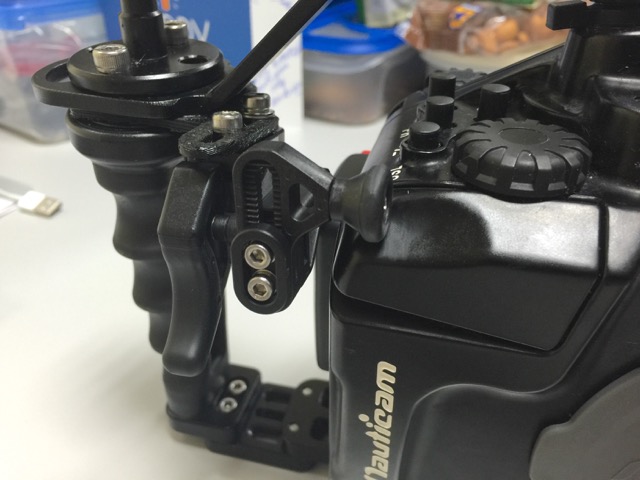
    Finally Nauticam released a Compact/MIL Housing Shutter Release Extension (Part: 25200) - and I have to say its a fine accessory - very will made, much better than I could of done.


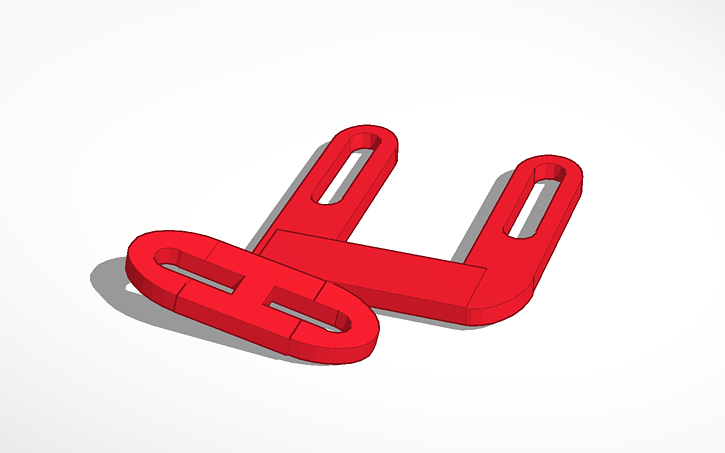
    However they don't sell a bracket for the NA-GH3... So I went ahead and printed one :D


    On the first look it looked straight forward, however due to the NA-GH3 being a bit taller than a normal MIL housing, it wouldn't fit with the carrier I've fitted, so I've had to add a 12 degree slant to it, if it was made in Aluminium, it would perhaps would be a bit stronger, but it works well enough for me.


    Definitely a worthy addition to the NA-GH3 :)


    post-43742-0-87195000-1444053339_thumb.jpg


    post-43742-0-59224900-1444054310_thumb.jpg


    post-43742-0-47794700-1444053475_thumb.png

    Edited by thetrickster
  2. I was looking to get the Nauti trigger for my EM5, unfortunately its one of the earlier models so there is no bracket available for it. I dont suppose you have access to an EM5 and the ability to print out one of those adapters per chance ;)

  3. Sorry, only have my NA-GH3 here! :(

  4. I have an older NA-M10 housing, and the Nauticam fitting to attach the right handle to the housing does not fit. So the trigger release has nothing upon which to mount. this printed solution may be the answer! Hmmm, maybe I can finally justify a 3D printer!

  5. Funnily enough I was thinking the same thing.....how to justify a 3d printer for all those bits and bobs you cant get elsewhere....hmmm. Thanks anyway Trickster, thought it was worth an ask !

Aquatica

Account

Navigation

Search

Search

Configure browser push notifications

Chrome (Android)
  1. Tap the lock icon next to the address bar.
  2. Tap Permissions → Notifications.
  3. Adjust your preference.
Chrome (Desktop)
  1. Click the padlock icon in the address bar.
  2. Select Site settings.
  3. Find Notifications and adjust your preference.