



Skip to content

Shooting Technique, Workflow and Editing / Archived topic

Focus light

Started by Trwen ·

  • 3Posts
  • 3Replies

Read-only discussion

Focus light

3 posts
  1. post-46875-0-73396200-1444513453_thumb.jpgHi

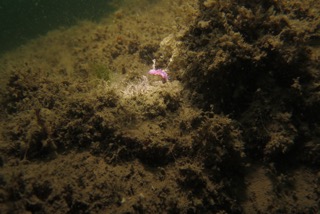
    I have a problem in that my Fantasea Nano focus light doesn't seem to be syncing correctly with the Inon S2000 strobe. Today, using just the one strobe, in pretty poor vis with lots of silt, using close focus wide angle, i kept getting a hot spot from the focus light. I've attached an example. I placed my strobe vertically about a foot above the camera facing straight forward, used Manual mode, and the Nano was attached on the cold boot attachment on top of the Inon converter for WA wet lens, and was focused immediately down in front. As you can see it has lit up the shot with a very definite hotspot. I did visually check on the dive to make sure it was actually turning off and it seemed to, but clearly either it didn't 'see' the strobe for some reason, or it's turning off too late.

    Maybe I need a 'better' focus light, or maybe I'm positioning everything wrongly....the strobe power was clearly a bit low for the conditions too, but it was working....and even if too low, the photo could be photoshopped to expose better and bring out highlights more...it's the bright light I'm concerned about.

    I'd welcome any advice!

  2. Hi i know this is a bit old but have you turned the focus light on to photo mode i.e hold down the on button until the green light flashes once you have done this the light will turn off when you take the shot

  3. Thanks Sea Nettle, but I don't have an 'on' button. The Fantasea Nano focus light is turned on by turning the head of the torch anticlockwise! In fact the torch does seem to turn off when strobes flash, and I have learned to set the shutter for 'rear curtain', but is it possible that it is not syncing properly with the strobes? I have to say I rather think now that it must be inexperienced photographer error with focus, exposure, and strobe position.....

Account

Navigation

Search

Search

Configure browser push notifications

Chrome (Android)
  1. Tap the lock icon next to the address bar.
  2. Tap Permissions → Notifications.
  3. Adjust your preference.
Chrome (Desktop)
  1. Click the padlock icon in the address bar.
  2. Select Site settings.
  3. Find Notifications and adjust your preference.
