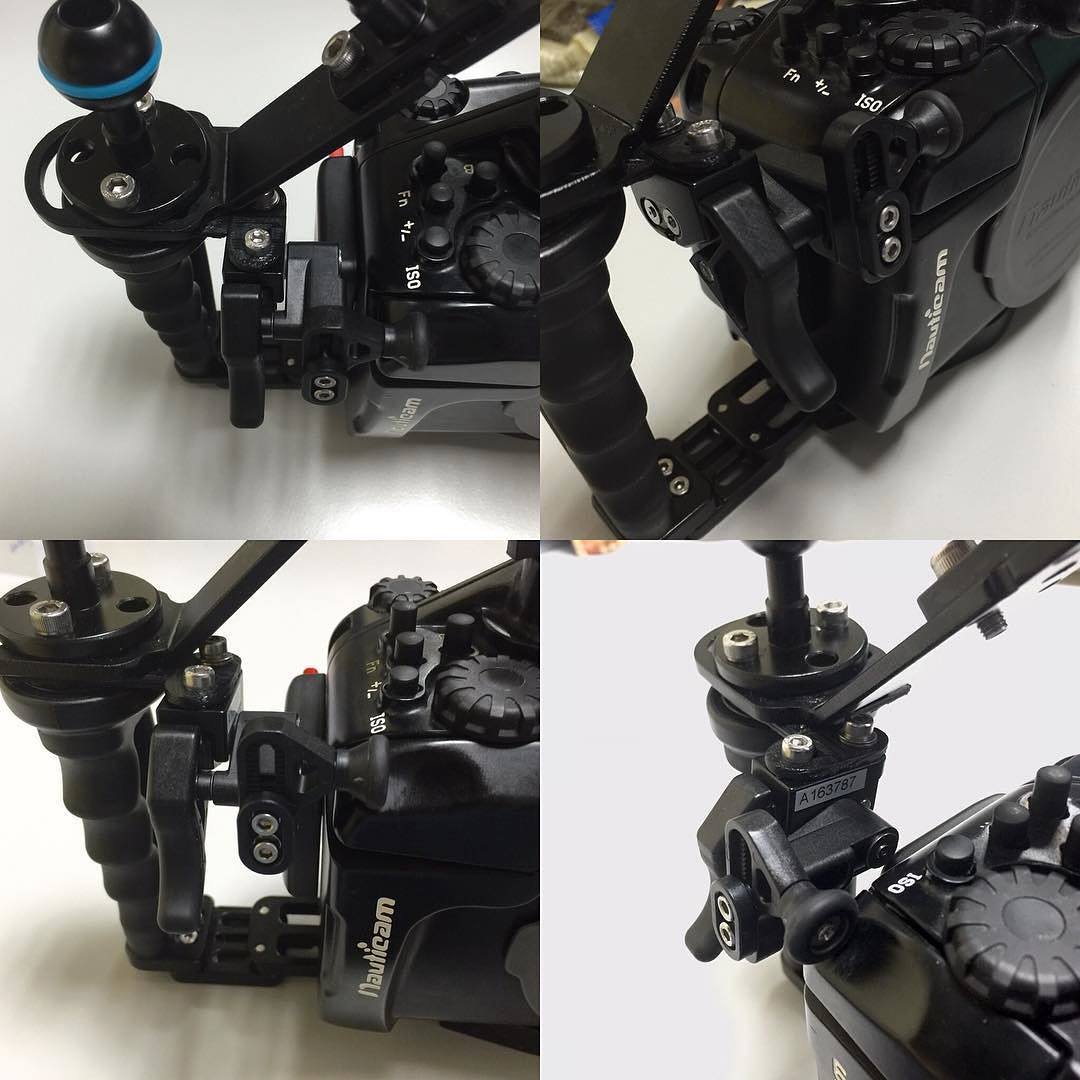
and I was wondering if anyone has installed this and tried it underwater. If you've tried it on a smaller housing (like the NA-EM10) that would be of even more interest. I shoot exclusively with back button focus and assign F1 to the focus function. In order to press F1 and release the shutter in a coordinated manner, I have to have my right hand in between the right tray handle and the right of the housing. Even at the widest extension, there's not a lot of room in there for someone with big hands or gloves. It seems like this device might make it so that I don't have to do this anymore, and could have my right hand in a more natural position, like it would be in a DSLR housing.
The NA-EM10 housing does not have the metal brackets. I've seen an part number that is the right handle bracket, but not a kit with both. Seems odd.
Thanks for any info.
I got one for my GH4, but had to print a bracket for it to fit.
I took it off in the end as the button layout on my NA-GH3 wasn't useful if using the trigger (and trying to WB and back focus) as all the buttons were too fair from my thumb.
I've ordered one for my NA-EM10, should be delivered today.
I'll fit it and report on it.
Won't get a chance to try it underwater until Feb.
I have used the shutter release for the LX100 and found it very effective to use. if you have a nauticam tray already I would recommend the release even if it makes the whole rig even more complex to put together when travelling
I have used the shutter release for the LX100 and found it very effective to use. if you have a nauticam tray already I would recommend the release even if it makes the whole rig even more complex to put together when travelling
It looks like the NA-LX100 is "bare" like the NA-EM10 that I have. I do have the Flexitray with both handles. Do you mind if I ask what additional parts you had to order to get this installed? Specifically the metal bracing bracket things. Thanks!
There were some brackets that are specific to the housing. I got rid of the LX100 so i don't remember exactly
The right handle bracket I ordered, which has EM10 laser-cut into it, does not fit my NA-EM10 housing. In correspondence with Reef Photo about this, should know more tomorrow.
Update: My housing is too old to allow the right-handle bracket to be fitted, to which the trigger release is attached. So I cannot use the bracket or therefore the trigger.
Reef has updated their website with the following information:
"Only compatible with housings starting with a serial number of A080640 and after."
I'll be returning the trigger and bracket. Dang.
Update: My housing is too old to allow the right-handle bracket to be fitted, to which the trigger release is attached. So I cannot use the bracket or therefore the trigger.
Reef has updated their website with the following information:
"Only compatible with housings starting with a serial number of A080640 and after."
I'll be returning the trigger and bracket. Dang.
What a shame. Thank you for sharing this information, though. This is exactly the reason I asked the WP community in the first place.
I just checked and I'm 080617, so I guess I'm 23 shy of having this able to work....Should have waited another month to buy my housing!